
Looking for a new job can feel overwhelming. You may be wondering:
Where do I even start?
How do I package my work?
Do I need to update my projects or start from scratch?
If you’re in this phase right now, I here you and I see you. I am currently rebuilding my portfolio, refining old projects, and shaping my personal brand. There’s a lot that goes into it. It can feel like a full-time job on top of your actual job.
But as I’ve worked through this process, I’ve picked up a few key lessons. If you’re in the same place, I hope these help make things feel a little more clear and a lot more doable.
Let’s dive in.
Your Portfolio Is More Than a Gallery
“Your portfolio is more than just a showcase. It’s your story. It’s a breathing, living document of your story. Who are you? What can you do? Your portfolio is not a dumping ground.”
Evergreen Odeh, Building a Portfolio That Gets You Hired (Even Before You Feel Ready)
Evergreen does an excellent job explaining everything a portfolio encompasses. It is not just a collection of your best work.
It’s your story.
Think of it like this: a hiring manager is trying to understand who you are in just a few minutes. Your portfolio is your chance to guide them. This means your portfolio should not be static. It should show:
- How you think
- How you create
- How you solve problems
Don’t just show the final product. Show the journey.
How did you go from idea to outcome?
What decisions did you make along the way?
Why did you choose one direction over another?
This is where you stand out.
Where Should You Build Your Portfolio?
Before you build, you need a place to host your work. There are plenty of great options, and each one fits different needs.
In “How to Make a Portfolio That Gets Jobs and Clients,” Tom Gerencer offers a few options to consider:
- Behance: A free platform where you can share projects, get feedback, and get discovered by recruiters.
- Dribbble: Great for UX, product, and branding designers. It includes job boards and a “Hire Me” feature.
- Adobe Portfolio: Ideal if you already use Adobe Creative Cloud. It offers clean templates and easy integration with Behance.
- Squarespace: Best for building a fully branded, professional website. It gives you full control over design and layout.
- Carbonmade: A simple drag-and-drop builder that’s easy to use and visually strong.
I’m personally using Squarespace because I wanted a polished, fully branded site where recruiters can easily view my work.
My advice? Choose the platform that fits your goals and skillset. Don’t overthink it. The content matters more than the tool.
How to Build a Portfolio That Gets You Hired
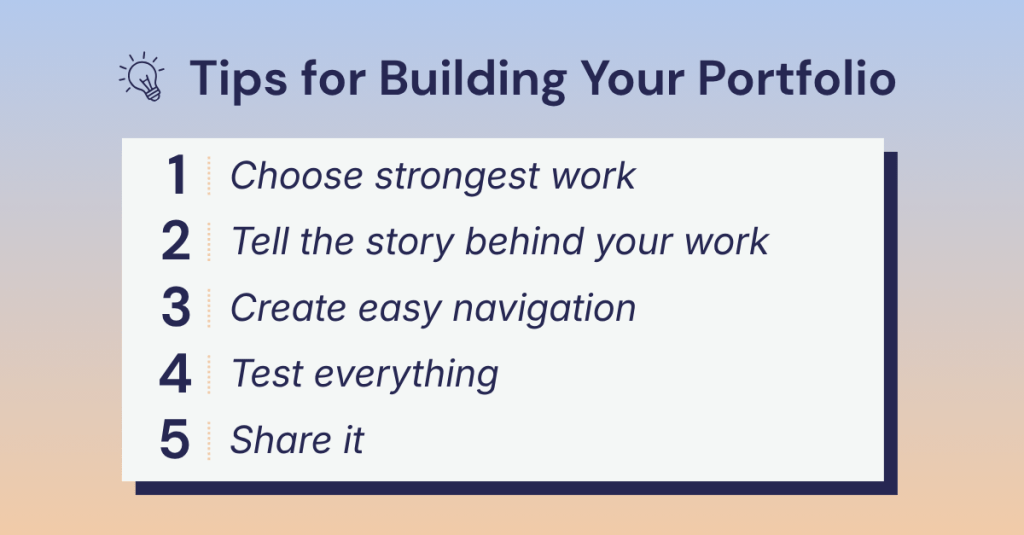
Now that you have a place to build, let’s talk about what actually goes inside. Let’s look at some tips from Robert Half’s “How to create a digital portfolio that gets you hired.”
1. Choose Your Strongest Work
You don’t need to include everything in your portfolio. Aim for 7–10 strong projects that show:
- Your core skills
- Your industry experience
- Your creative range
Keep your work recent when possible. Quality always beats quantity.
2. Tell the Story Behind the Work
This is where many portfolios fall short. Well-written, compelling descriptions and case studies add incredible knowledge and give the employer a sneak peek into your creative mind.
Don’t skip this part. Each project should include a short case study. They can be structured in different ways, but here are a few questions they should answer:
- What was the goal?
- Who was the audience?
- What was your process?
- What was the outcome?
This is your chance to show how you think, not just what you make.
3. Make It Easy to Navigate
Hiring managers are busy. If they can’t find your work quickly, they’ll move on. Keep your layout clean, simple, keep menus clear, and easy to scan. Don’t be afraid to use white space. The main takeaway? Don’t overcomplicate things that distract from your projects.
You can organize your portfolio by:
- Relevance (industry or type of work)
- Impact (skills or strengths)
4. Test Everything
Before you share your portfolio, test it. Do images load quickly? Does it work on mobile and desktop? Are there any typos? Better yet, have a friend or mentor review it. Fresh eyes catch things you might miss.
5. Share It With the World
Once your portfolio is ready, don’t keep it hidden. Share it on LinkedIn, add it to your featured section, and talk about your work. You created it: let people see it.
Bring It to Life With Real Work
Want a real example? As I rebuild my own portfolio, I’ve created a branding document that walks through my full process of how I created my brand.
It’s a great example of how to:
- Show your thinking
- Present your work clearly
- Tell a complete story
If you’re just getting started, creating something like this is a great first step. Take a peak below.
Final Thoughts: Start Where You Are
Building a portfolio can feel like a lot. Start with what you have. Refine as you go. Keep improving over time. Your portfolio is not a one-time project. It’s something that grows with you.
And remember: you’re not just showing your work. You’re showing what your capable of.
Now go build something you’re proud of. You got this!
 Christian Schaaf's Blog + Portfolio
Leave a comment