Tag: video montage

  • Behind the Lens: Inside the Making of My Video Montage

    Behind the Lens: Inside the Making of My Video Montage

    After all the planning, scripting, and storyboarding from last week, it was finally time to bring my video montage to life. This week’s focus was on production and post-production, filming the shots I planned at Valley Forge National Park and then editing them together into a cohesive story. From setting up my camera and capturing the perfect lighting to layering narration, sound effects, and background music, this stage brought all the preparation together. Every detail, from the angle of a shot to the rhythm of the edit, played a role in shaping how the story feels on screen. Let’s walk through the steps I took to capture, edit, and finalize my video montage this week.

    Reading and Writing

    This week, I read Chapter 10: After the Shoot – Editing from Tom Schroeppel’s The Bare Bones Camera Course for Film and Video. This chapter explained what happens when filming is done and how important it is to stay organized and intentional when editing a project. Schroeppel starts by reminding readers that our eyes naturally see the world with a view of about 25 degrees wide, which means editing needs to help guide the viewer’s attention in a clear and meaningful way. One of his first suggestions is to read the script before editing, so you understand how you want your audience to react to your video. Knowing the emotion or message you want to communicate makes it easier to choose which clips to use and how to arrange them.

    Schroeppel also emphasizes the importance of logging all material with as much detail as possible. This can be done in the field or right before editing. Using consistent keywords, labeling shot types (like MS for medium shot or CU for close-up), and marking clips as “good” or “NG – no good” helps keep everything organized. This makes the editing process move faster and reduces stress. He also introduces the idea of a paper edit, which is when you cut up pieces of your editing log and arrange them on a table or floor to plan the order of your video. This allows you to rearrange sections easily until the sequence feels right.

    When it comes to actual editing, Schroeppel suggests starting with an establishing shot so viewers know where they are right away. This prevents confusion and lets the audience focus on the message instead of trying to figure out the location. He recommends using basic sequences by cutting back and forth between related shots in the same setting, and making sure each shot is different enough to keep things visually interesting. Pacing is also important: a good editor guides viewers smoothly from shot to shot without distracting them.

    Schroeppel also highlights how powerful sound is in editing. Background music can help set the mood, reinforce the message, and tie the whole piece together. He explains that music should stay truly in the background, not too loud or too bold, so it supports the visuals rather than distracts from them. He also explains the goal of sound mixing: to improve the quality of the original audio and blend voice, music, and sound effects into one clear, effective track. After editing, Schroeppel recommends sharing the video with someone from your target audience or a friend to get feedback. Sometimes fresh eyes help catch things you missed, giving you a chance to make final adjustments.

    Overall, this chapter gave me a much better understanding of how careful planning, thoughtful editing, and strong sound design can bring a video project together. These tips helped me a lot during the production and editing of my video montage this week.

    Research to Inform

    To better understand how different editing choices can shape the mood and message of a video, I watched several examples that use a variety of editing techniques. I looked at videos with fast cuts, slow pacing, creative transitions, and strong sound design to see how each creator used editing to tell their story. Studying these examples helped me learn what kind of editing style I connect with the most and what techniques I want to use in my own video montage. By paying attention to elements like transitions, pacing, sound effects, and background music, I was able to get a clearer idea of how I want my final piece to look and feel.

    1.) “You Can’t Stop Us” – Nike Ad
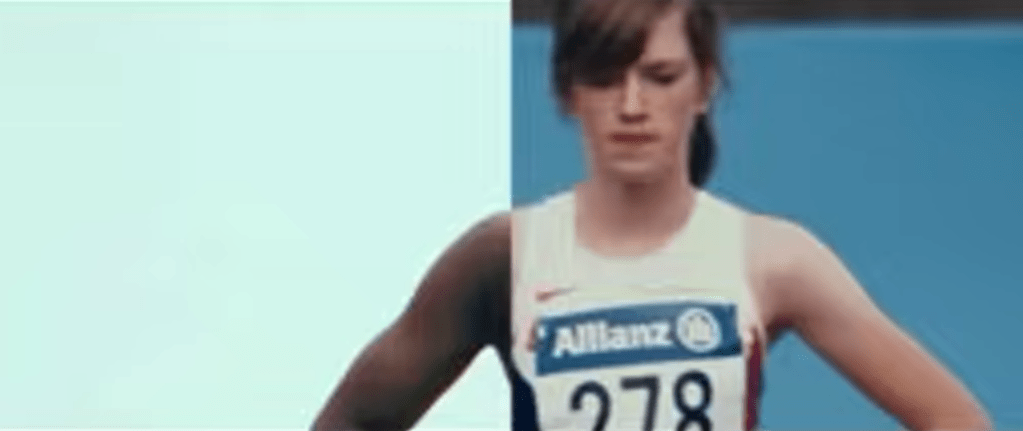
    In Nike’s “You Can’t Stop Us” commercial, one of the most powerful editing tools is the split screen. The screen is divided so that different athletes and actions appear side by side, and often an action on the left will match perfectly with an action on the right, like a tennis serve transitioning into a basketball shot. This visual design shows that all sports are connected and that athletes everywhere are united as one movement. The background music is uplifting and hopeful, giving the viewer a sense of possibility and encouragement. The shots change every five to six seconds, which is just long enough to see the action clearly but short enough to keep the energy high and moving. Together, the split screen, the rhythm of the cuts, and the inspiring music tell a story of endurance, unity, and hope.

    2.) Student-Led Tour of Harvard University
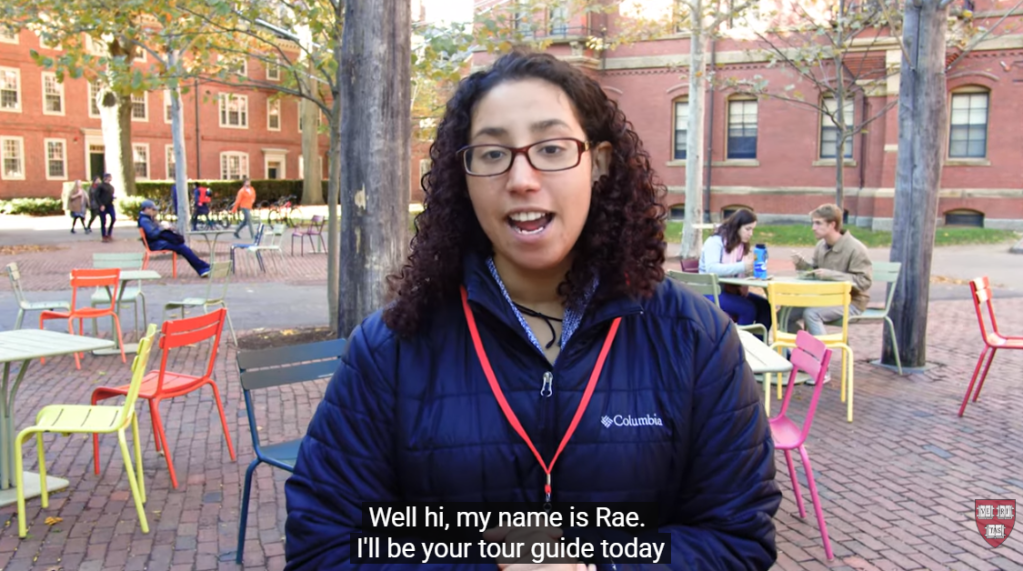
    In this student-led campus tour video of Harvard University, one of the techniques that really stands out is the transition between locations: the videographer speeds up the walking shots between buildings to move smoothly from one place to the next. This creates a natural “bridge” between scenes, so you don’t just jump from one building to another without context. The shots of each building or location are long enough (about 5 seconds) that you can actually look at the architecture and feel the space, and during those longer shots the videographer uses pans and tilts to showcase the size and detail of the buildings. The background music is upbeat and energetic, matching the excited tone of the voice-over, which makes the viewer feel as though they’re walking through the campus themselves. By using these transitions, the creator keeps the viewer engaged and helps them feel like they are on the campus tour.

    3. Paris 2024 Olympics | Official BBC Trailer
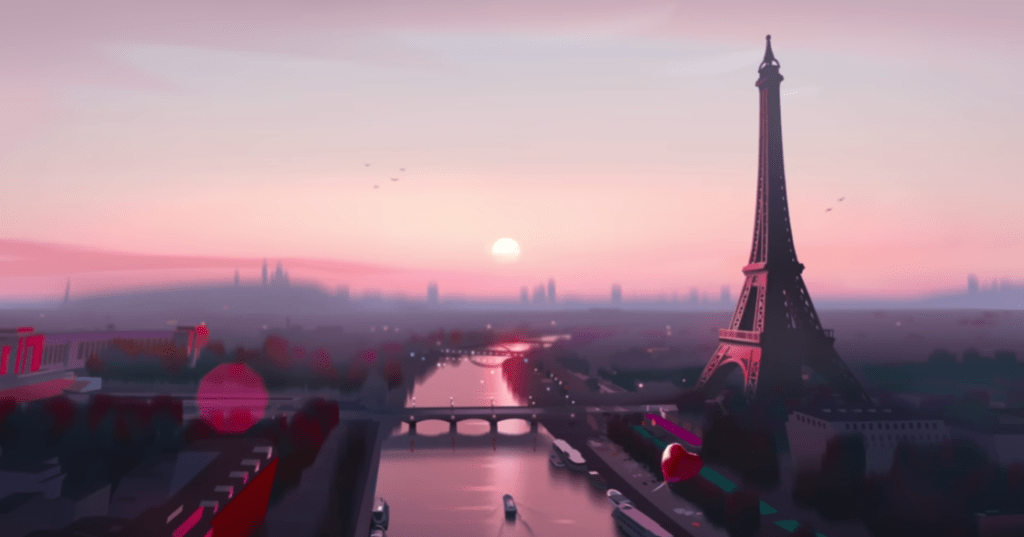
    Another strong example of fast editing is the Paris 2024 Olympics Official BBC Trailer. This video uses quick transitions and fast cuts to capture the excitement and nonstop action of the Olympics. Each scene only stays on the screen for a few seconds before jumping to the next sport, which keeps the viewer’s energy high. The transitions are quick cuts between animated versions of each sport, making the entire trailer feel sharp and rhythmic. The sound design also stands out as each animation has a sound effect that matches the sport, like a splash for swimming, cheering crowds for track and field, and the thud of a gymnast landing. These audio cues help the viewer feel connected to each moment. The video also uses a consistent color palette, which keeps the animations feeling unified and gives the trailer a strong brand identity. The deep, cinematic voiceover adds contrast to the fast visuals and helps the trailer feel like the preview for an epic movie. The mix of fast edits, bold animations, and dramatic narration creates a sense of excitement that reflects the anticipation and global scale of the Olympics.

    Create

    Valley Forge National Park Video Montage

    For my video montage at Valley Forge National Park, my main goal during production was to capture a wide variety of shots and locations. I wanted as much content as possible so I could choose the strongest clips later. I visited the Valley Creek Trail, the Covered Bridge, the National Memorial Arch, the Von Steuben Statue, the Washington Memorial Chapel, and several other areas throughout the park. While filming, I tried to get a mix of establishing shots, wide shots, medium shots, close-ups, and extreme close-ups to help keep the final video visually interesting. During editing, I used tools like Brightness and Contrast to even out the lighting between clips because the weather changed from sunny to cloudy as I filmed. I also used a Gaussian blur to soften small blemishes on the footage and the trim tool to shorten shots and tighten the pacing. I added cross dissolve transitions between each location to show viewers when we were moving from one place to another, and I used straight cuts when switching between different angles of the same landmark to make the scenes feel connected. For audio, I layered in ambient sounds like soft wind, birds chirping, water flowing, and leaves crunching to help set the scene. I also included sound effects such as footsteps on gravel, a cabin creaking, a train passing, and gentle church bells to match each location. My background music is calm and peaceful, and I chose it to help create a warm, welcoming mood. Overall, this project was a lot of fun, and I was happy that I could avoid filming people in the park. Planning my script and shot list ahead of time made filming much easier, and I learned a lot about both audio and video editing while creating a cohesive montage of Valley Forge National Park.
  • The Blueprint Behind the Camera: Planning the Perfect Montage

    The Blueprint Behind the Camera: Planning the Perfect Montage

    Before any great video comes to life, there’s a moment of stillness: a pause to plan, to visualize, and to prepare. This week’s focus was all about that pre-production stage: learning the basics of cameras, mastering composition, and framing shots that tell a story before a single line of dialogue is spoken. Through exercises in photography, storyboarding, and scripting, I’ve learned that the magic of video doesn’t just happen in the edit; it starts long before the camera ever records. Planning isn’t just a step in the process; it’s the foundation that makes everything else run smoothly. Let’s dive into how I prepared to bring my video montage to life this week.

    Readings and Writings

    To get ready for my video montage, I started by reading a few chapters from The Bare Bones Camera Course for Film and Video by Tom Schroeppel and some articles about pre-production and storyboarding. These readings helped me understand that making a great video is all about planning, understanding your camera, and knowing how to tell a story through visuals.

    The Bare Bones Camera Course for Film and Video

    Chapter 1: Basics

    Chapter 1 of The Bare Bones Camera Course for Film and Video explains how a camera works and why it’s important to understand the basics before filming. Schroeppel describes how the camera “sees” through a lens that gathers light reflected off objects. That light passes through the lens and lands on a sensitive surface inside the camera. In digital cameras, this surface is an image sensor, either a CCD (charge-coupled device) or a CMOS (complementary metal oxide semiconductor), which turns light into an electronic image. A key part of this process is exposure, or how much light reaches the sensor. Too much light causes overexposure, making an image too bright, while too little light causes underexposure, making it too dark. Exposure is controlled by three main settings: aperture, shutter speed, and ISO.

    Schroeppel explains that aperture is the opening in the lens that lets in light, measured in f/stops like f/2, f/4, or f/8. Think of f/stops like fractions: the smaller the number, the bigger the opening, and the more light comes in. This setting also affects depth of field, or how much of the image is in focus. A low f/stop creates a blurry background, while a high f/stop keeps more of the scene sharp. ISO, which stands for the International Organization for Standardization, controls how sensitive the camera is to light. A low ISO (like 100) works well in bright light, while a high ISO (like 800 or 1600) is better in darker places but can make the image look grainy. Schroeppel also discusses how different lens angles (wide, normal, and telephoto) change how the viewer experiences a shot. Understanding these basics helps filmmakers control how their videos look and tell a story through light, focus, and composition.

    Chapter 2: Composition

    Chapter 2 of The Bare Bones Camera Course for Film and Video focuses on how to compose and frame a shot to make it visually appealing and balanced. Schroeppel explains that using a tripod keeps your camera steady and helps you focus on the creative side of filming. He introduces the rule of thirds, a simple grid that helps position your subject in a more natural way. He also talks about headroom (the space above a person’s head) and lead room (the space in front of where someone is looking or moving). Getting these right makes a shot feel comfortable to the viewer. Schroeppel also notes that color can affect balance. Bright or bold colors pull attention, so it’s important to use them carefully.

    The chapter also explores how angles and backgrounds shape the mood of a shot. Shooting at eye level makes the subject feel equal to the viewer, while a bird’s-eye view can make them seem small and a worm’s-eye view can make them look powerful. Even slightly tilting the camera can add depth and energy. Schroeppel also encourages filmmakers to find frames within the frame, like using a window, doorway, or tree branches to draw attention to the subject. Lastly, he reminds readers that a good background should enhance the shot, not distract from it. Overall, this chapter taught me that thoughtful composition helps turn a simple image into a powerful story.

    Chapter 5: Camera Moves

    Chapter 5 focuses on how to make camera movement look smooth and purposeful. Schroeppel explains that cameras can move in a few main ways: zooms, pans, and tilts. A zoom-in brings the viewer closer to the subject, while a zoom-out pulls back to reveal more of the scene. A pan is a horizontal movement, turning the camera left or right, and a tilt is a vertical movement, tilting the camera up or down. Each move changes how the viewer experiences a scene, so it’s important to use them with intention.

    One of Schroeppel’s biggest tips is to begin and end every move with a steady, well-composed static shot. This helps the movement feel more natural and keeps the viewer grounded. When combining moves, like zooming while panning or tilting, he suggests starting the pan or tilt just a split second before the zoom. This small detail makes the transition feel smoother and more professional. Overall, this chapter highlights that camera movement isn’t just about motion; it’s about control, timing, and knowing when to let the camera stay still.

    Chapter 6: Montages

    Chapter 6 focuses on the art of creating a montage, which Schroeppel defines as a series of related shots used to condense time or distance, set a mood, or summarize information. Montages are a great way to show progress, change, or emotion without needing long scenes or dialogue. They help the viewer understand a lot in a short amount of time and can add energy or rhythm to a story.

    Schroeppel explains that a successful montage depends on variety. Each shot should look clearly different from the one before it to keep the viewer interested. This can be done by changing angles, shot sizes, and perspectives throughout the sequence. Mixing close-ups, wide shots, and medium shots adds visual excitement and helps tell the story more clearly. Overall, this chapter shows that montages aren’t just a collection of random clips; they’re carefully planned sequences that make storytelling faster, smoother, and more visually engaging.

    Supplemental Articles

    Video Pre-Production Planning Check-List – 11 Steps to a Successful Project

    In this article, Jacob Trussell explains that great videos start with careful planning. Before you ever start filming, it’s important to think through every step of the process, from setting goals to editing the final cut. Trussell shares that a solid video production checklist keeps everything organized and helps avoid surprises later on. Planning ahead not only saves time and money, but also makes the creative process smoother and more enjoyable.

    Trussell outlines fifteen key steps to a successful video production. These include defining your goals and identifying your audience, developing a clear message, creating a budget, and deciding where your video will live once it’s done. He also stresses the importance of storyboarding and scripting before filming, as well as scouting locations, organizing equipment, and building a realistic schedule. Finally, he highlights the last stages of shooting, editing, and distributing your finished video. Overall, Trussell’s article reinforced what I’ve learned this week: when you take the time to plan your shots and structure your story, production becomes less stressful and a lot more creative.

    Learn What is a Storyboard and How to Use it to Make Better Videos

    This article explains that a storyboard is like a comic strip version of your video that helps you plan out each shot before filming. Storyboards make it easier to visualize how scenes will look, organize camera angles, and communicate your ideas to others. The article breaks down the process into simple steps: plan your video’s goal and message, visualize each scene, add notes about timing and action, and review your storyboard with others for feedback. It also points out common mistakes, like making storyboards unclear or too detailed. Overall, the article shows that storyboarding helps save time and money while making your final video stronger and more focused.

    Acting Tips: 12 Camera Shots Every Actor Should Know

    In this article, the New York Film Academy explains that understanding common camera shots is important for anyone working in film or video production. The article introduces twelve popular shot types, such as the aerial shot, which captures a scene from high above; the establishing shot, which sets the location; the close-up, which focuses on a person’s face or detail; and the wide shot, which shows the subject within their environment. Each shot type helps tell a different part of the story and creates a unique emotional effect for the audience.

    The article also discusses how camera angles can shape how we see a subject. A low-angle shot can make someone appear powerful or confident, while a high-angle shot can make them seem smaller or more vulnerable. By combining different angles and shot sizes, filmmakers can guide the viewer’s attention and influence how a scene feels. This article helped me recognize how much thought goes into framing and shot selection. Every choice behind the camera adds meaning to the story being told.

    Research to Inform

    After reading about camera basics and composition, I wanted to see how these principles work in real life. For this section, I researched examples of visual composition in action to better understand how filmmakers use framing, angles, and color to tell a story.

    1.) No Human Is Limited: Natural Frames in the Scene

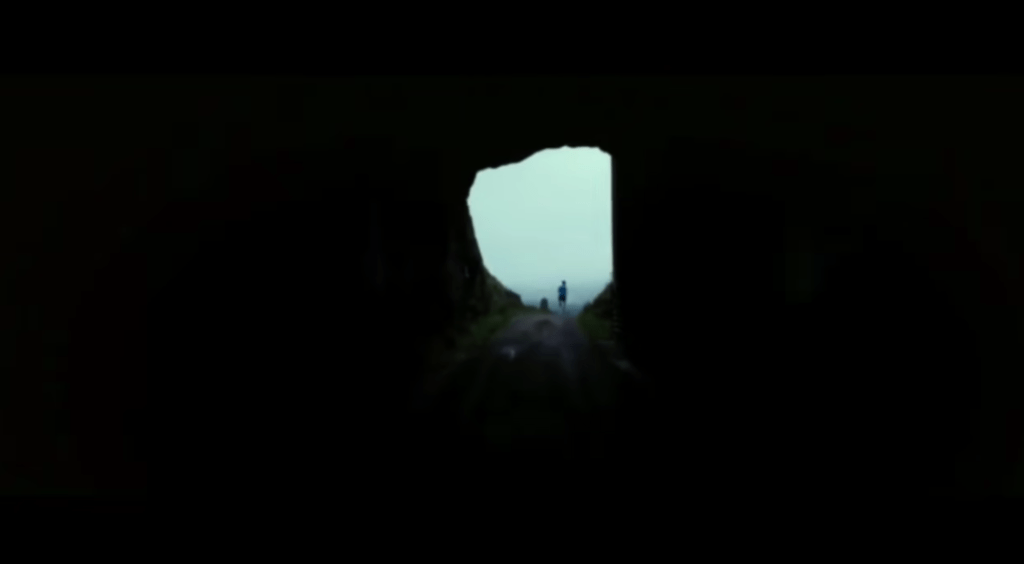
    One strong example of visual composition in action comes from the short video “No Human Is Limited.” At the 24-second mark, there’s a striking shot that perfectly demonstrates the use of natural framing. In this scene, a runner emerges from a dark tunnel into the light. The tunnel itself forms a natural frame around the runner, directing the viewer’s attention straight to the subject. The sharp contrast between the dark surroundings and the light on the runner symbolizes determination and possibility, echoing the film’s message that no human is limited. As the shot transitions into a wide, open landscape, it visually reinforces the idea that the world is full of endless opportunities, and that perseverance can carry someone beyond any obstacle.

    2.) Hunger Games (District 12 Reaping): Shallow Depth of Field + Close-Up

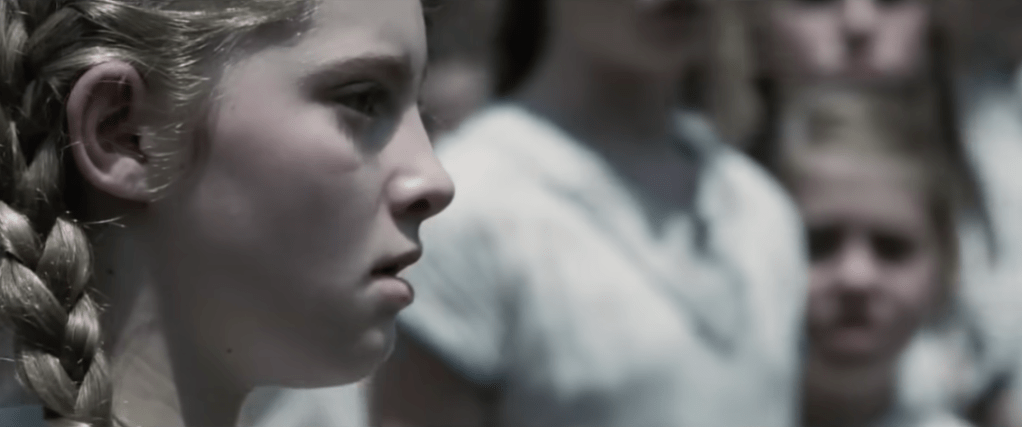
    Another strong example of visual composition can be seen in the first Hunger Games movie, during the scene when Primrose Everdeen is chosen to compete in the Games. The filmmakers use a shallow depth of field and a close-up shot of Prim’s face to capture the emotional intensity of the moment. The crowd behind her fades into a blur, drawing all attention to her expression of shock and despair. This visual choice highlights the weight of what’s happening: how one small, personal moment can carry enormous emotional impact. By isolating Prim from the background, the scene makes the audience feel her fear and confusion, almost as if time itself has slowed down to focus on her.

    3.) Pirates of the Caribbean – First Scene of Jack Sparrow: Rule of Thirds

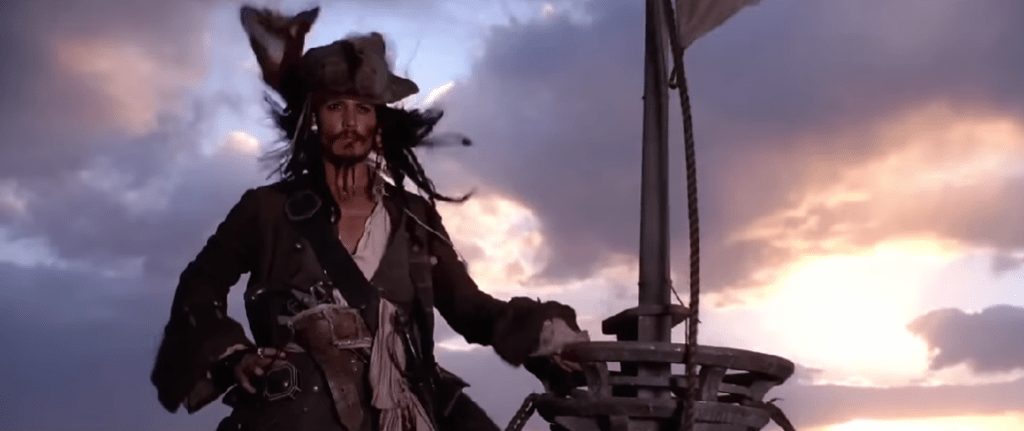
    A great example of the rule of thirds can be found in the opening scene of Pirates of the Caribbean when Jack Sparrow is introduced for the first time. As the camera pans to the front of him, Jack is positioned along the left vertical line of the rule of thirds grid, rather than in the center of the frame. This placement makes the shot more visually interesting and dynamic. The composition also feels balanced because part of the ship fills the right side of the frame, near the opposite third, creating symmetry and visual appeal. This thoughtful use of framing not only makes the scene engaging but also subtly communicates Jack’s confidence and larger-than-life personality right from the start.

    Create

    After learning about visual composition, camera techniques, and studying real examples, it was finally time to put what I learned into practice. This week’s creative exercises helped me apply these principles and build confidence behind the camera. I completed a photography scavenger hunt to practice framing, balance, and lighting, and I also worked on a pre-production planning document that included storyboards for my upcoming video montage.

    Photo Scavenger Hunt

    As part of my preparation for the video montage, I completed a photo scavenger hunt to practice taking still shots in nature, since I plan to film my final project at a national park. This exercise helped me apply visual composition principles such as the rule of thirds, depth of field, and leading lines while experimenting with different angles and natural frames. Taking photos outdoors allowed me to observe how light, shadow, and perspective change depending on the time of day and my camera settings. It was a great hands-on way to strengthen my eye for composition and better understand how each technique can shape the story I tell through visuals. To view my full collection of photos from the scavenger hunt, click here.

    Pre-Production Planning Document with Storyboards

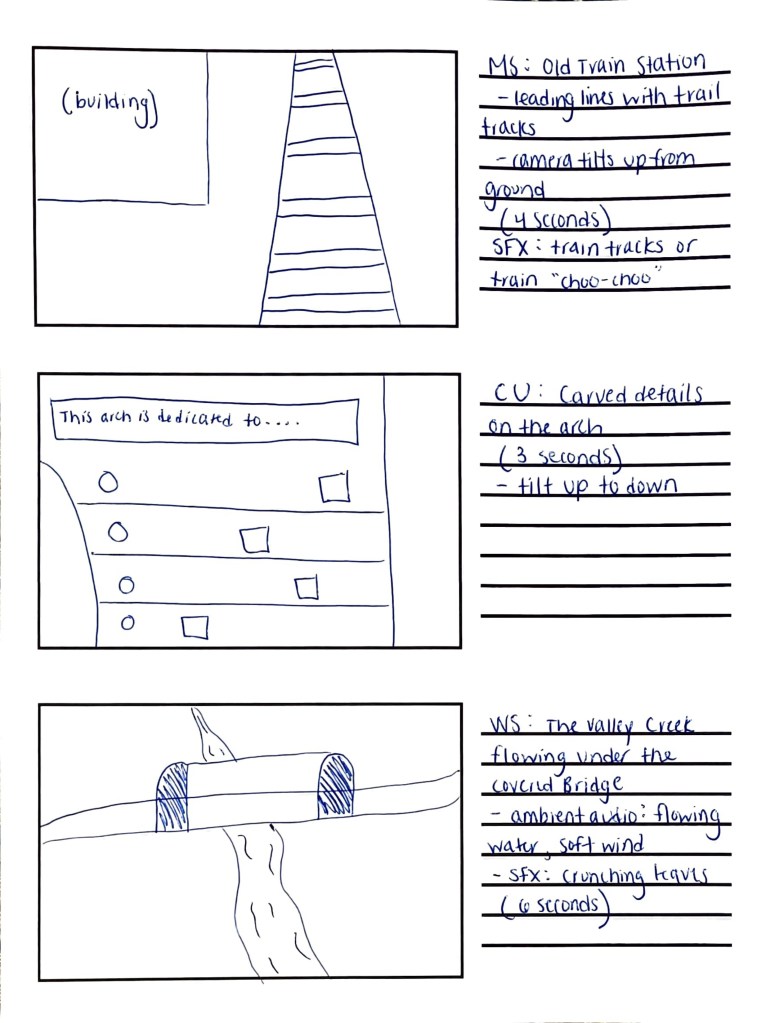
    I also completed a pre-production planning document to organize every part of my upcoming Valley Forge National Park video montage. This included writing the script and narration, identifying sound effects, ambient audio, and background music, and planning out what each shot will look like. I created a detailed storyboard to visualize the flow of the montage and make sure the transitions feel smooth and intentional. Going through this process helped me develop a clear plan for filming, so when I visit the park this week, I’ll know exactly what to capture, how to frame it, and how the visuals will connect with the audio to tell a cohesive story. To view my full planning document, click here.