Tag: running

  • Polishing in Premiere: Bringing My Mini-Documentary to Life

    Polishing in Premiere: Bringing My Mini-Documentary to Life

    Have you ever created a mini-documentary? The first step is planning. When you take pre-production seriously, everything gets easier later. You know what b-roll you want, your lighting is set up, and your subject feels ready to be interviewed. If you gather everything before filming, you’re going to be golden.

    And when you finally hit record, always film more than you think you need. It’s better to have extra clips you don’t use than to realize you’re missing something important.

    This week, after finishing pre-production and filming last week, I’m moving into post-production for my mini-documentary about my coach’s running journey with runner’s dystonia. Now it’s time to learn new editing techniques, tighten the story, and polish the video into a more professional piece. Let’s dive in.

    Reading + Writing

    Before reading The Bare Bones Camera Course for Film and Video by Tom Schroeppel, my video editing skills were pretty basic. I knew how to use simple tools in Premiere Pro, like the razor tool, but I did not fully understand audio transitions, video transitions, or how to create higher-quality video and sound. Going into this project, I wanted to improve the overall quality of my videos, and this book helped me do exactly that.

    Schroeppel starts with the basics, including how to properly use a camera and create visually pleasing compositions for both photos and video. This was an important foundation for me because it helped me think more intentionally about how I frame shots and what will look best to an audience. Learning these basics made me feel more confident behind the camera and more prepared when filming.

    One of the most helpful sections focused on audio. I learned how background music, sound effects, and ambient audio can greatly enhance a video when used correctly. Before this, I did not realize how much sound plays a role in storytelling. These techniques helped me understand how to create a more immersive and professional-feeling video experience.

    I also really enjoyed learning about lighting, especially three-point lighting. Before reading this book, I did not understand the importance of backlighting, especially when interviewing someone. Now I know how crucial it is to create an evenly lit environment that makes the subject stand out from the background. Good lighting, along with clear audio and strong composition, were the most important skills I gained from this reading.

    The area I struggled with the most was linear perspective and making sure not to cross the 180-degree line. This concept was challenging at first, but it helped me learn how to capture different angles that work together rather than clash. It pushed me to think more carefully about camera placement and movement.

    Overall, this book gave me a complete overview of how to shoot a strong video sequence and how to plan a project for success. The skills I learned will be incredibly useful for professional and promotional videos at work, personal projects, and even everyday photography and video. Moving forward, I want to continue learning more about lighting and experiment with using multiple cameras in future projects.

    Research to Inform

    1.) “Run, Forrest, Run” Movie Clip – Forrest Gump
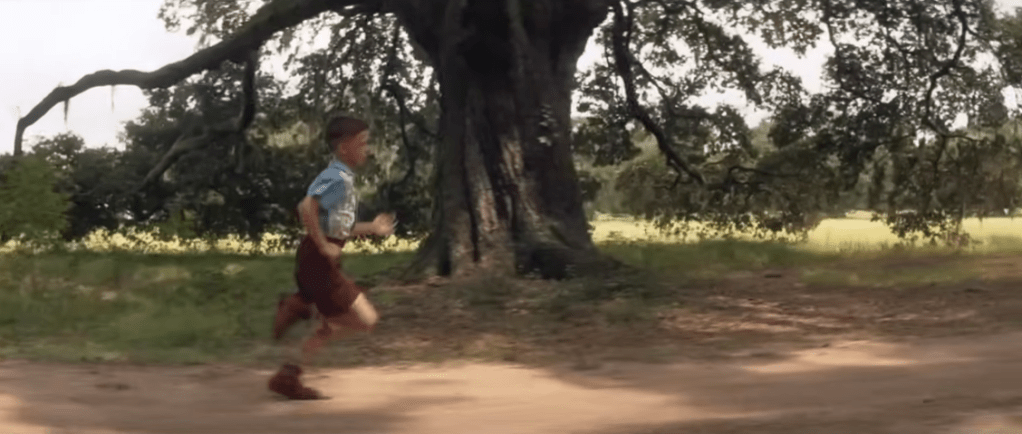
    This scene is a strong example of a J-cut. Around the 1:19–1:20 mark, we begin to hear Forrest’s voice as he talks about breaking out of his leg braces. At the same time, the visuals transition into a flashback from his childhood. Because Forrest’s voiceover begins before the visual fully shifts away from the bench scene, this moment is as a J-cut, where the audio from the next moment starts before the image changes.

    This editing choice works especially well because this is a major breakthrough moment for Forrest. Hearing his voice while watching the flashback helps show how deeply connected he is to this memory. It feels like he is reliving the moment rather than simply telling a story. Using this same technique in my mini-documentary would make sense, such as showing b-roll of my coach running on the track while her voice plays in the background, and then cutting back to the interview. This approach would help show how connected she is to her own story and experiences.

    2.) Harry Potter and the Sorcerer’s Stone – Hagrid Explains Harry’s Past
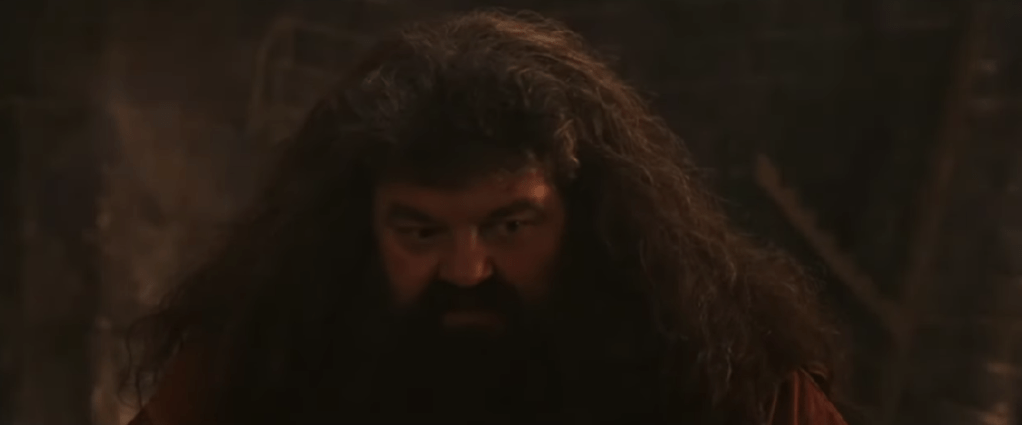
    This scene has an example of an L-cut, where the audio from one scene continues even after the visuals change. At the beginning of the clip, Hagrid is shown speaking to Harry. As the scene transitions into flashback clips from Harry’s childhood, Hagrid’s voice continues in the background. Because the audio carries over while the visuals shift, this moment qualifies as an L-cut.

    This editing technique helps ease the audience into the flashback. Instead of feeling like a sudden cutaway, the flashback feels more like a spoken memory being brought to life. Using this same approach in my mini-documentary would be effective when transitioning between interview footage and b-roll. Letting the interview audio continue over b-roll would help create smoother transitions and make the story feel more natural and connected.

    Create

    Runner’s Dystonia: Maria’s Story of Resilience

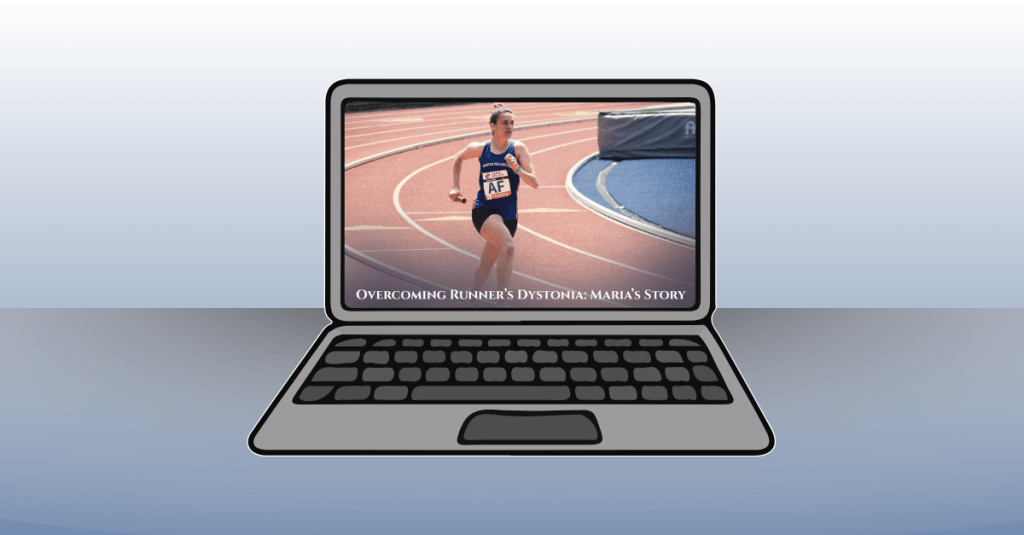
    This mini-documentary tells the story of my high school running coach, Maria, and her journey with runner’s dystonia. The video follows her experience from running for over twenty years, through her diagnosis, and into her return to the sport she loves. My goal for this piece was to create a story that felt cinematic, honest, and hopeful, while allowing Maria’s voice to remain at the center of the narrative.

    I really enjoyed the process of creating this video from start to finish. From carefully planning the project, interviewing my coach, and filming b-roll at the track, to editing everything together, each step helped strengthen my skills. During editing, I focused on making the visuals feel warm and inspiring. I applied subtle filters to the track footage to give it the look of being filmed at sunrise, which helped reinforce the hopeful tone of the story.

    Music played a big role in setting the mood. I used a background track from bensound.com titled “Birth of a Hero,” which added to the cinematic feeling I was aiming for. To help the story flow smoothly, I used both J-cuts and L-cuts when transitioning between interview footage and b-roll. These techniques allowed Maria’s story to feel connected and uninterrupted, while also giving the visuals room to breathe.

    I let Maria tell her story in full and used my own narration to introduce the film, connect different parts of her journey, and bring the piece to a meaningful close. I also used lower-third graphics during the interview clips, adding small animations to make them feel polished and professional. In a few clips, I applied a Gaussian blur effect to remove minor visual distractions, and I slowed down certain shots to enhance the cinematic feel.

    Overall, this project helped me grow significantly in Premiere Pro and in my approach to visual storytelling. More importantly, I hope the story itself resonates with viewers. My goal was to create a piece where storytelling comes first, and where people facing runner’s dystonia, or any kind of setback or obstacle, can feel seen, encouraged, and inspired. It was a joy to bring this video to life.
  • Ready, Set, Launch: Bringing My Running Training Tracker to the World

    Ready, Set, Launch: Bringing My Running Training Tracker to the World

    You’re done building your digital product. You’ve poured hours into design, testing, refining, and making it your own. But the job isn’t over yet. Now comes the next challenge: how do you share it with the world so it reaches your audience and makes an impact?

    This week, I shifted from creator to marketer. My goal was to get my Running Training Tracker ready for launch by building my sales page, deciding on a pricing strategy, and crafting a marketing plan to promote it. Let’s dive into what went into this final stretch of the journey.


    Building My Sales Page on Gumroad

    After researching digital product sales platforms like Creative Market, Etsy, and Gumroad, I decided that Gumroad was the perfect home for my Running Training Tracker. Gumroad has a built-in marketplace with a “Fitness and Lifestyle” category and a “Running” subcategory, which is perfect for my target audience. It’s also simple to use and free to join, which made setup quick and easy.

    After I chose Gumroad, I spent time studying successful sales pages to get inspiration for layout and content. I wanted my page to feel inviting, easy to read, and trustworthy. I analyzed other creators’ product pages and noticed that the most effective ones had clear visuals, short descriptions, and structured sections explaining what the product does and who it’s for. Click here to view one of my inspiration sales pages on Gumroad.

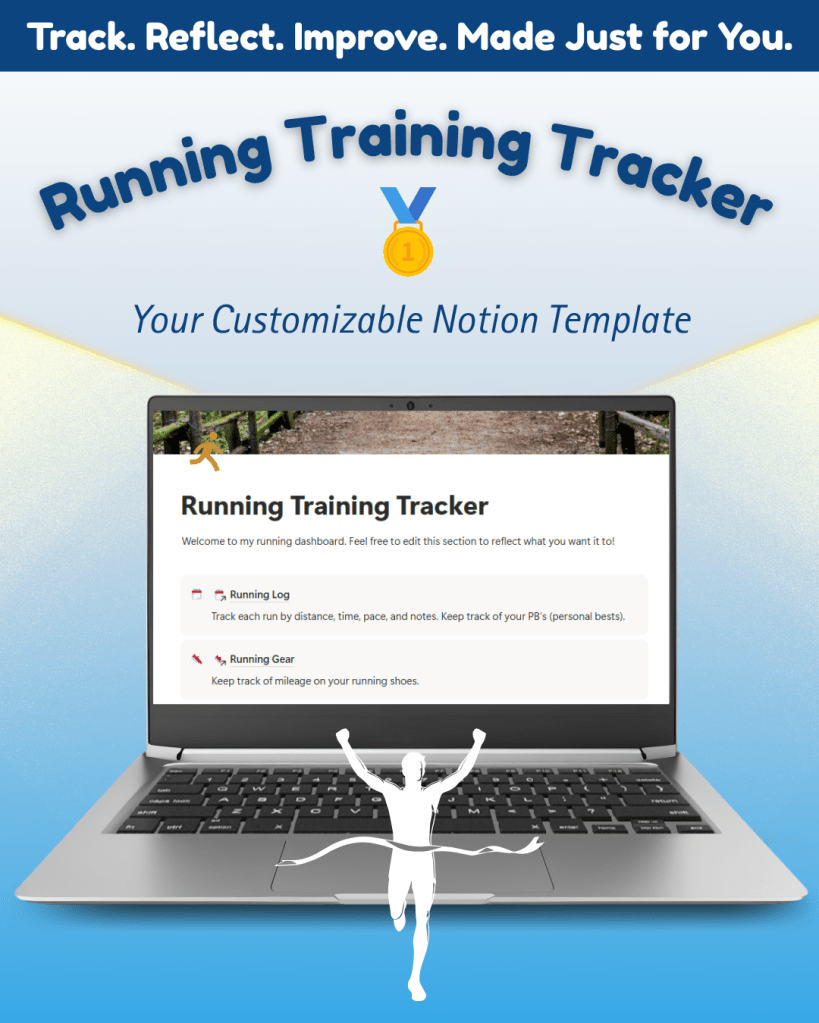
    To prepare, I used Canva to design mockups and thumbnails that visually showcase the tracker’s features. I also drafted all copy in Microsoft Word first to make sure it flowed naturally before uploading it into Gumroad.

    When it came time to build my sales page, I organized it into sections that guide the viewer through the product:

    • About the Tracker: A quick summary describing it as a personal, customizable Notion dashboard for runners.
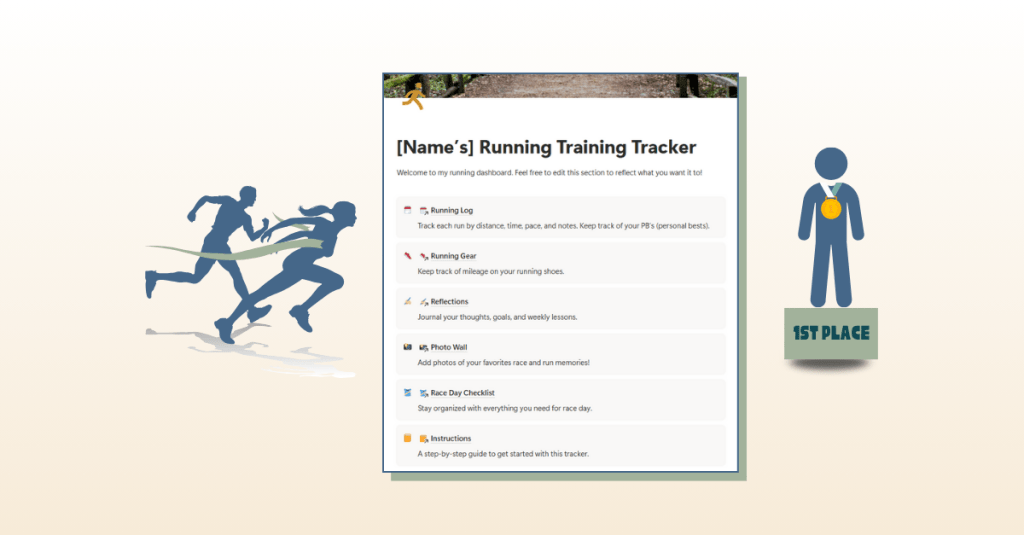
    • Format & Layout: Explains how the tracker works, from the main dashboard to the linked pages for logging runs, adding photos, and tracking gear.
    • How It Works: Step-by-step overview of how to duplicate and start using the template in Notion.
    • FAQs: A section that answers common questions like “Do I need the paid version of Notion?” (You don’t!) and “Can I customize this template?” (Absolutely!)

    You can view the full sales page and explore the tracker here: Running Training Tracker on Gumroad.


    Pricing Strategy: Making It Accessible

    Because this is my first digital product, I wanted to make it affordable and appealing while also reflecting its value. After reviewing prices of similar Notion templates on Gumroad, I decided to set my base price at $5.

    Gumroad also allows creators to turn on a “pay-what-you-want” feature, so I enabled that option with $5 as the suggested price. This gives customers flexibility: they can pay the base price or a little more if they want to support my work.

    This strategy felt right for my first launch. It keeps the tracker accessible for new users, encourages engagement, and lets me test the waters for future pricing decisions.


    Promoting the Launch: My Marketing Strategy

    When my sales page was finalized, I shifted focus to promotion. My goal was to spread awareness across multiple channels to reach as many runners as possible, especially those looking for a personal and customizable training log.

    1. YouTube Video Walkthrough

    I created a video walkthrough using Loom, where I guide viewers through each feature of the tracker. In the video, I also talk about why this tracker stands out from apps like Strava: it’s private, personal, and built for runners who prefer flexibility and reflection.

    You can watch the full walkthrough here: Running Training Tracker Overview.

    2. Email Newsletter Launch

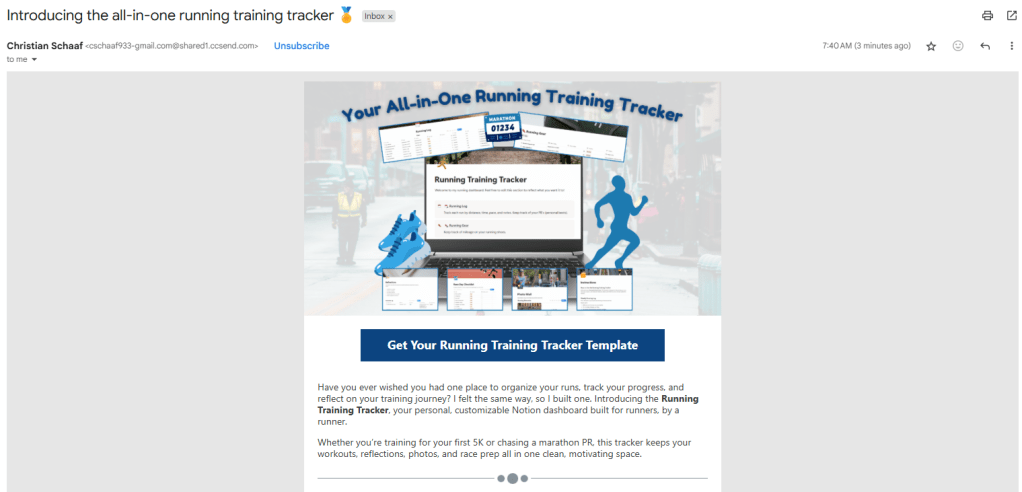
    Next, I created an email newsletter in Constant Contact to announce the product launch. The subject line was tested through an email subject line analyzer for maximum engagement. I included a visual of the tracker at the top, a brief overview of its features, and multiple links to the Gumroad sales page to encourage clicks.

    You can read the full email here: Product Launch Email Newsletter.

    3. Social Media Posts (Facebook & Instagram)

    Finally, I designed and scheduled two Instagram and two Facebook posts featuring visuals from the tracker and captions that highlight its features. Each post includes a call to action directing users to the Gumroad page to purchase the tracker. View all my social media post graphics and captions here.

    To see the full set of assets, check out my Sales Assets & Marketing Report.


    Lessons Learned & Reflections

    This week was all about pulling everything together: creating the sales page, designing promotional content, and preparing for launch. One major takeaway? Never skip the quality audit. Before making my sales page live, I double-checked for spelling errors and tested all links.

    Building and launching a digital product has been an incredible learning experience. From market research and product design to branding and promotion, this process taught me how to take an idea from concept to completion. It’s been a rewarding six-week journey, and this final week felt like crossing the finish line.

    The Running Training Tracker is officially live, and I’m so excited to share it with runners everywhere.

    View it here and start your training journey today: Running Training Tracker on Gumroad.

  • Crossing the Finish Line: Finalizing My Digital Product Build

    Crossing the Finish Line: Finalizing My Digital Product Build

    Are you in the final stretch of building a digital product? Maybe you’re working on refining the last details, deciding where to sell it, or preparing the assets you’ll need to share it with the world. That’s exactly where I found myself this week. After a few weeks of planning, prototyping, and building, my Running Training Tracker in Notion is almost ready for launch. This week was about final checks, thoughtful edits, and preparing for delivery.

    Before I dive in, you can take a look at my weekly production journal where I break down every step I completed, and check out the final version of my Running Training Tracker in Notion. Let’s dive in to the best practices of editing and reviewing your digital product so your target audience falls in love with it when launched.


    Why a Quality Audit Matters

    Building a digital product is exciting, but it’s easy to overlook small details when you’re deep in the process. That’s why I started this week with a quality audit. I went through every page of the tracker to check for spelling errors, formatting issues, and broken links. I tested formulas again to make sure pace calculations worked and verified that all features worked properly.

    It might sound tedious, but these checks make a huge difference. Imagine downloading a template and finding half the links broken or instructions missing. It wouldn’t leave a great impression. A polished product isn’t just about design; it’s about making sure everything functions seamlessly for the user.

    One piece of advice I’d share: don’t rely only on yourself for this step. When you’ve been working on something for weeks, you might miss obvious errors. Having other eyes on your project is incredibly helpful. I asked runners in my community to test the tracker, and their feedback highlighted things I didn’t noticed. For example, they suggested reordering the running log so the most recent run appeared at the top, which instantly made the tracker easier to use.


    Adding the Final Features

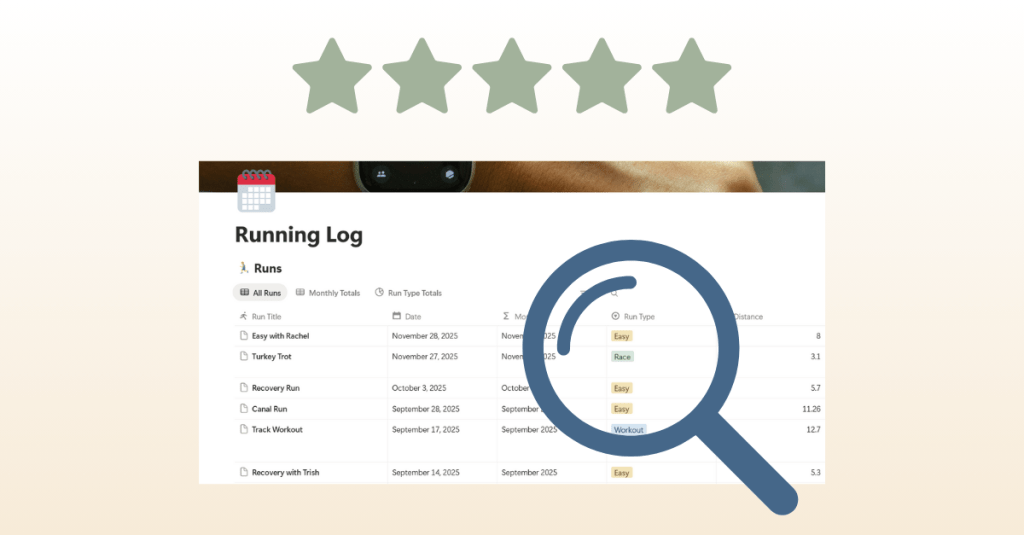
    Another big focus was implementing the last suggestions from user testers. The most significant one was a feature to track monthly mileage totals. My first instinct was to build a new table, but after experimenting, I realized I could create a new view within the existing running log. This kept everything in one place and made the layout cleaner.

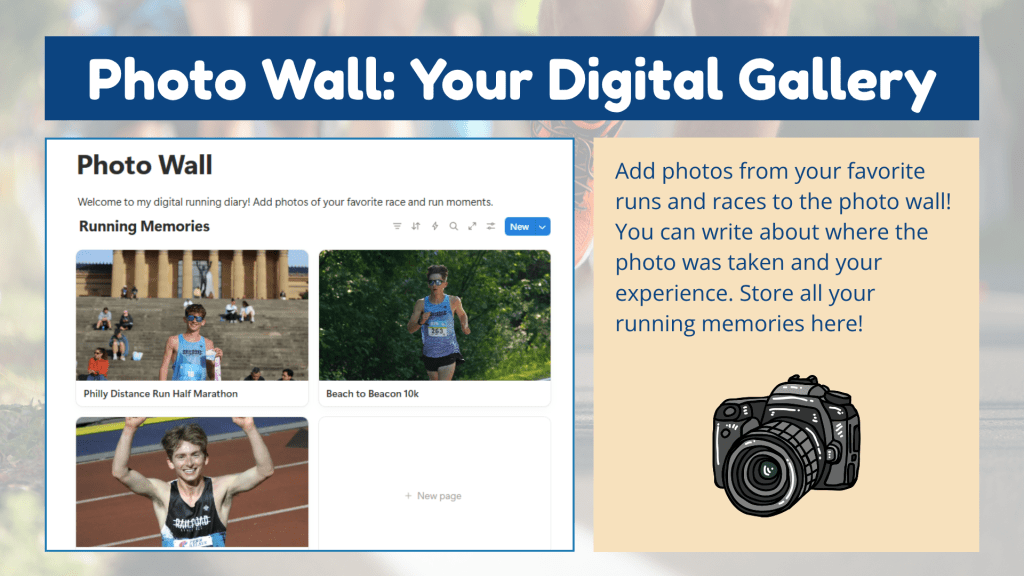
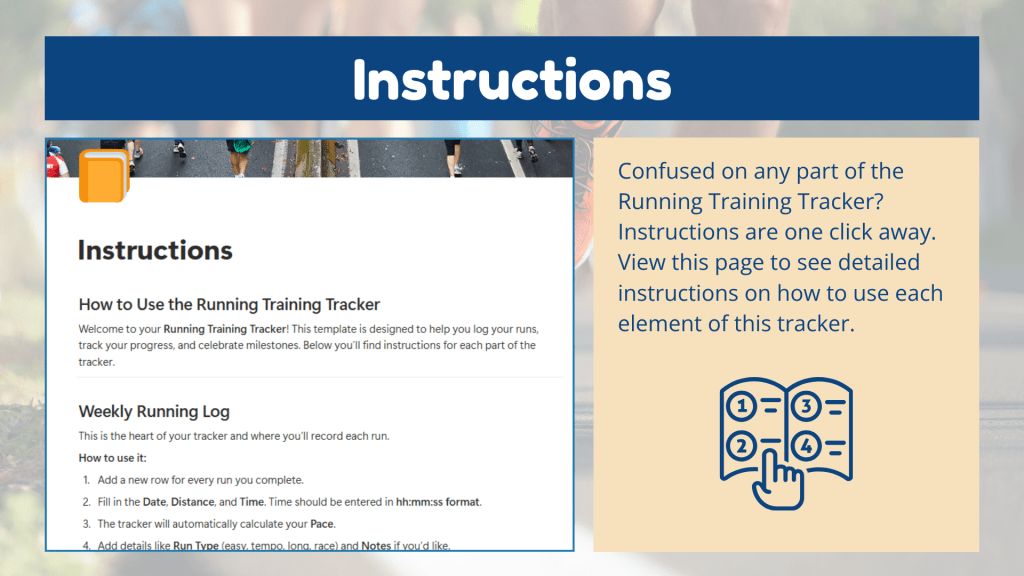
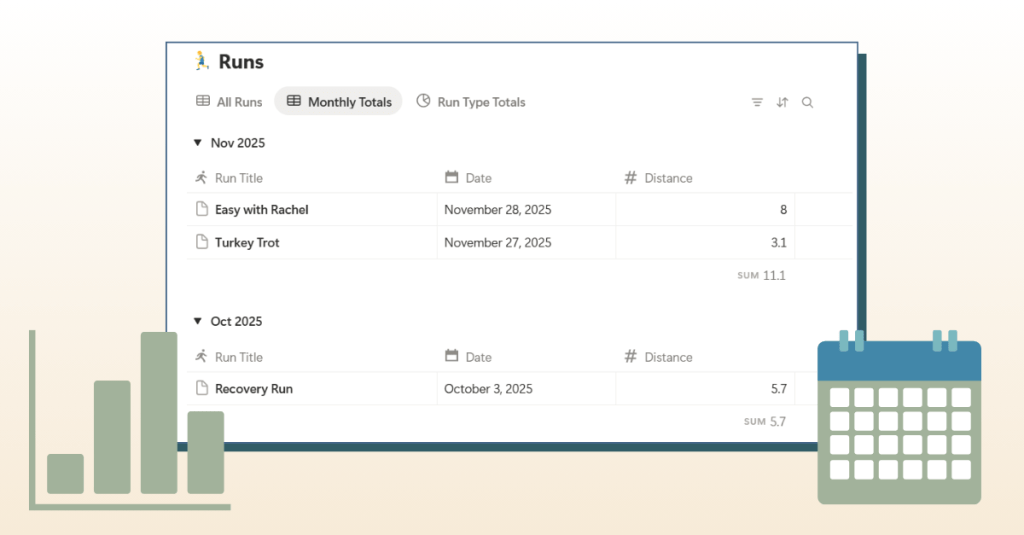
    I also added small touches that elevate the experience: icons for tables to make the dashboard more visual, expanded sections in the photo wall and gear tracker, and updated instructions to clearly explain how to log times in the correct format. These adjustments may seem minor, but together they make the product feel polished and user-friendly.


    Choosing a Sales Platform

    With the product close to finished, I needed to answer another important question: where should I sell it? After researching several options, I decided on Gumroad. Here’s why:

    • It has a built-in marketplace with categories like Fitness & Health and even a Running subcategory.
    • I saw other Notion running templates already listed there, which means potential buyers are actively browsing.
    • Gumroad makes it easy to package digital products with thumbnails, descriptions, FAQs, and even video embeds.

    To prepare, I started drafting copy for the sales page and editing thumbnails. I want the page to answer key questions: What is the tracker? Who is it for? What’s included? And why should someone choose it over other tools?

    If you’re looking to learn more about how to launch a product on Gumroad, check out this YouTube video breaking down the steps of setting up your sales page.


    Creating Assets for Launch

    Finishing a product is only half the journey. You also need to present it in a way that’s appealing and easy to understand. This week I worked on creating assets that will bring the sales page to life:

    • Mockups: Designed in Canva to show the tracker in action.
    • Sales Page Copy + Video Script: Drafted in Word, covering everything from a compelling opening question to FAQs to a script for a product video walkthrough.
    • Trello Project Management: My updated Trello board that kept me on track and ensured no detail slipped through the cracks.

    These pieces are like the supporting cast to the main product. A great template can only sell if people see its value, and these assets help communicate that clearly.


    Lessons Learned

    This week reminded me of two important truths about building digital products:

    1. Details make the difference. Small edits, like clarifying how to log time or reordering entries, can greatly improve the user experience.
    2. Feedback is gold. Testing with real users is the best way to catch blind spots and discover improvements.

    I also learned that finishing isn’t just about wrapping up the product itself; it’s about packaging it thoughtfully and preparing it for delivery.


    Looking Ahead

    Next week, I’ll be finalizing my Gumroad sales page, recording the video walkthrough, and creating promotional materials. Once those pieces are in place and completed, it’s launch time. I’m excited to take the tracker live and share it with the running community.

    Building a digital product isn’t just about creating something useful. It’s also about refining, testing, packaging, and presenting it in the best light possible. That final push can feel like the toughest part, but it’s also the most rewarding.

    Stay tuned as I share more about the sales page build and, soon, the official launch.

  • From Idea to Action: Building My First Digital Product

    From Idea to Action: Building My First Digital Product

    Have you ever had an idea for something you wanted to create, only to realize you weren’t sure where to begin? That’s exactly how I felt when I started working on my first digital product: a running training tracker. I knew I wanted to create something useful for runners like me, but I also knew it would take planning, patience, and learning new tools along the way. This post is all about the first steps of that journey: the planning stage and the beginning of production.


    Laying the Groundwork with Planning

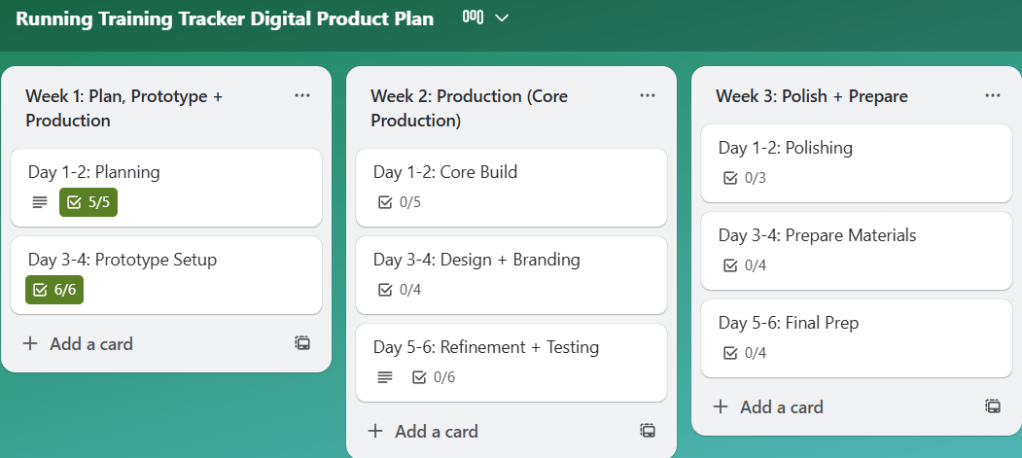
    Before I opened a single app, I knew I needed a plan. I created a Trello board to break the project into small, actionable tasks spread over three weeks. This helped me avoid feeling overwhelmed and gave me a roadmap to follow. Each task was sized so that I could chip away at the project consistently rather than trying to tackle everything at once.

    I also used Canva to sketch out mockups of the tracker pages. These visual drafts gave me a clearer picture of what I wanted to build before diving into the software itself.

    View my Canva mockups here.


    Choosing the Right Platform

    After researching my options, I decided to build the tracker in Notion. What drew me in was its flexibility: tables, linked databases, and the ability to connect everything in one place. I thought these features would allow me to build something robust while still being user-friendly.

    The catch? I had never used Notion before, so my first week was all about learning.


    Learning the Tools

    To get up to speed, I leaned heavily on tutorials and resources. Here are a few that helped me the most:

    I can’t overstate how important these were. At first, everything felt foreign, but after a few videos and articles, I began to see how the pieces fit together.


    Starting to Build

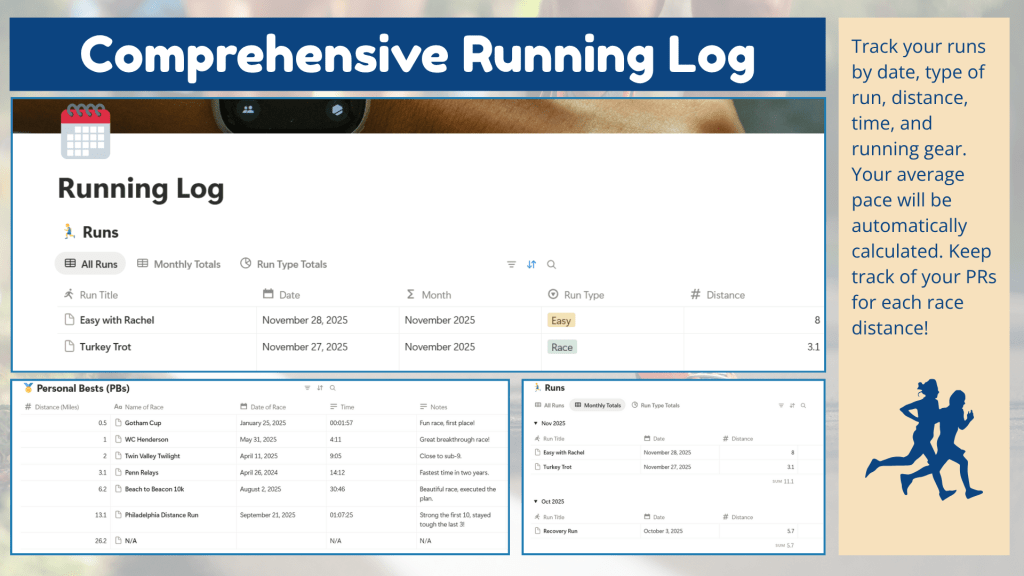
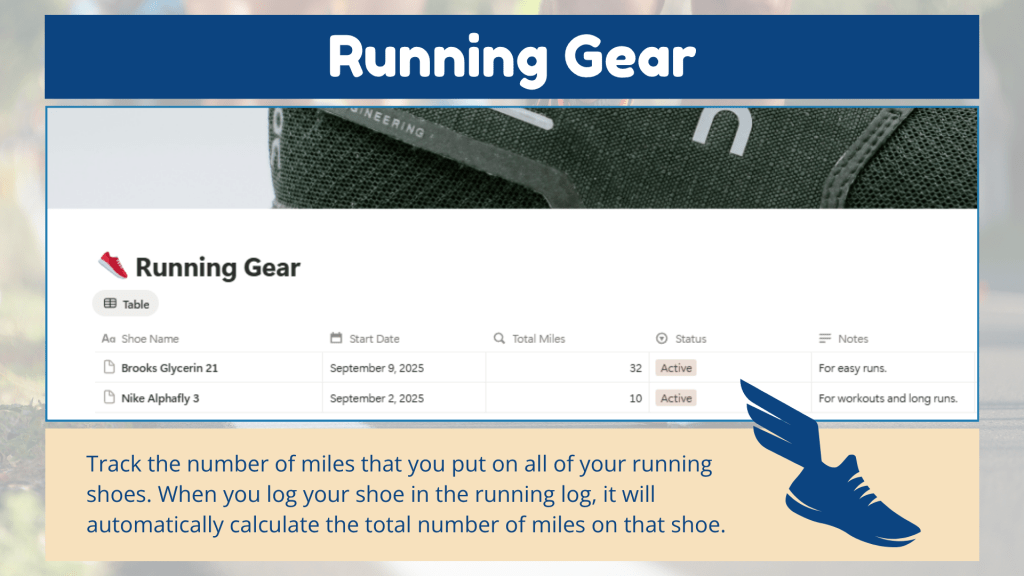
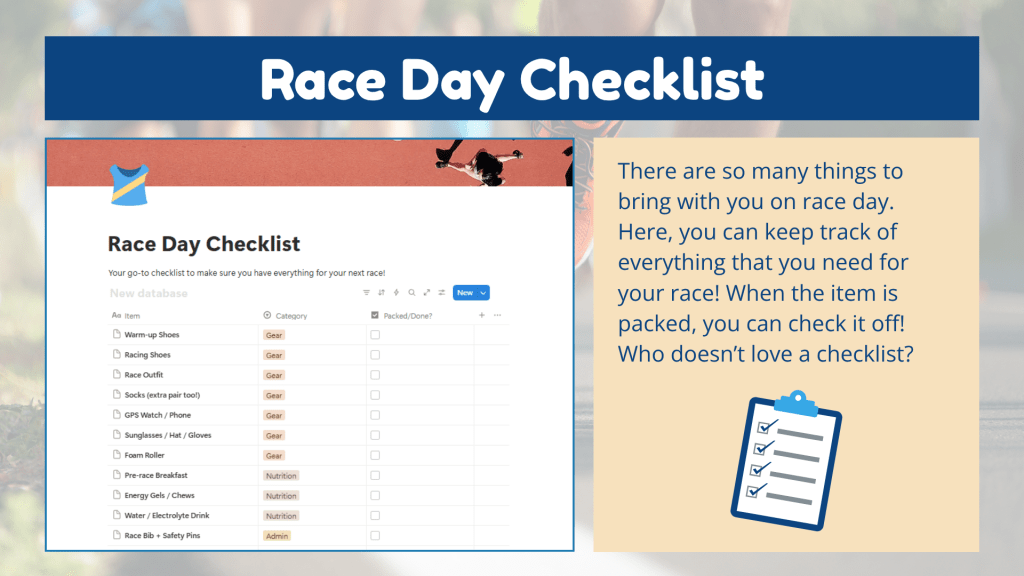
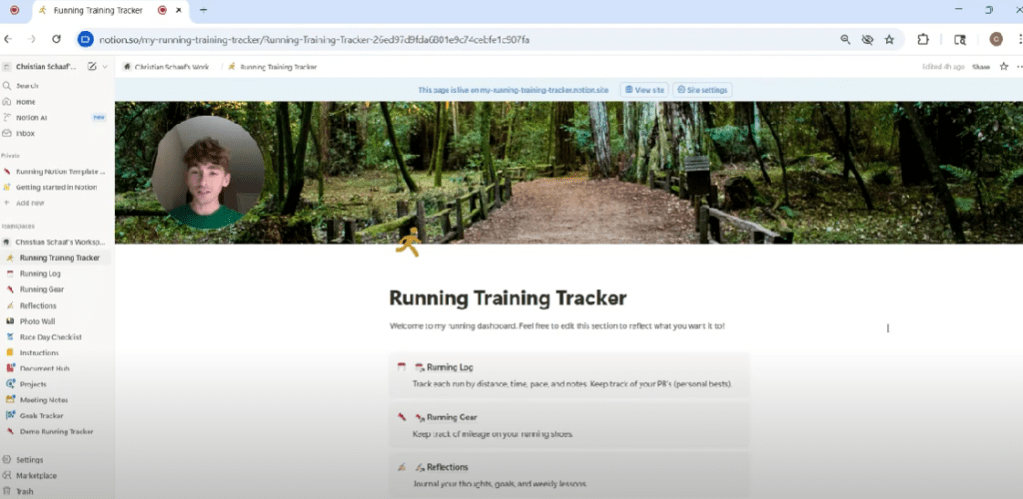
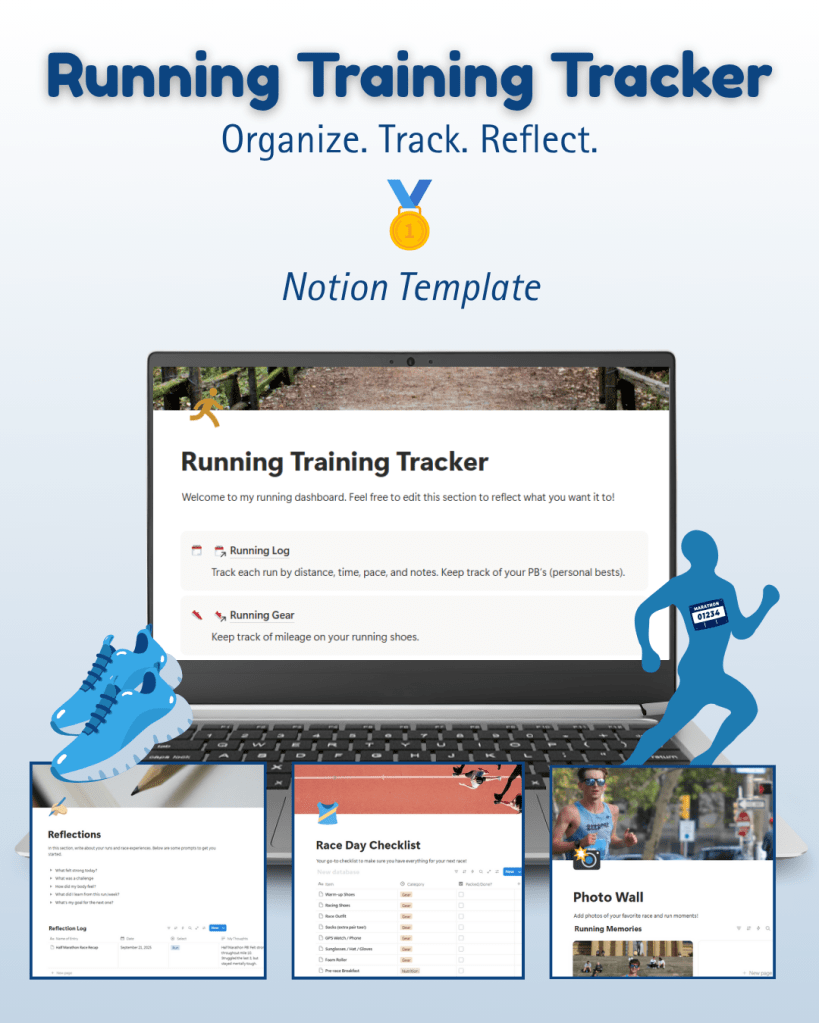
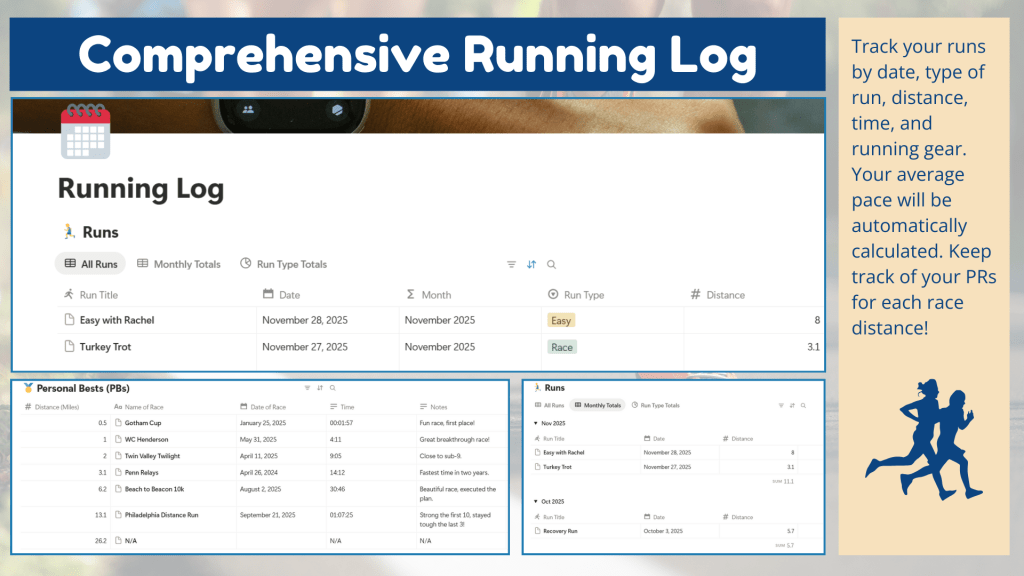
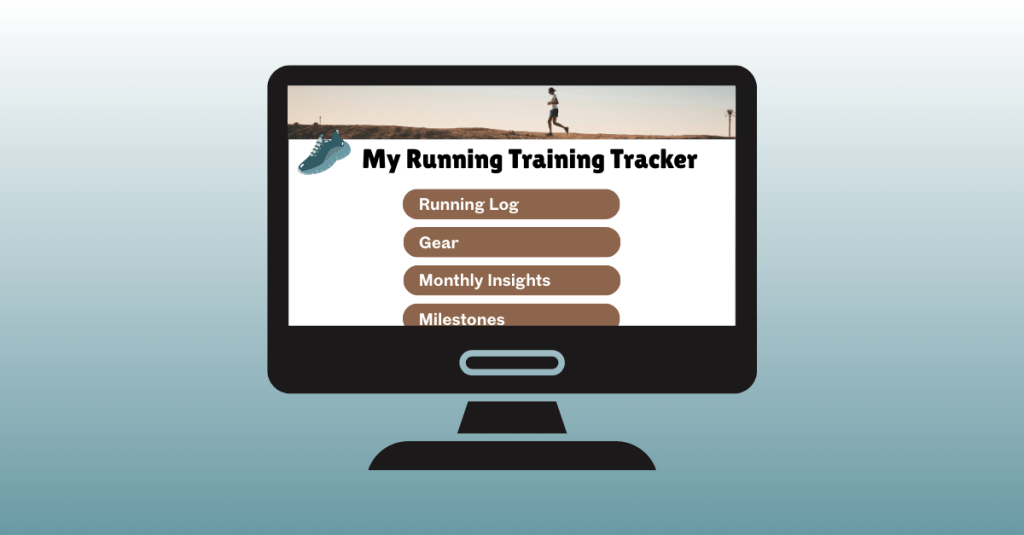
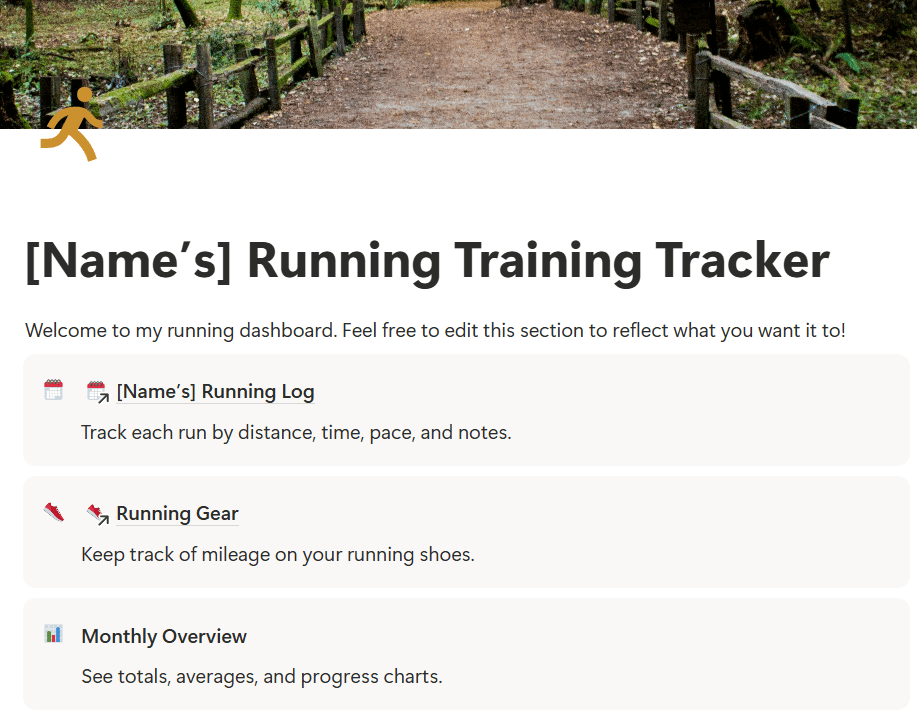
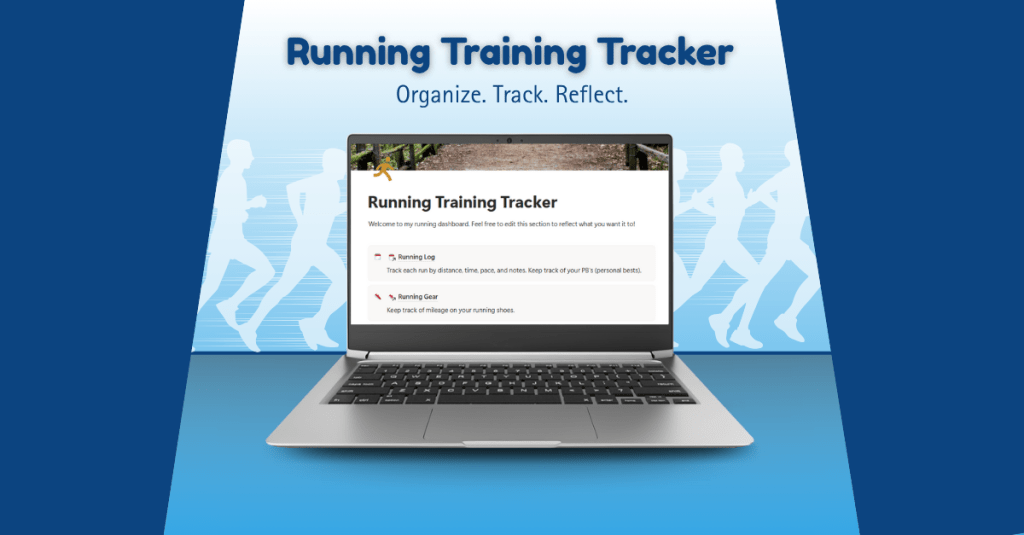
    When I felt more confident, I opened Notion and began building the Running Log, which is the core element of the tracker. This is where runners can enter their daily workouts, including distance, time, pace, and notes. I also added a section for Running Gear so runners can log which shoes they wore and see how many miles they’ve put on each pair.

    Click here to view the progress I’ve made on my running training tracker in Notion.

    The first 30–40% of the build is now complete. The foundation is there; what’s left are refinements, smaller features, and, eventually, testing with real runners.


    What Worked and What Didn’t

    Some tools felt like second nature. Trello and Canva were smooth sailing since I’ve used them before. Building in Notion was a different story.

    The biggest challenge? Coding formulas in Notion. For example, I wanted the tracker to calculate average pace when users enter their distance and time in “hh:mm:ss” format. It sounds simple, but formatting time in a way that Notion understands is complex. I spent a long time testing formulas, reading threads, and watching tutorials. It was frustrating at times, but I learned to be patient and keep trying different approaches until it worked.

    Another tricky area was linking databases. I set up a system where the Weekly Log connects to the Running Gear database. That way, each shoe automatically adds up the total miles logged. Getting the databases to connect to each other correctly was a learning curve, but when I figured it out, it became a game-changer.


    Reflection

    Looking back, I’m proud of the progress I made this week. Taking time to plan with Trello and mockups in Canva made the actual building phase much smoother. I also proved to myself that I could learn a new platform like Notion with enough patience and persistence.

    Next week, I’ll continue building by adding sections for PRs and Goals, building out the more simple features like the race-day checklist, refining the design, and preparing for user testing. I plan to test the tracker with family members, teammates, and running club friends to gather feedback from runners of all levels. This will help me ensure the tracker is practical, motivating, and accessible for everyone.

    Want to read more about my first week of building this product? Click here to view my production journal.


    Next Steps

    My plan moving forward is simple:

    • Finish building the must-have features of the tracker.
    • Start testing with real users.
    • Refine and brand the product before the final launch.

    This journey is already teaching me so much about building a digital product, but also about staying patient, problem-solving creatively, and breaking down big goals into manageable steps.

    And that’s what building your first digital product is really about: trial and error, showing up, learning as you go, and celebrating small wins along the way.

    Stay tuned as I continue to build the running training tracker.

  • Module 7: Advanced Motion

    Module 7: Advanced Motion

    For this last module, I explored advanced animation techniques and worked on the final project for “Motion Across Media.”

    Reading & Writing

    This week, I read Chapter 11, “Show and Tell,” in Liz Blazer’s Animated Storytelling: Simple Steps for Creating Animation & Motion Graphics. This final chapter focuses on strategies for effectively sharing and promoting animation projects. She provides steps to make your project stand out among others. In prior chapters, Blazer described how to tell a story in an animation project, and now it’s time to tell the story of the animation project.

    1.) Package Your Project: Animators must package their project in a professional way. The following steps will ensure that your audience has everything they need to view your project and consider it for awards:

    • Upload a password and share a workable link. The favorite service for uploading videos that are password protected is Vimeo.
    • Design a clean logo for the title of the project paired with a still photo from the film that captures the essence of the project.
    • Write a concise, clear description of the project that is one to two sentences in length. This hook will be used on other publications referring to your project.
    • Create a memorable, eye-catching, thought-provoking tagline to make your film stand out.
    • Write a director’s bio that is short and sweet. This can include what you want to be known as professionally. It should list your professional title and accomplishments that support that role.
    • Write the story of your film: Why did you want to make the film? Why did you feel a need to share this story? What was the process of making this film? Make sure to include both mistakes and triumphs.

    2.) Determine Where to Show Your Film: Head back to your creative brief to remind yourself who the film is intended for, and this will help you select your audience and proper film festival for the film.

    3.) Consider Skipping the Film Festival Route: Blazer suggests that film festivals are not for everyone. Other alternatives include directly releasing the project on platforms like Vimeo. Releasing it online could help get quicker feedback and inspire ideas for your next animation adventure.

    4.) Create Your Network: Having a positive brand on the Internet is essential for filmmakers. Join online communities for designers, filmmakers, and artists. Talk to them. Share your work with them. Be inspired by them. This can form real relationships and help build connections for the future. It is also important to be supportive of other people’s work. Be present and engaged. Be a good audience. Make your brand known, but don’t overdo it. It is important to be selective. Mix up self-promotion and other types of posts. Tease your work, but don’t give away the whole story in the post. This will entice your audience to view your project. Finally, it’s essential to network in person. Establishing these connections are vital for success in the animation/filmmaking industry.

    5.) Share and Repeat: Be as professional as possible when sharing your work. Once you share one project, start with the next. Continue to sketch, storyboard, write, and animate new projects. The sky is the limit!


    As I reflect on this class, I am so happy with what I learned throughout these seven weeks. Coming into this class, I had no prior knowledge or experience with animation. From reading Liz Blazer’s book, I now know the essential steps in creating animation projects, from research and storyboarding to production to editing and packaging the video. It’s amazing what you can learn over seven weeks.

    I learned how to animate in Adobe Photoshop, Animate, and After Effects. I also learned how to design a project in Illustrator and import that project into After Effects. I discovered how to create keyframes in After Effects, create my own animations manipulating the Opacity, Position, Anchor Point, and Scale of an object, and how to import music and sound effects into After Effects.

    I also learned how important it is to plan out the project – the script, the music, the visuals, etc. If you are diligent in the pre-production phase, it makes the production and post-production phases much easier. It’s very interesting how each element of a story – the words, the art, the music – can all work together to create a beautiful piece.

    I am grateful for the knowledge I have gained, and I hope to continue to experiment with these programs in the future. I want to use After Effects when creating promotional videos at my current job to hopefully elevate the quality and creativity of these creations. I hope that animation will be a part of each step of my career.

    Research to Inform

    1.) Chroma Keying

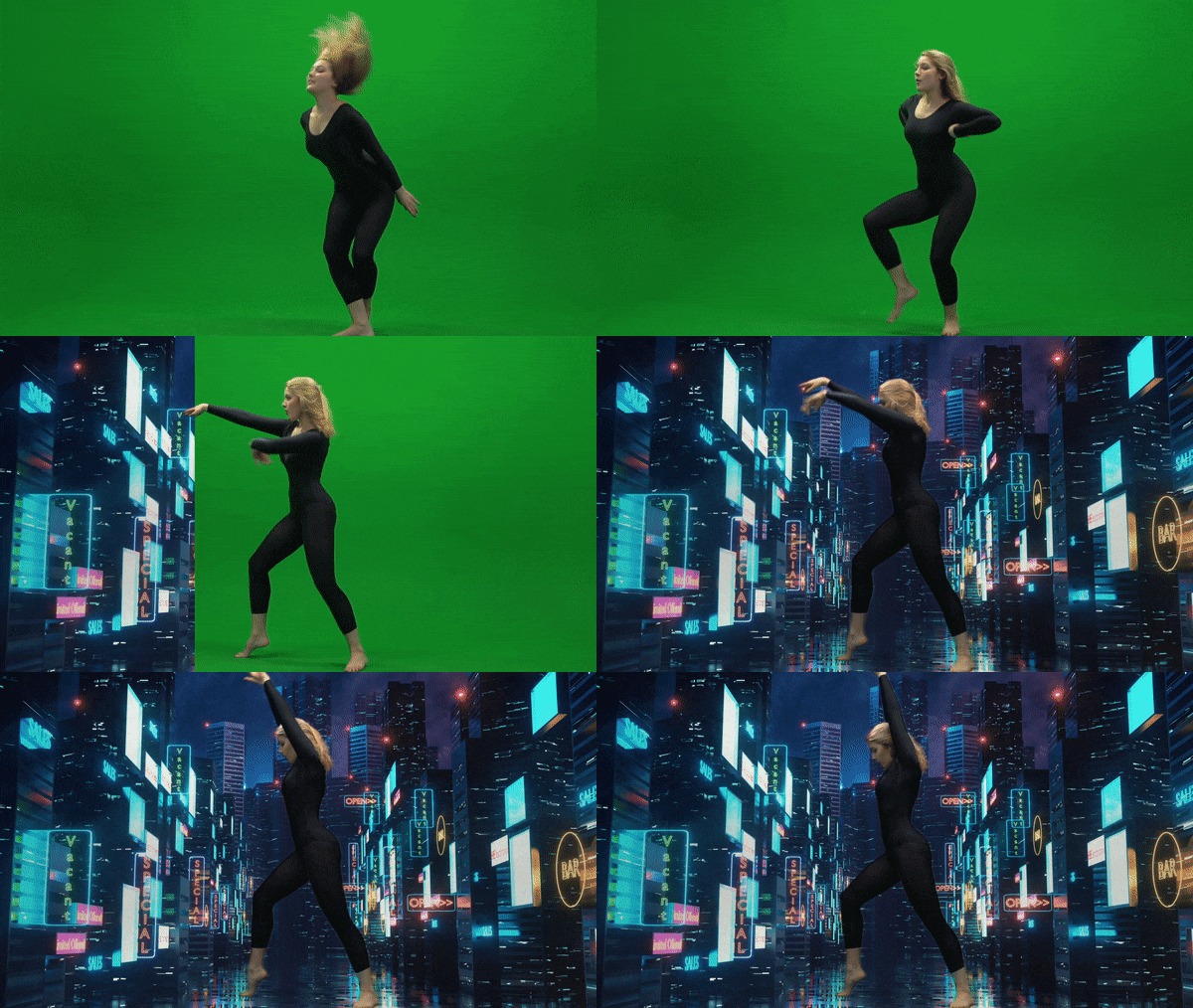
    This is an example of Chroma Keying as the green screen is replaced with an image in the background. I thought this was a good example because the picture chosen for the background is relevant to the movement of the subject. It reminds me of someone dancing on Broadway in New York City.

    2.) Ken Burns Effect

    This YouTube video showcases the Ken Burns effect by adding movement to still photographs of Glacier National Park. I love this effect as it adds realism to the photos. It makes me feel like I am there walking on the trails and hiking the mountains. Adding this movement to still pictures creates a very interesting effect as I feel I am transported to the setting of the photo.

    3.) Motion Tracking

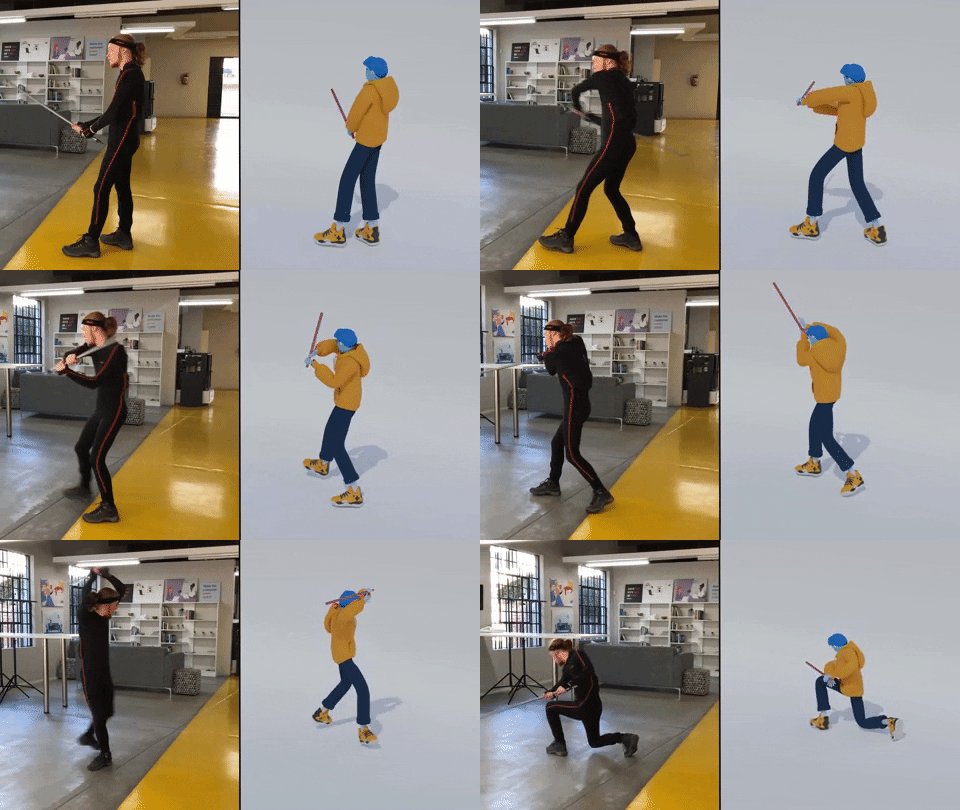
    Motion Tracking refers to digitally recording and following the movement of an object. In this example, the human’s movements on the left are being tracked by technology to create the animated figure on the right. I thought this was a very accurate example of how motion tracking would look. The movement is very realistic and matches well with the actual movement of the person.

    Create

    My Running Journey

    For my final project, I decided to create a video similar to the “Self-Introduction” video format because I really enjoyed creating that project! My goal was to illustrate my running journey from when I started running to the present. In this project, my goal was to incorporate multiple animation techniques that we learned throughout the class, including:

    1.) An Advanced Animation Technique: I chose to try out the “3D in After Effects” technique and manipulate a 2D photo. I chose a photo of my dad and I when I first started running. It was a little tricky to do this technique with that photo because his head is somewhat cut off in the photo, and rotating it too much would have revealed that, but I am happy with how it turned out! I definitely want to experiment more with this technique.

    2.) Creating shapes/lines with the line tool in After Effects. I utilized this strategy to create the “hill” animation when I talked about the hilly cross country course. I also used this when illustrating the length of a 100 meter race on a track. It was fun to experiment with trimming paths to create these animations.

    3.) Classic animations in After Effects, using keyframes to change Opacity, Scale, Rotation, and Position. I feel a lot more comfortable now creating keyframes and working with these animation options.

    4.) Using sound effects and background music. I added a typewriter sound effect at the beginning of the video when I chose the typewriter text animation. I also added a heart beat to the heart animation to further showcase that my love for running was expanding in high school.

    5.) Using the “squash and stretch” animation principle on the location symbol. I wanted to utilize at least one of the animation principles throughout this project.

    I also wanted to create a consistent color palette throughout the video, so I chose a blue/green color, wrote down the HEX and RGB codes, and used those codes throughout the project. I hoped to create a consistent and coherent video that used the same colors and fonts from start to finish.

    I have thoroughly enjoyed this class. Coming in with no animation experience, I am so grateful for all of the techniques I learned. I’m excited to continue to experiment in these programs and explore more advanced animation techniques in the future.

  • The Starting Line: Finding the Lead in Racing and Writing

    The Starting Line: Finding the Lead in Racing and Writing

    The starting line was packed. Nervous jitters and excitement traveled through my body. Hearts were racing. The only sound I could hear was my own heartbeat. And then, we were off.

    Before I knew it, I was running with professional, sponsored athletes as we bounded down the streets of Indianapolis. Crowds lined the course, their cheers electric. The energy was contagious. With all the excitement, one thought kept popping in my mind: Stick to the race plan.

    The first half of the race flew by in what felt like seconds. I tucked myself into a group of three runners, and together, we shared the work. Taking turns at the front, we discussed goals between labored breaths, forming a bond as we moved through the field.

    As we weaved through crowded streets, mile markers ticked by. When we hit mile 10, the wear and tear of the race began to set in. Grabbing water while running, I kept pushing.

    The final stretch was a blur. Soreness crept through my legs, but the sound of the cheering crowd carried me forward. With one last push, I crossed the finish line. A volunteer placed a medal around my neck, and I stood there knowing I had given it everything I had.

    I completed the half marathon.


    This week, I dove into another challenge: mastering the art of writing leads. Much like the starting line of a race, the lead sets the tone for the journey ahead. It’s a part of writing I occasionally struggle with. Sometimes, a lead comes to me naturally and I know exactly how I want to start a writing piece. Other times, it feels like I’m at mile 10, pushing through to find the right words.

    When I’m stuck, I often jot down ideas for the rest of the project or write a rough draft before circling back to the beginning. In On Writing Well, William Zinsser offers valuable advice on crafting leads: there are no strict rules, but the goal is to always engage the reader with the first sentence of your piece.

    For my race story, I leaned into storytelling – one of Zinsser’s recommended techniques. Storytelling is my favorite approach. It’s why I chose to study Communications and Graphic Design. To me, writing is like designing: my goal is to paint a vivid picture, letting readers feel like they’re experiencing every step with me.

    Of course, not every lead lands perfectly. Some ideas come together with ease, while others require more effort. My advice? Focus on capturing your audience’s attention, and don’t be afraid to revisit and refine.

    So, what do you think? Did my storytelling hook make you want to read the whole story?

  • Mind-Wandering: Running Away from Societal Pressures

    Mind-Wandering: Running Away from Societal Pressures

    Have you ever worked on a task, however miniscule or large it may be, and felt overwhelmed because the solution wasn’t clear? If you answered yes, you’re not alone. I’ve been there too. The old me would hyperfocus on finding a solution immediately, growing frustrated when it wasn’t within reach. Now, even though I sometimes succumb to this irritation, I try to approach it differently.

    In Stolen Focus: Why You Can’t Pay Attention—and How to Think Deeply Again, Johann Hari introduces the concept of mind-wandering, a practice modern society often dismisses as ineffective. We’re constantly told to be productive, so why would we “waste” time letting our minds drift? With the internet at our fingertips constantly bombarding us with information, the idea of slowing down feels counterproductive. But maybe, there’s a hidden benefit to mind wandering.

    Professors Nathan Spreng and Jonathan Smallwood, along with Samuel Murray, Nathan Liang, Nicholaus Brosowky, and Paul Seli in What Are The Benefits of Mind Wandering to Creativity?, have all explored the potential advantages of mind-wandering. Their studies suggest that allowing your mind to wander can help you organize personal goals, tap into creativity, and make better long-term decisions. They also highlight how the environment affects the quality of mind-wandering—while a stressful setting may lead to negative results, a calm, peaceful space can lead to breakthroughs in inspiration and solution.

    I was surprised when I first encountered this idea. Society often teaches us that being productive means staying laser focused, digesting endless streams of information, and avoiding distraction. I had always viewed mind-wandering as an unproductive, off-task mental process. But then I asked myself, have I ever experienced this kind of wandering before?

    The answer is yes. When I was younger, after spending hours on schoolwork and growing frustrated, my parents would say, “Christian, take a break. Go outside and clear your mind.” I didn’t realize it then, but that simple advice helped me unlock the mental clarity I needed.

    As an adult, the one activity that consistently allows me to experience mind-wandering is running. When I run, I enter what Hari calls a “flow state.” I feel alive, present, and free. The world slows down. I hear the birds’ songs, admire the flora and fauna I run past, feel the rhythm of my feet hitting the pavement, and appreciate the everchanging architecture around me. My mind drifts—freely, effortlessly—and in these moments, solutions to life’s problems often appear.

    It’s in this tranquil setting that my mind can wander without pressure, and as the research suggests, the benefits are profound. Like Hari’s mind-opening experience in Provincetown, my thoughts become clearer, my creativity heightens, and I find peace.

    So maybe Hari and the experts are right—slowing down and allowing our minds to wander isn’t unproductive. In fact, it may be the key to solving the complex problems we face in life.