Tag: Gumroad

  • Crossing the Finish Line: Finalizing My Digital Product Build

    Crossing the Finish Line: Finalizing My Digital Product Build

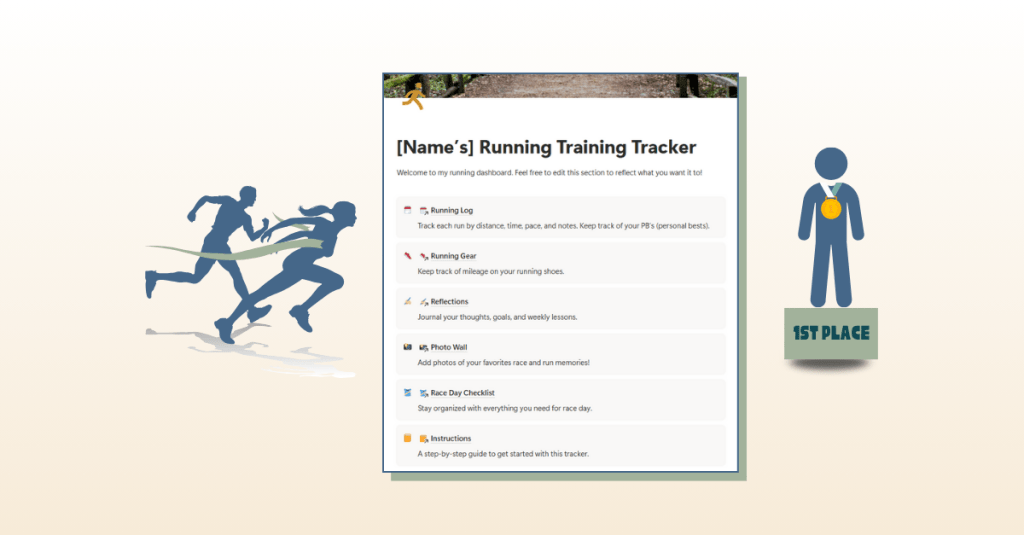
    Are you in the final stretch of building a digital product? Maybe you’re working on refining the last details, deciding where to sell it, or preparing the assets you’ll need to share it with the world. That’s exactly where I found myself this week. After a few weeks of planning, prototyping, and building, my Running Training Tracker in Notion is almost ready for launch. This week was about final checks, thoughtful edits, and preparing for delivery.

    Before I dive in, you can take a look at my weekly production journal where I break down every step I completed, and check out the final version of my Running Training Tracker in Notion. Let’s dive in to the best practices of editing and reviewing your digital product so your target audience falls in love with it when launched.


    Why a Quality Audit Matters
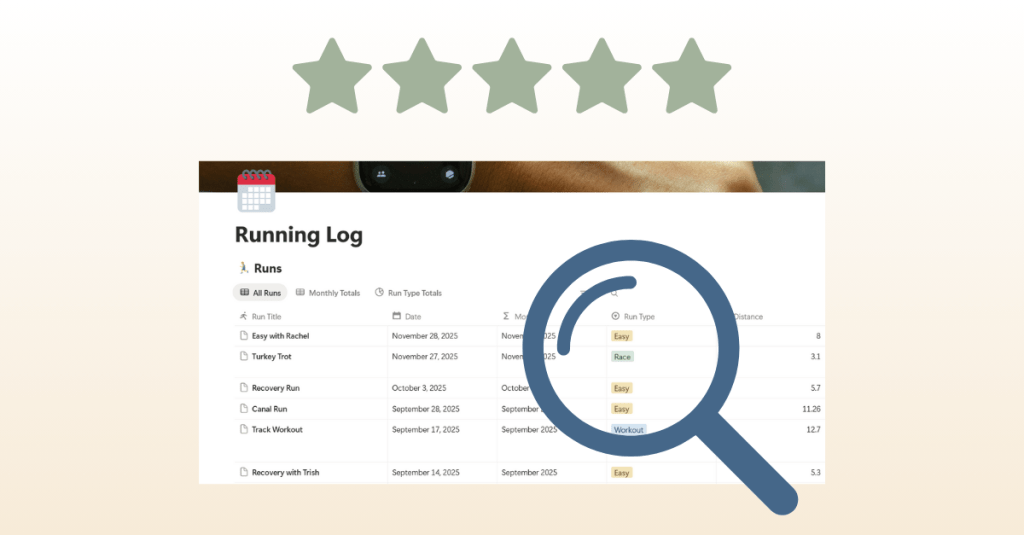
    Building a digital product is exciting, but it’s easy to overlook small details when you’re deep in the process. That’s why I started this week with a quality audit. I went through every page of the tracker to check for spelling errors, formatting issues, and broken links. I tested formulas again to make sure pace calculations worked and verified that all features worked properly.

    It might sound tedious, but these checks make a huge difference. Imagine downloading a template and finding half the links broken or instructions missing. It wouldn’t leave a great impression. A polished product isn’t just about design; it’s about making sure everything functions seamlessly for the user.

    One piece of advice I’d share: don’t rely only on yourself for this step. When you’ve been working on something for weeks, you might miss obvious errors. Having other eyes on your project is incredibly helpful. I asked runners in my community to test the tracker, and their feedback highlighted things I didn’t noticed. For example, they suggested reordering the running log so the most recent run appeared at the top, which instantly made the tracker easier to use.


    Adding the Final Features
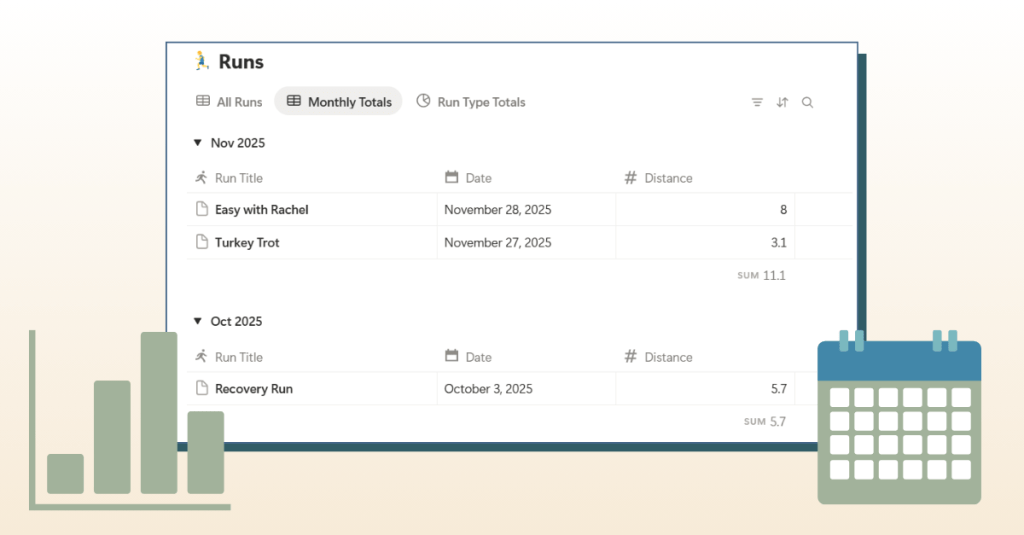
    Another big focus was implementing the last suggestions from user testers. The most significant one was a feature to track monthly mileage totals. My first instinct was to build a new table, but after experimenting, I realized I could create a new view within the existing running log. This kept everything in one place and made the layout cleaner.

    I also added small touches that elevate the experience: icons for tables to make the dashboard more visual, expanded sections in the photo wall and gear tracker, and updated instructions to clearly explain how to log times in the correct format. These adjustments may seem minor, but together they make the product feel polished and user-friendly.


    Choosing a Sales Platform

    With the product close to finished, I needed to answer another important question: where should I sell it? After researching several options, I decided on Gumroad. Here’s why:

    • It has a built-in marketplace with categories like Fitness & Health and even a Running subcategory.
    • I saw other Notion running templates already listed there, which means potential buyers are actively browsing.
    • Gumroad makes it easy to package digital products with thumbnails, descriptions, FAQs, and even video embeds.

    To prepare, I started drafting copy for the sales page and editing thumbnails. I want the page to answer key questions: What is the tracker? Who is it for? What’s included? And why should someone choose it over other tools?

    If you’re looking to learn more about how to launch a product on Gumroad, check out this YouTube video breaking down the steps of setting up your sales page.


    Creating Assets for Launch
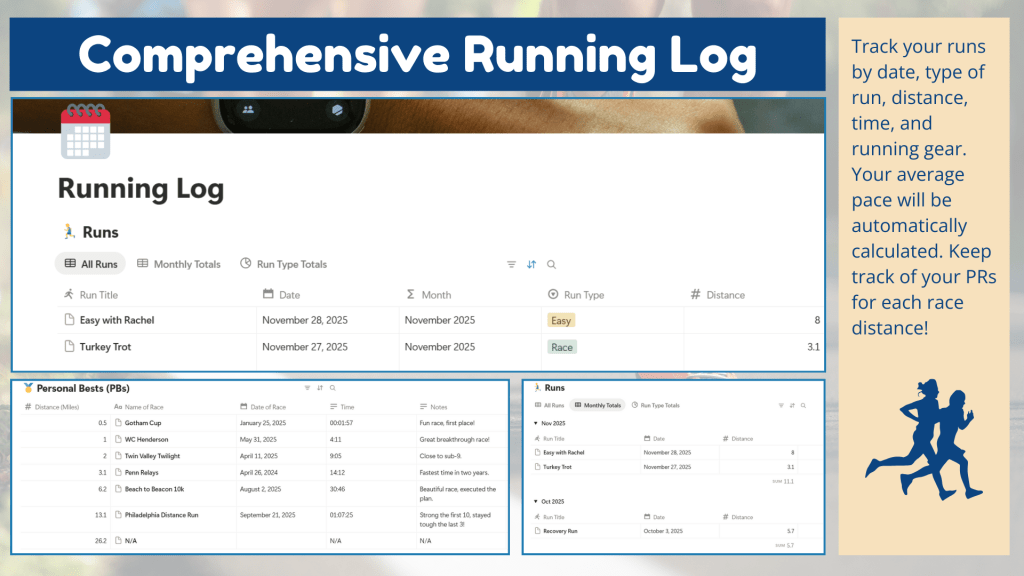
    Finishing a product is only half the journey. You also need to present it in a way that’s appealing and easy to understand. This week I worked on creating assets that will bring the sales page to life:

    • Mockups: Designed in Canva to show the tracker in action.
    • Sales Page Copy + Video Script: Drafted in Word, covering everything from a compelling opening question to FAQs to a script for a product video walkthrough.
    • Trello Project Management: My updated Trello board that kept me on track and ensured no detail slipped through the cracks.

    These pieces are like the supporting cast to the main product. A great template can only sell if people see its value, and these assets help communicate that clearly.


    Lessons Learned

    This week reminded me of two important truths about building digital products:

    1. Details make the difference. Small edits, like clarifying how to log time or reordering entries, can greatly improve the user experience.
    2. Feedback is gold. Testing with real users is the best way to catch blind spots and discover improvements.

    I also learned that finishing isn’t just about wrapping up the product itself; it’s about packaging it thoughtfully and preparing it for delivery.


    Looking Ahead

    Next week, I’ll be finalizing my Gumroad sales page, recording the video walkthrough, and creating promotional materials. Once those pieces are in place and completed, it’s launch time. I’m excited to take the tracker live and share it with the running community.

    Building a digital product isn’t just about creating something useful. It’s also about refining, testing, packaging, and presenting it in the best light possible. That final push can feel like the toughest part, but it’s also the most rewarding.

    Stay tuned as I share more about the sales page build and, soon, the official launch.
  • What I Learned as a Total Newbie to Digital Product Creation

    What I Learned as a Total Newbie to Digital Product Creation

    Have you ever wondered what the world of digital products was all about? Have you felt a mix of excitement, confusion, or even a little overwhelm when thinking about selling something online? Me too. Coming from someone with no prior experience in selling digital products, this was completely new territory for me. I stepped into this research process with curiosity and a healthy dose of nerves, not knowing where to begin or how to stand out in such a busy space. What I found along the way was a fascinating landscape of creativity, strategy, and endless possibilities.

    Let’s start with the basics. What is a digital product? A digital product is anything you can create once and sell repeatedly without the need for physical shipping. Think of templates, online courses, e-books, trackers, or even design bundles. They are scalable, creative, and accessible, which makes them an exciting way for designers, entrepreneurs, and everyday creators to share value with the world.


    Exploring the Marketplaces

    My first step was to explore the marketplaces where people sell their digital products. I looked at popular platforms like Etsy, Gumroad, Creative Market, Payhip, and the Canva Marketplace. I also learned about the growing Notion Marketplace, which has become a go-to place for productivity templates.

    Each platform has its own personality. Etsy is buzzing with creative energy, but it is also saturated. Gumroad is simple and flexible, though you have to do a lot of your own promotion. Creative Market feels polished and professional, but competition is steep. Payhip offers useful tools like upselling and email marketing, though it has less organic traffic. Canva’s Marketplace has a massive built-in audience, but the challenge is standing out because so many templates are already available. The Notion Marketplace impressed me because of its engaged community of users who actively seek functional and customizable tools.

    Looking at all these platforms helped me understand not just what is being sold, but also how people discover products and what makes one listing catch your eye over another.


    Narrowing My Ideas

    At first, my brainstorming list was long. I looked at everything from productivity tools to UX design kits to calendars. Eventually, I realized that my best shot would be to focus on areas where I already have experience and passion. That led me to two categories: design and branding templates and running and training logs.

    Design templates make sense for me because I already create so many flyers, branding materials, and digital designs in my professional role. Running trackers also connect perfectly with my personal life as a long-distance runner who trains daily. Both ideas felt authentic to who I am, which made them more exciting to explore further.


    Learning from Competitors

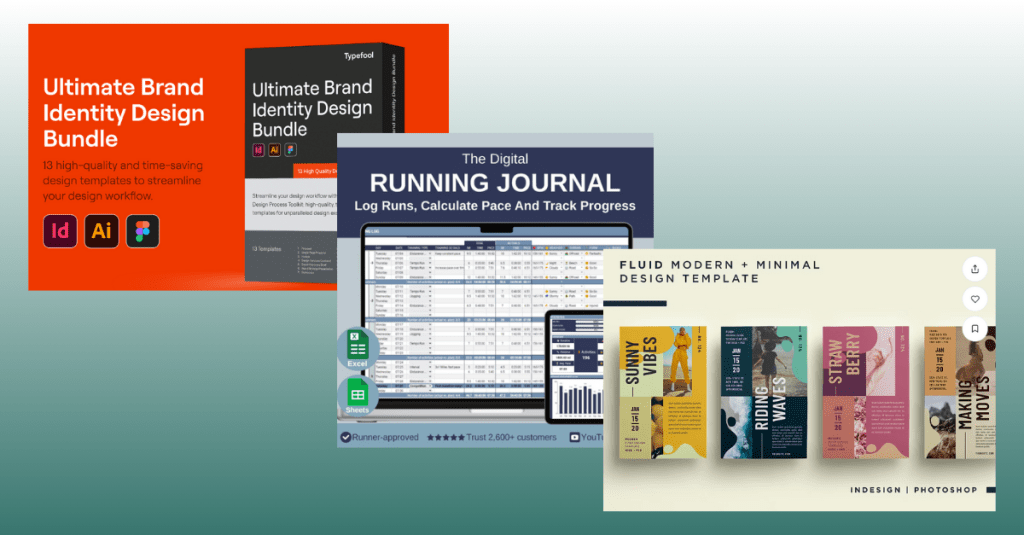
    To better understand what works and what doesn’t, I studied three digital products in detail: a branding template bundle, event flyer templates, and a digital running journal.

    The branding bundle stood out because it was comprehensive. It included everything you might need for a brand identity, which showed me that people value all-in-one solutions. The event flyer template was clean and adaptable, but I felt it could be more valuable if bundled with matching social media posts or invitations. The running journal was functional and straightforward, but many versions online were plain. I saw an opportunity to create one that was more engaging, with motivational visuals and holistic features like recovery tracking.

    This comparison taught me three big lessons. First, comprehensiveness adds value. Second, adaptable design works but can be even stronger when tailored to a specific niche. Third, functionality is important, but visual appeal and user experience can make a product stand out.

    To view my full analysis and market research report, click here.


    The Ideas I’m Most Excited About

    After conducting research, the one idea that stands out to me is a Running Training Tracker that blends structure with motivation. It would help runners log mileage, track pace, and celebrate milestones, while also looking visually appealing and easy to use.

    What remains unclear is the platform I should use for the tracker. Google Sheets and Excel are widely accessible, Notion offers a strong productivity community, and digital planners work well for journal-style designs. Each has advantages, and my next step is to test which option runners prefer.

    I am also still interested in exploring branding templates. Because I am brand new to this field, I want to keep my options open and conduct more research before finalizing a digital product idea.


    What’s Next

    My research has given me clarity and confidence, even as a complete beginner to digital product creation. I plan to continue researching and start building a prototype of the Running Training Tracker in Google Sheets and/or Notion and sharing it with a small group of runners for feedback.

    This is only the beginning of my journey, but the process has already taught me so much about how digital products succeed, where opportunities exist, and how I can merge my professional design skills with my personal passions. I may be a newbie to digital product creation, but I am excited to keep learning, experimenting, and eventually launching something that helps others in a meaningful way.