Tag: film

  • Polishing in Premiere: Bringing My Mini-Documentary to Life

    Polishing in Premiere: Bringing My Mini-Documentary to Life

    Have you ever created a mini-documentary? The first step is planning. When you take pre-production seriously, everything gets easier later. You know what b-roll you want, your lighting is set up, and your subject feels ready to be interviewed. If you gather everything before filming, you’re going to be golden.

    And when you finally hit record, always film more than you think you need. It’s better to have extra clips you don’t use than to realize you’re missing something important.

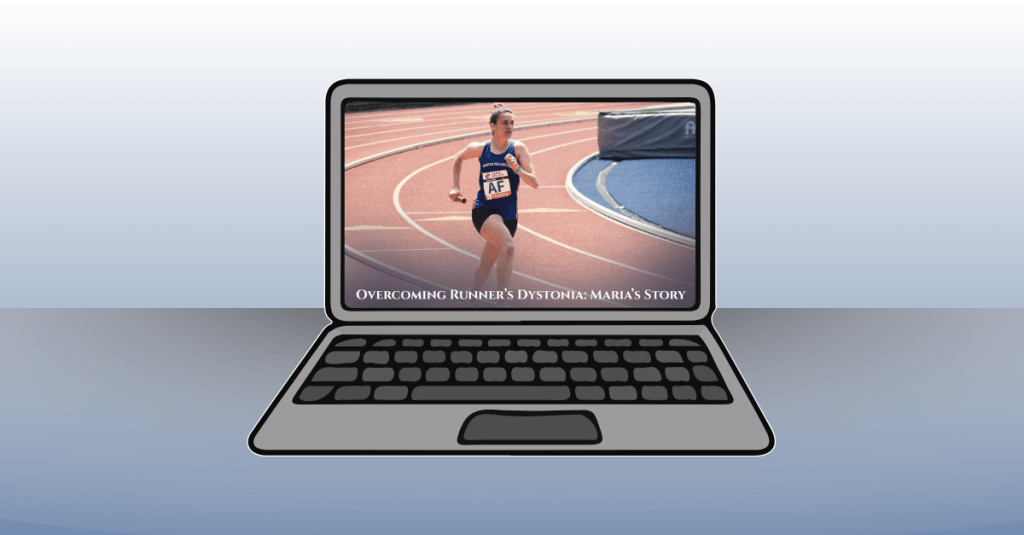
    This week, after finishing pre-production and filming last week, I’m moving into post-production for my mini-documentary about my coach’s running journey with runner’s dystonia. Now it’s time to learn new editing techniques, tighten the story, and polish the video into a more professional piece. Let’s dive in.

    Reading + Writing

    Before reading The Bare Bones Camera Course for Film and Video by Tom Schroeppel, my video editing skills were pretty basic. I knew how to use simple tools in Premiere Pro, like the razor tool, but I did not fully understand audio transitions, video transitions, or how to create higher-quality video and sound. Going into this project, I wanted to improve the overall quality of my videos, and this book helped me do exactly that.

    Schroeppel starts with the basics, including how to properly use a camera and create visually pleasing compositions for both photos and video. This was an important foundation for me because it helped me think more intentionally about how I frame shots and what will look best to an audience. Learning these basics made me feel more confident behind the camera and more prepared when filming.

    One of the most helpful sections focused on audio. I learned how background music, sound effects, and ambient audio can greatly enhance a video when used correctly. Before this, I did not realize how much sound plays a role in storytelling. These techniques helped me understand how to create a more immersive and professional-feeling video experience.

    I also really enjoyed learning about lighting, especially three-point lighting. Before reading this book, I did not understand the importance of backlighting, especially when interviewing someone. Now I know how crucial it is to create an evenly lit environment that makes the subject stand out from the background. Good lighting, along with clear audio and strong composition, were the most important skills I gained from this reading.

    The area I struggled with the most was linear perspective and making sure not to cross the 180-degree line. This concept was challenging at first, but it helped me learn how to capture different angles that work together rather than clash. It pushed me to think more carefully about camera placement and movement.

    Overall, this book gave me a complete overview of how to shoot a strong video sequence and how to plan a project for success. The skills I learned will be incredibly useful for professional and promotional videos at work, personal projects, and even everyday photography and video. Moving forward, I want to continue learning more about lighting and experiment with using multiple cameras in future projects.

    Research to Inform

    1.) “Run, Forrest, Run” Movie Clip – Forrest Gump
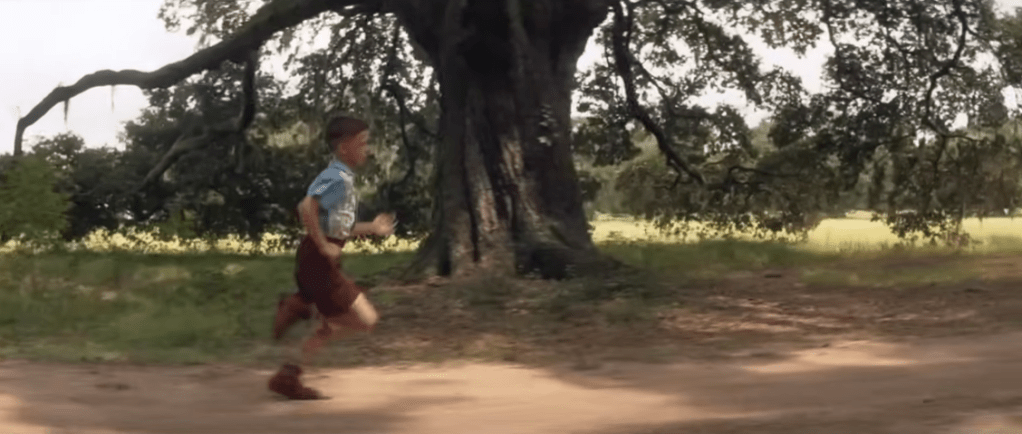
    This scene is a strong example of a J-cut. Around the 1:19–1:20 mark, we begin to hear Forrest’s voice as he talks about breaking out of his leg braces. At the same time, the visuals transition into a flashback from his childhood. Because Forrest’s voiceover begins before the visual fully shifts away from the bench scene, this moment is as a J-cut, where the audio from the next moment starts before the image changes.

    This editing choice works especially well because this is a major breakthrough moment for Forrest. Hearing his voice while watching the flashback helps show how deeply connected he is to this memory. It feels like he is reliving the moment rather than simply telling a story. Using this same technique in my mini-documentary would make sense, such as showing b-roll of my coach running on the track while her voice plays in the background, and then cutting back to the interview. This approach would help show how connected she is to her own story and experiences.

    2.) Harry Potter and the Sorcerer’s Stone – Hagrid Explains Harry’s Past
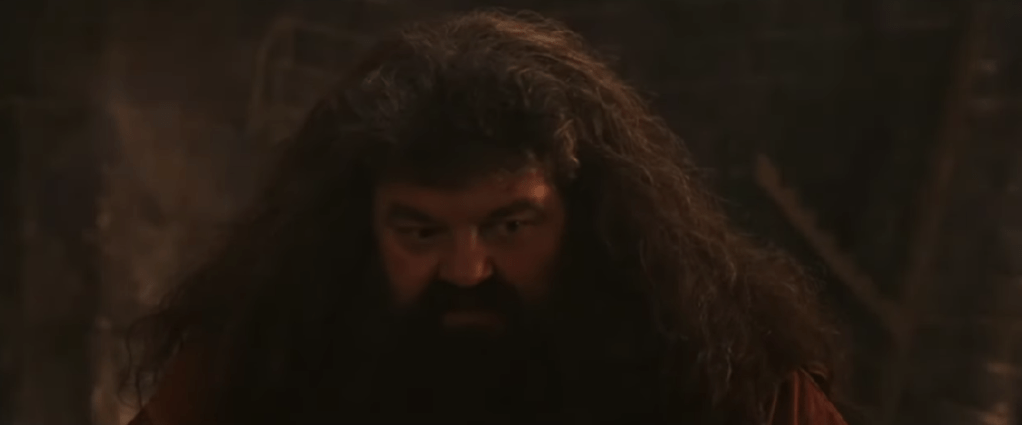
    This scene has an example of an L-cut, where the audio from one scene continues even after the visuals change. At the beginning of the clip, Hagrid is shown speaking to Harry. As the scene transitions into flashback clips from Harry’s childhood, Hagrid’s voice continues in the background. Because the audio carries over while the visuals shift, this moment qualifies as an L-cut.

    This editing technique helps ease the audience into the flashback. Instead of feeling like a sudden cutaway, the flashback feels more like a spoken memory being brought to life. Using this same approach in my mini-documentary would be effective when transitioning between interview footage and b-roll. Letting the interview audio continue over b-roll would help create smoother transitions and make the story feel more natural and connected.

    Create

    Runner’s Dystonia: Maria’s Story of Resilience

    This mini-documentary tells the story of my high school running coach, Maria, and her journey with runner’s dystonia. The video follows her experience from running for over twenty years, through her diagnosis, and into her return to the sport she loves. My goal for this piece was to create a story that felt cinematic, honest, and hopeful, while allowing Maria’s voice to remain at the center of the narrative.

    I really enjoyed the process of creating this video from start to finish. From carefully planning the project, interviewing my coach, and filming b-roll at the track, to editing everything together, each step helped strengthen my skills. During editing, I focused on making the visuals feel warm and inspiring. I applied subtle filters to the track footage to give it the look of being filmed at sunrise, which helped reinforce the hopeful tone of the story.

    Music played a big role in setting the mood. I used a background track from bensound.com titled “Birth of a Hero,” which added to the cinematic feeling I was aiming for. To help the story flow smoothly, I used both J-cuts and L-cuts when transitioning between interview footage and b-roll. These techniques allowed Maria’s story to feel connected and uninterrupted, while also giving the visuals room to breathe.

    I let Maria tell her story in full and used my own narration to introduce the film, connect different parts of her journey, and bring the piece to a meaningful close. I also used lower-third graphics during the interview clips, adding small animations to make them feel polished and professional. In a few clips, I applied a Gaussian blur effect to remove minor visual distractions, and I slowed down certain shots to enhance the cinematic feel.

    Overall, this project helped me grow significantly in Premiere Pro and in my approach to visual storytelling. More importantly, I hope the story itself resonates with viewers. My goal was to create a piece where storytelling comes first, and where people facing runner’s dystonia, or any kind of setback or obstacle, can feel seen, encouraged, and inspired. It was a joy to bring this video to life.
  • Framing the Story: How I Planned My Mini-Documentary

    Framing the Story: How I Planned My Mini-Documentary

    This week was all about preparing to create my own mini-documentary, and the first step was figuring out what story I wanted to tell. When I decided on an idea, everything else started to fall into place: who I would interview, what I wanted to say in my narration, and what equipment I needed to bring to the shoot. Then came the fun part: planning out the shots. Medium shots, wide shots, close-ups, extreme close-ups…all the pieces that work together to build a visual story. I also had to think about how the audio would support the video so the whole project felt smooth, clear, and meaningful. Here’s a closer look at how I prepared to bring my mini-documentary to life.

    Reading + Writing

    To prepare for creating my mini-documentary, I read two chapters in Tom Schroeppel’s The Bare Bones Camera Course for Film and Video. These chapters highlighted the importance of getting high-quality shots through having a detailed plan before filming.

    Chapter 7: Lighting

    Chapter 7 explains the basics of both exterior and interior lighting and why it matters so much in filmmaking. For outdoor lighting, Schroeppel highlights how reflectors and full lights can help control the sun, which is your biggest and brightest light source. A reflector can be almost anything that bounces sunlight back onto your subject, helping soften shadows on the face. When shooting outside, fill lights should match natural daylight and have a color temperature of around 5400K, so the color of the shot stays consistent. The chapter also explains how outdoor lighting changes quickly, so filmmakers need to watch their shadows and adjust their tools to keep the shot balanced.

    Interior lighting works differently because the filmmaker controls all the light sources. Schroeppel describes three common types: focusing quartz lights, broads, and softlights. Focusing quartz lights act like spotlights and can adjust intensity and beam width. Broads create a wide, even wash of light but don’t have fine controls. Softlights bounce light off a curved surface, creating a smooth and diffused glow. The chapter also reminds us of the important trio: key light, fill light, and backlight. Using only a key light creates heavy shadows, adding a fill light adds depth, and a backlight helps separate the subject from the background. In my mini-documentary, this lesson is essential because I will be interviewing my coach indoors. I need to create a lighting setup that makes her look clear and natural, reduces harsh shadows, and separates her from the background so the interview feels professional.

    Chapter 9: Doing It

    Chapter 9 focuses on the big picture of planning and shooting a sequence. Schroeppel starts with a simple question: What do you want your audience to feel? Knowing your story goal helps you decide what footage you need and how you want to shoot it. The chapter stresses the value of preparing a strong shooting plan before filming. This includes gathering more footage than you think you’ll need, because it’s easier to cut extra clips than try to fix gaps later. Schroeppel also talks about using a slate, anything from a clapboard to a piece of paper, to label your shots. This helps you stay organized during editing and keeps all your footage easy to identify.

    The chapter also teaches how to build a shooting script using two columns: video on one side and audio on the other. This helps you match visuals with narration, interviews, and sound design. Schroeppel also prepares filmmakers for real-world challenges like working in uncontrolled environments where you can’t control everything happening around you. In those moments, it’s important to keep good composition, change up your camera angles, and maintain consistent screen direction. For my mini-documentary, this chapter ties directly into my planning process. I created a full shot list for both the interview and the b-roll, and I mapped out what narration and ambient sound would go with each clip. Because I’ll be filming at both a house and a public track, I’ll need to be flexible, watch my surroundings, and make sure I capture enough content, from close-ups of her running shoes to wide shots of her on the track, to tell a complete and engaging story.

    Research to Inform

    To prepare for my mini-documentary, I explored several videos that tell powerful stories through strong visuals, clear structure, and meaningful interviews. These examples helped me understand how filmmakers use pacing, b-roll, narration, and sound to guide an audience through someone’s personal journey.

    1.) Nike’s “Breaking 2” Documentary Trailer

    The trailer for Nike’s Breaking2 documentary sets the tone for a powerful and visually striking story about athletes attempting to break the two-hour marathon barrier. It uses a mix of close-ups, wide shots, and atmospheric visuals to build anticipation and highlight the intensity of the challenge. We see runners preparing in quiet, focused moments before the race, along with glimpses of empty roads and early morning light that signal something historic is about to happen. The pacing starts slow and controlled and gradually builds energy, supported by strong visuals that show both vulnerability and strength. What makes this trailer so effective is how it combines emotion, high stakes, and purposeful imagery to make the viewer feel the pressure and possibility of the moment. This connects directly to my mini-documentary because my coach’s journey with runner’s dystonia also involves moments of hardship, reflection, and perseverance. Watching how Breaking2 builds emotion through pacing and shot variety helps me think about how to capture her own story, showing her quiet determination, the challenges she faces, and the strength she brings to every run. It reminds me that even small, simple moments can feel powerful when they are filmed with intention.

    2. HBO’s “Weight of Gold” – Trailer

    The Weight of Gold is a powerful documentary that goes behind the scenes with Olympic athletes to explore the hidden toll that elite sport can have on mental health, showing that even champions are humans with doubts, fears, and struggles. The film combines raw, honest interviews where athletes admit to depression, anxiety, and identity loss after their Olympic careers with haunting b-roll: empty arenas, silent training venues, and quiet moments of reflection. What works so well is the balance between their glamorous public achievement and the private emotional cost, which reminds viewers how much pressure and expectation lie behind medals.

    For my mini-documentary about my coach’s running journey, especially her experience with runner’s dystonia, The Weight of Gold is very relevant. It shows me how a sports story isn’t only about performance or victory, but about identity, struggle, and resilience. I can borrow its approach: using honest, vulnerable interviews; capturing quiet, raw visuals that reflect internal struggle; and juxtaposing hardship with strength and recovery. This model encourages me to show not only the physical side of running (the track, the stride, the motion), but also the emotional journey: the doubts, the setbacks, and the hope.

    3.) Tracksmith – Chasing 2:37 Trailer

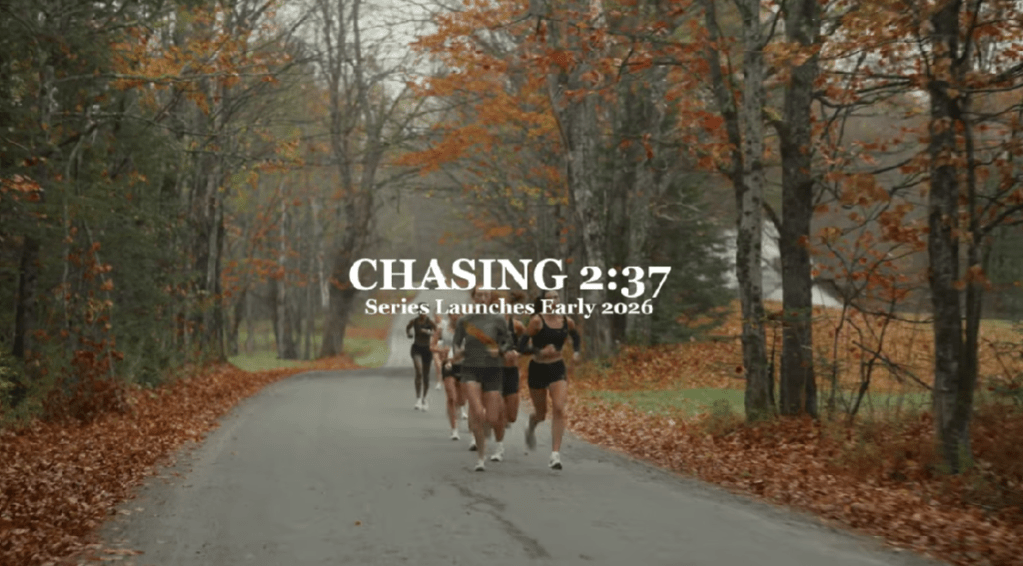
    The Tracksmith video about a group of women chasing the 2028 Olympic Trials Qualifying time is a great example of strong visual storytelling. I loved how the trailer wove together multiple athletes’ backstories and used their voices as narration over dynamic b-roll, which created a sense of community and shared purpose. The filmmakers used a wide variety of shots, such as running sequences, training moments, lifestyle clips, that brought energy and depth to the story. At the same time, there were moments where the lighting felt inconsistent, especially in scenes that were darker and harder to see. This may have been a stylistic choice to create a cinematic, high-contrast mood, but it sometimes made the visuals feel less clear. I also wished the video had included interview shots of each woman who narrated, along with on-screen name graphics, so viewers could connect each voice to a face. Even though the storytelling was compelling, a few adjustments to lighting and shot clarity could make the piece even stronger. This example helps inform my own mini-documentary because it shows me the power of pairing voiceover with strong b-roll, while also reminding me to keep lighting consistent and include clear interview identifiers so my audience always knows who is speaking.

    Create

    Mini-Documentary Pre-Production Planning Document

    After reading and researching documentary-style videos about running and sports, it was time to plan out my own mini-documentary about my coach and her experience with runner’s dystonia. I started by identifying all the key details of the project, including the due date, length, overall feel, tagline, and elevator pitch. After the creative direction was determined, I wrote a set of interview questions that would guide our conversation and help her open up about her journey. I also drafted narration to help connect the different parts of the story. From there, I created a full list of b-roll ideas, background music options, sound effects, and ambient audio that would make the piece feel more cinematic. To read my full planning document, click here.

    After finishing the planning phase, I met up with my coach to film the interview and then went to a local track to capture b-roll. I shot a mix of wide shots, medium shots, and close-ups of her running, stretching, looking into the camera, tying her shoes, and even doing runner’s dystonia-specific exercises. I used a three-point lighting setup for the interview so the backlight would give her a soft glow and help separate her from the background. By the end of the shoot, I had interview footage, clear audio, and many visuals to support the story.

    Now that production is complete, it’s time to begin post-production. I will spend this week editing the video and audio clips, arranging the story in a clear and emotional way, and making sure the pacing feels smooth and intentional. I am looking forward to bringing all these pieces together and telling the running story of my coach in a powerful and meaningful way.

  • Module 7: Advanced Motion

    Module 7: Advanced Motion

    For this last module, I explored advanced animation techniques and worked on the final project for “Motion Across Media.”

    Reading & Writing

    This week, I read Chapter 11, “Show and Tell,” in Liz Blazer’s Animated Storytelling: Simple Steps for Creating Animation & Motion Graphics. This final chapter focuses on strategies for effectively sharing and promoting animation projects. She provides steps to make your project stand out among others. In prior chapters, Blazer described how to tell a story in an animation project, and now it’s time to tell the story of the animation project.

    1.) Package Your Project: Animators must package their project in a professional way. The following steps will ensure that your audience has everything they need to view your project and consider it for awards:

    • Upload a password and share a workable link. The favorite service for uploading videos that are password protected is Vimeo.
    • Design a clean logo for the title of the project paired with a still photo from the film that captures the essence of the project.
    • Write a concise, clear description of the project that is one to two sentences in length. This hook will be used on other publications referring to your project.
    • Create a memorable, eye-catching, thought-provoking tagline to make your film stand out.
    • Write a director’s bio that is short and sweet. This can include what you want to be known as professionally. It should list your professional title and accomplishments that support that role.
    • Write the story of your film: Why did you want to make the film? Why did you feel a need to share this story? What was the process of making this film? Make sure to include both mistakes and triumphs.

    2.) Determine Where to Show Your Film: Head back to your creative brief to remind yourself who the film is intended for, and this will help you select your audience and proper film festival for the film.

    3.) Consider Skipping the Film Festival Route: Blazer suggests that film festivals are not for everyone. Other alternatives include directly releasing the project on platforms like Vimeo. Releasing it online could help get quicker feedback and inspire ideas for your next animation adventure.

    4.) Create Your Network: Having a positive brand on the Internet is essential for filmmakers. Join online communities for designers, filmmakers, and artists. Talk to them. Share your work with them. Be inspired by them. This can form real relationships and help build connections for the future. It is also important to be supportive of other people’s work. Be present and engaged. Be a good audience. Make your brand known, but don’t overdo it. It is important to be selective. Mix up self-promotion and other types of posts. Tease your work, but don’t give away the whole story in the post. This will entice your audience to view your project. Finally, it’s essential to network in person. Establishing these connections are vital for success in the animation/filmmaking industry.

    5.) Share and Repeat: Be as professional as possible when sharing your work. Once you share one project, start with the next. Continue to sketch, storyboard, write, and animate new projects. The sky is the limit!


    As I reflect on this class, I am so happy with what I learned throughout these seven weeks. Coming into this class, I had no prior knowledge or experience with animation. From reading Liz Blazer’s book, I now know the essential steps in creating animation projects, from research and storyboarding to production to editing and packaging the video. It’s amazing what you can learn over seven weeks.

    I learned how to animate in Adobe Photoshop, Animate, and After Effects. I also learned how to design a project in Illustrator and import that project into After Effects. I discovered how to create keyframes in After Effects, create my own animations manipulating the Opacity, Position, Anchor Point, and Scale of an object, and how to import music and sound effects into After Effects.

    I also learned how important it is to plan out the project – the script, the music, the visuals, etc. If you are diligent in the pre-production phase, it makes the production and post-production phases much easier. It’s very interesting how each element of a story – the words, the art, the music – can all work together to create a beautiful piece.

    I am grateful for the knowledge I have gained, and I hope to continue to experiment with these programs in the future. I want to use After Effects when creating promotional videos at my current job to hopefully elevate the quality and creativity of these creations. I hope that animation will be a part of each step of my career.

    Research to Inform

    1.) Chroma Keying

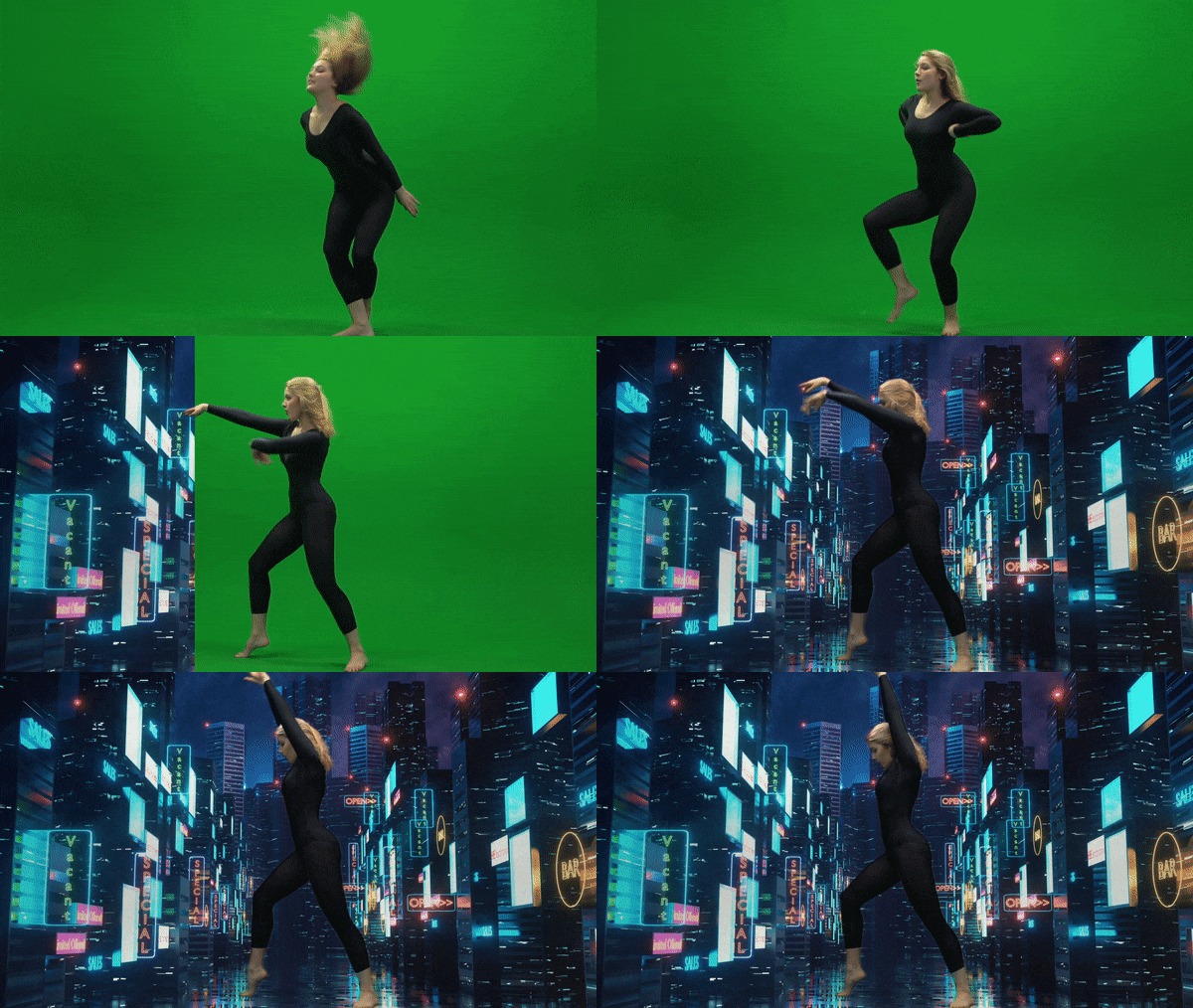
    This is an example of Chroma Keying as the green screen is replaced with an image in the background. I thought this was a good example because the picture chosen for the background is relevant to the movement of the subject. It reminds me of someone dancing on Broadway in New York City.

    2.) Ken Burns Effect

    This YouTube video showcases the Ken Burns effect by adding movement to still photographs of Glacier National Park. I love this effect as it adds realism to the photos. It makes me feel like I am there walking on the trails and hiking the mountains. Adding this movement to still pictures creates a very interesting effect as I feel I am transported to the setting of the photo.

    3.) Motion Tracking

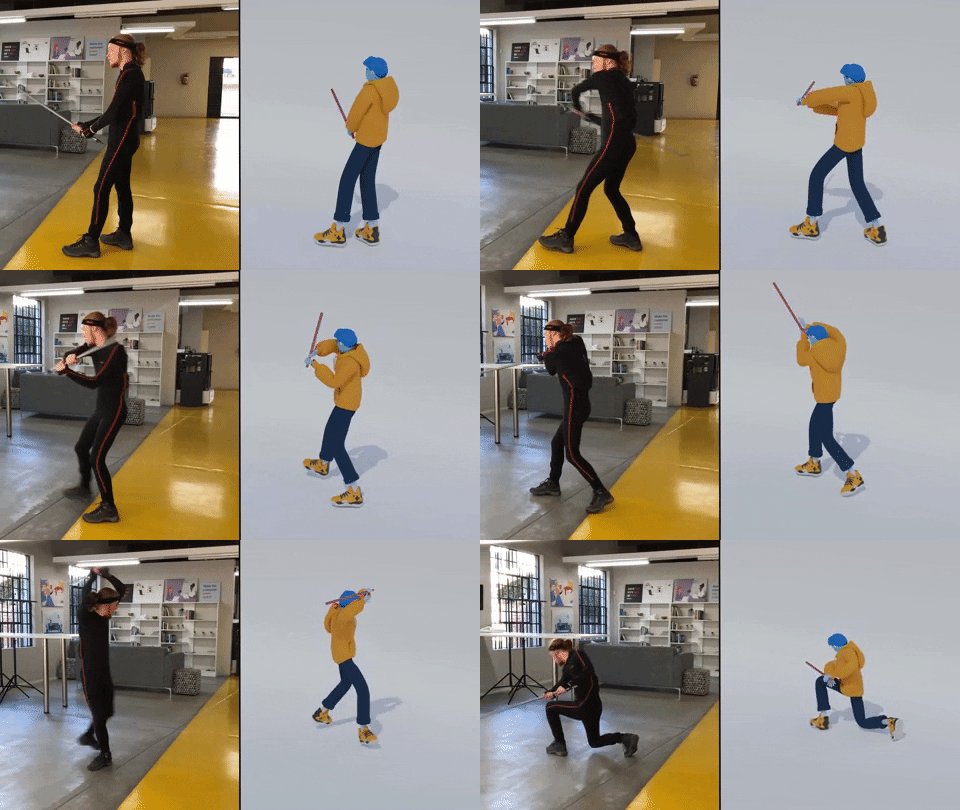
    Motion Tracking refers to digitally recording and following the movement of an object. In this example, the human’s movements on the left are being tracked by technology to create the animated figure on the right. I thought this was a very accurate example of how motion tracking would look. The movement is very realistic and matches well with the actual movement of the person.

    Create

    My Running Journey

    For my final project, I decided to create a video similar to the “Self-Introduction” video format because I really enjoyed creating that project! My goal was to illustrate my running journey from when I started running to the present. In this project, my goal was to incorporate multiple animation techniques that we learned throughout the class, including:

    1.) An Advanced Animation Technique: I chose to try out the “3D in After Effects” technique and manipulate a 2D photo. I chose a photo of my dad and I when I first started running. It was a little tricky to do this technique with that photo because his head is somewhat cut off in the photo, and rotating it too much would have revealed that, but I am happy with how it turned out! I definitely want to experiment more with this technique.

    2.) Creating shapes/lines with the line tool in After Effects. I utilized this strategy to create the “hill” animation when I talked about the hilly cross country course. I also used this when illustrating the length of a 100 meter race on a track. It was fun to experiment with trimming paths to create these animations.

    3.) Classic animations in After Effects, using keyframes to change Opacity, Scale, Rotation, and Position. I feel a lot more comfortable now creating keyframes and working with these animation options.

    4.) Using sound effects and background music. I added a typewriter sound effect at the beginning of the video when I chose the typewriter text animation. I also added a heart beat to the heart animation to further showcase that my love for running was expanding in high school.

    5.) Using the “squash and stretch” animation principle on the location symbol. I wanted to utilize at least one of the animation principles throughout this project.

    I also wanted to create a consistent color palette throughout the video, so I chose a blue/green color, wrote down the HEX and RGB codes, and used those codes throughout the project. I hoped to create a consistent and coherent video that used the same colors and fonts from start to finish.

    I have thoroughly enjoyed this class. Coming in with no animation experience, I am so grateful for all of the techniques I learned. I’m excited to continue to experiment in these programs and explore more advanced animation techniques in the future.