Tag: figma

  • Case Study: Designing WalletWize

    Case Study: Designing WalletWize

    Introduction

    WalletWize is a financial education app designed to help Gen Z users understand and manage their personal finances. The goal of the app is to create a seamless and engaging user experience that makes learning about money feel intuitive, approachable, and empowering. To create WalletWize, our group followed the Design Sprint method developed at Google Ventures. This method is a five-day process that rapidly takes a product from idea to prototype to user testing.

    For our project, we stretched the five-day Sprint into a five-week format, dedicating one week to each phase of the process. Our team collaborated virtually via Zoom and used Miro for digital whiteboarding and collaboration. What resulted was not just a prototype, but a deeper understanding of teamwork, design thinking, and problem-solving.


    Design Sprint Overview
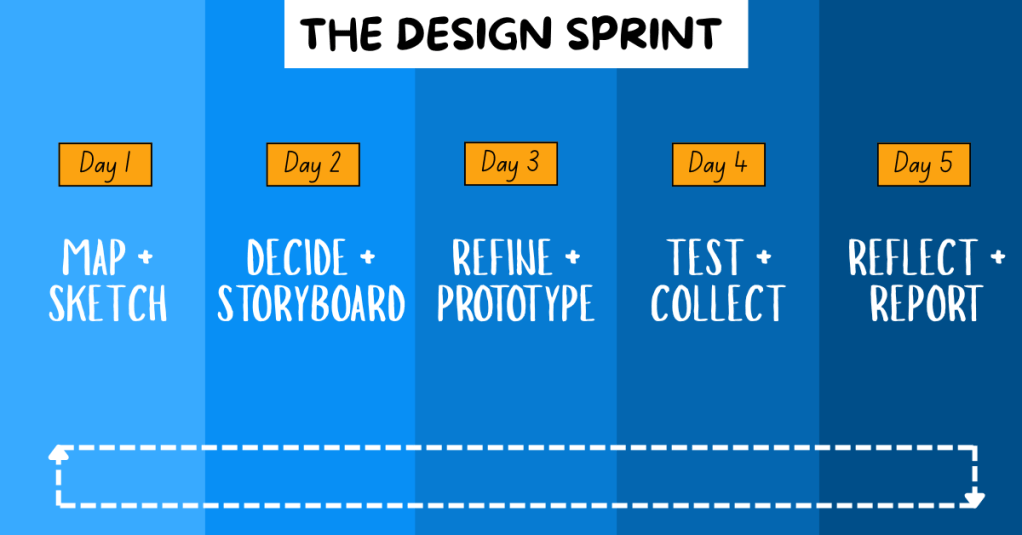
    The Design Sprint is broken into five phases:

    1. Map + Sketch: We defined our problem, conducted research on our target audience, set goals, and sketched potential solutions.

    2. Decide + Storyboard: We used a series of voting techniques to narrow down our best ideas. From these, we created user flows and a storyboard.

    3. Refine + Prototype: With our finalized storyboard, we divided tasks based on our individual strengths and built a functional prototype.

    4. Test + Collect: We conducted remote user testing sessions with Gen Z participants. We gathered feedback on functionality, visual design, and user experience to determine what worked well and what could be improved.

    5. Reflect + Report: We compiled our findings and insights into a final Design Sprint report and individual case studies, summarizing the project and sharing key takeaways.


    Problem Statement and Research

    The problem we focused on was the lack of accessible, engaging financial management tools for Gen Z. To guide our ideation process, we created the following “How Might We” questions:

    • How might we engage Gen Z so they stay on our app instead of switching to another one?
    • How might we make learning about money feel as addictive as scrolling through social media?
    • How might we simplify complex financial concepts to make them easier and more engaging to learn?
    • How might we encourage users to return and build lasting financial habits?

    We also defined a long-term goal: In two years, WalletWize should help Gen Z form consistent money habits by making the app a daily or weekly routine.

    To better understand our target audience, we conducted background research. We found that Gen Z:

    • Relies heavily on parents for financial advice
    • Consumes most content on mobile devices
    • Faces increasing financial challenges including student debt and housing costs
    • Spends a significant amount of time on social media

    These insights shaped both our design decisions and our content strategy.


    Sprint Activities

    Phase 1: Map + Sketch

    We began by naming the app and selecting a color scheme through voting with red dots. We chose “WalletWize” as our final name and adjusted our palette to include a bold royal blue and bright orange to appeal to Gen Z.
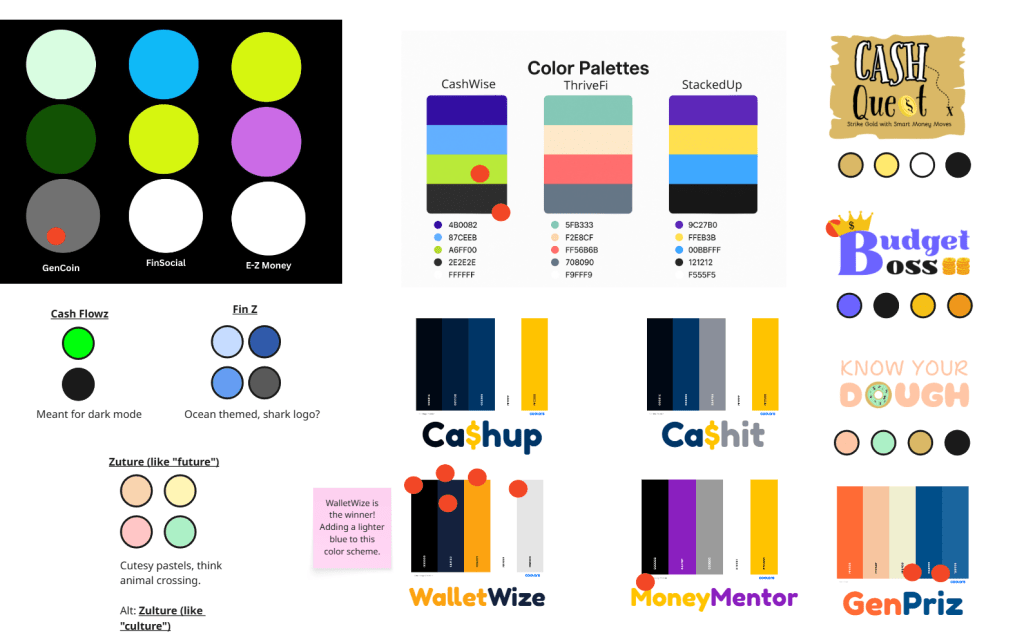
    App Names and Color Scheme Ideas.

    Next, we created a map that began with app onboarding and ended with our goal. The steps in between represented the key features and actions users would take to reach that goal, including navigating through course content, selecting topics, and engaging with rewards.
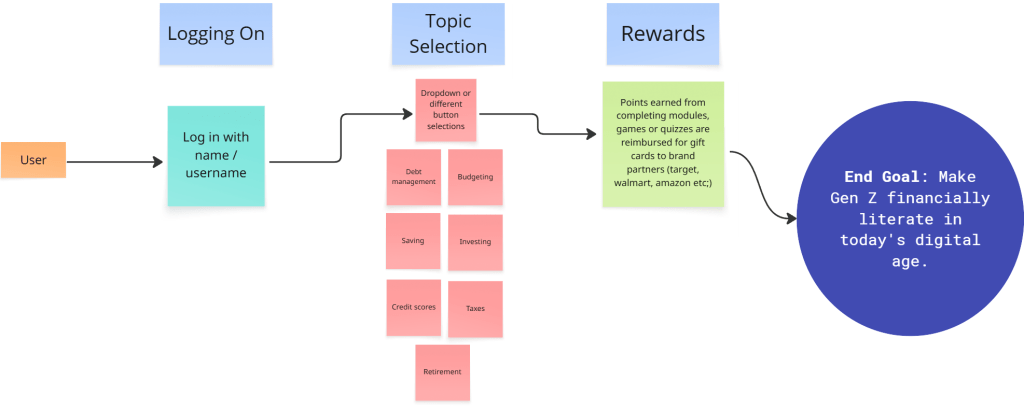
    WalletWize’s User Journey Map.

    We then conducted Lightning Demos. Each team member analyzed apps related to finance and education, collecting visual inspiration and discussing which features we might borrow or adapt.

    Finally, we worked through the 4-Step Sketch process individually:

    • Capturing notes and inspiration
    • Generating quick ideas
    • Exploring variations in Crazy 8s
    • Creating refined solution sketches
    4-Step Sketch: Part 1 (Notetaking) and Part 2 (Ideas).
    4-Step Sketch: Part 3 (Crazy 8s) and Part 4 (Solution Sketches).

    Phase 2: Decide + Storyboard

    To narrow down ideas, we used Heat Map Voting to highlight the best elements of our sketches. Then we used Straw Poll and Supervote techniques to select our top concepts.

    Each group member created a six-step user flow. We voted on the most promising user journey and then expanded it into an eight-step storyboard that showed the elements of each screen.
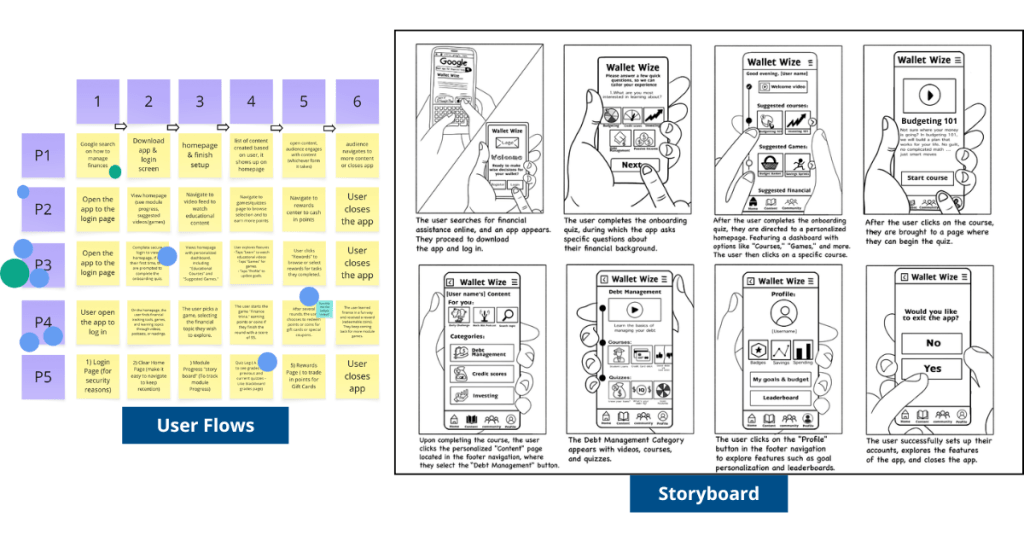
    WalletWize’s User Flows and Storyboard.

    Phase 3: Refine + Prototype

    We divided responsibilities based on skillsets. Some focused on wireframes in Canva, while others built out high-fidelity prototypes in Figma. Our illustrator created visual assets, and our Stitcher ensured consistency and flow across the prototype. The prototype included interactive screens for onboarding, budgeting lessons, quizzes, and progress tracking.
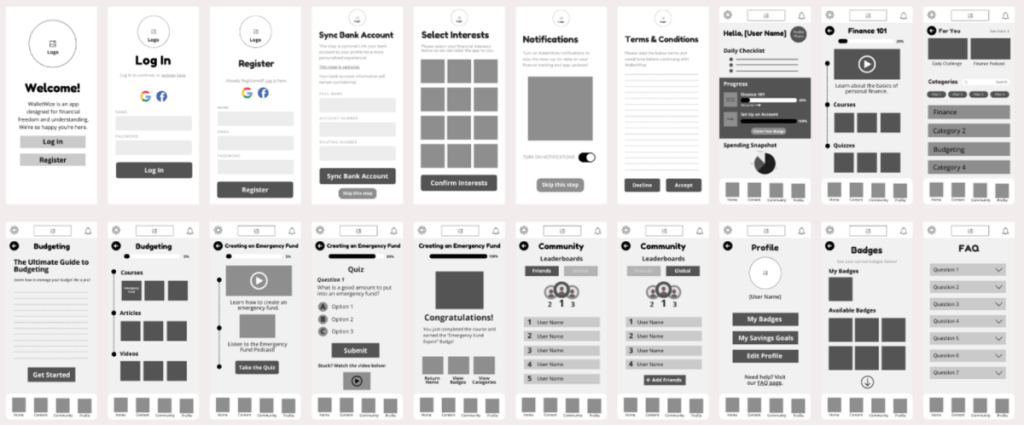
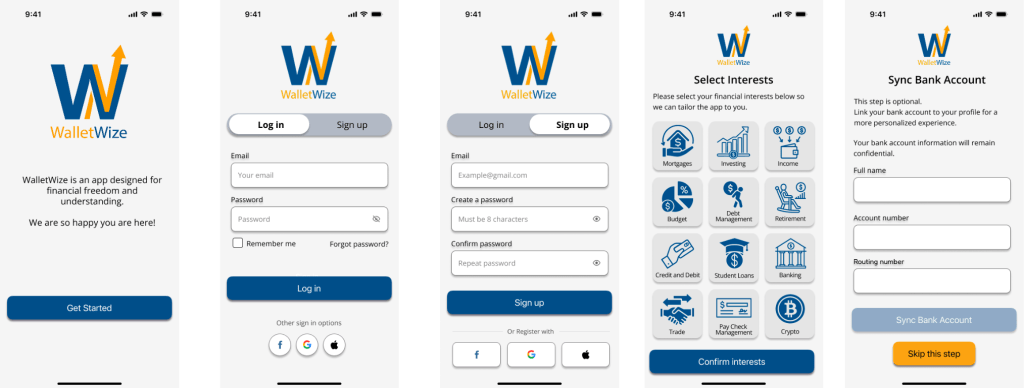
    WalletWize’s Wireframes created in Canva.
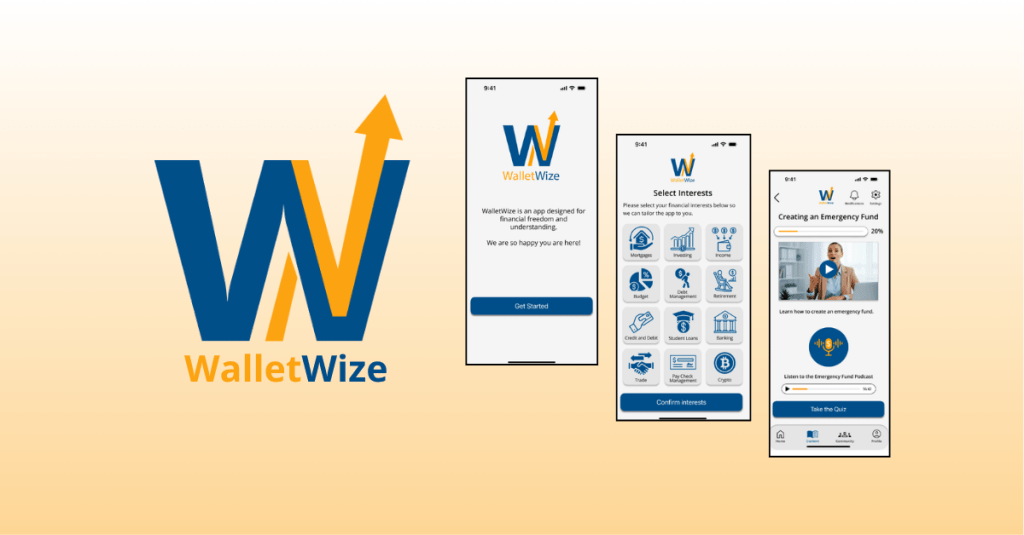
    Final Prototype screens created in Figma. To view all final screens, click here.

    Phase 4: Test + Collect

    We prepared a script and conducted five remote user interviews. The sessions were recorded via Zoom. One person led the interview while others took notes.

    We created pre- and post-surveys to collect demographic and usability feedback. The pre-survey gathered background information, while the post-survey measured user satisfaction and experience.

    Phase 5: Reflect + Report

    In our final week, we divided responsibilities to create our final Design Sprint report and individual case studies. We reflected on our learning, analyzed our data, and finalized our deliverables.

    To view our group’s final report, click here.


    Results and Outcomes

    Our final clickable prototype of WalletWize received positive feedback from users. Participants appreciated the modern design, friendly illustrations, clear navigation, and overall user experience.

    One area for improvement identified during testing was the content tab. Several users were unsure how to navigate it. A suggestion to add a FAQ button to the home screen was also noted and would be implemented in future iterations.

    Overall, user feedback affirmed that our design choices were intuitive and engaging. The app met its primary goal of helping Gen Z users feel more confident in managing their money.
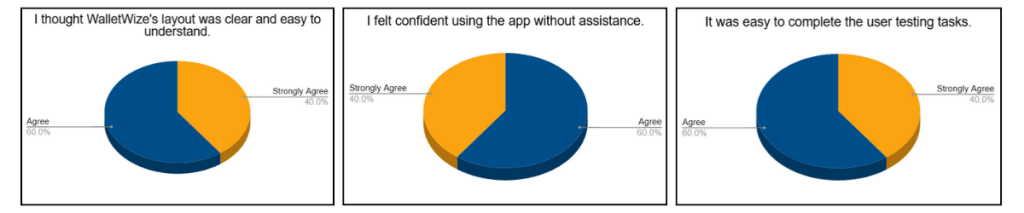
    Pie charts based on user testing feedback.

    Learnings and Reflection

    The Design Sprint was an exciting challenge. It taught us how to work quickly, think strategically, and communicate clearly. We learned how to facilitate discussions, manage tasks virtually, and design with the user in mind.

    Each member of our group brought unique strengths to the project, and we built a workflow that allowed us to support one another and stay organized. Conducting the Sprint virtually had its challenges, but we navigated them well using tools like Miro and Zoom.

    Beyond the technical skills, we learned how to stay adaptable. Whether it was a user who couldn’t complete a task or a design that needed to be reworked, we stayed open to change and focused on improvement.


    Conclusion and Next Steps

    The Design Sprint was more than just a framework; it was a powerful learning experience. From problem definition to user testing, we moved through each phase with purpose and creativity. WalletWize is the result of thoughtful collaboration, honest feedback, and user-centered design.

    As we look to the future, we are excited about the potential of WalletWize. With further development, we hope it becomes a trusted tool for Gen Z users who want to improve their financial literacy. The lessons we learned in this Sprint will continue to inform our approach to product design and collaboration in our future careers.
  • The Art of Building Quick Prototypes: Phase 3 of Design Sprints

    The Art of Building Quick Prototypes: Phase 3 of Design Sprints

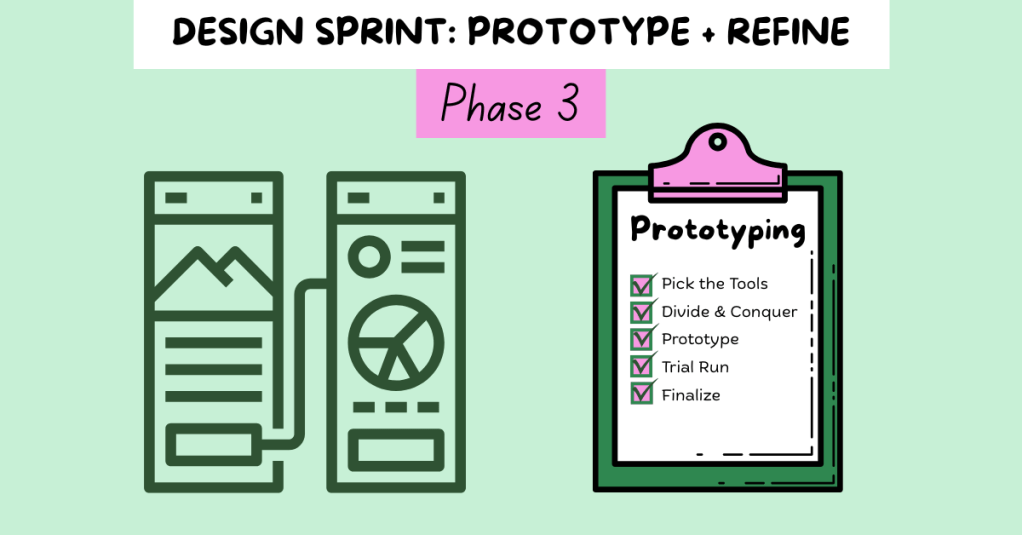
    You and your team are mid-race, and the stakes are rising. You’ve hit your stride, picked up steam, and now it’s time to execute. Phase 3 of the Design Sprint, Prototype and Refine, is all about collaboration and showcasing your strengths.

    At this stage, the ideas are there. Now, your job is to bring those ideas to life in a way that’s fast, intentional, and “good enough” for user testing. As Jake Knapp, John Zeratsky, and Braden Kowitz write in Sprint: How to Solve Big Problems and Test New Ideas in Just Five Days:

    “You’ve got an idea for a great solution. Instead of taking weeks, months, or, heck, even years building that solution, you’re going to fake it…To prototype your solution, you’ll need a temporary change of philosophy: from perfect to just enough, from long-term quality to temporary simulation.”

    Knapp, Zeratsky, and Kowitz

    That quote stuck with me, especially as someone who tends to chase perfection. The prototype mindset is about learning quickly. The goal is not to create a flawless product; it’s to simulate one realistic enough to gather feedback. So, how do you do that in just one day?

    Let’s break it down.


    Understanding Phase 3 Goals

    Pattie Belle Hastings outlines five key objectives in The Sprint Handbook: A Step-by-Step Guide to Planning and Running Innovation Sprints to guide the Prototype and Refine phase:

    • Rapid Realization: Quickly turn ideas into something tangible.
    • Focus on Critical Elements: Build only what matters most to test.
    • Prepare for User Testing: Design the prototype to gather useful feedback.
    • Resource Efficiency: Use the least amount of time and tools to get the job done.
    • Collaboration: Lean on each team member’s strengths to bring the product to life.

    “The prototype phase is the crucible where your ideas are forged into tangible forms, ready for real-world testing…It’s a creative endeavor that requires a blend of ingenuity, skill, and strategic thinking.”

    Pattie Belle Hastings

    This phase is where your team can shine. Focus on what matters most and continue the Sprint.


    Step 1: Pick the Tools

    Start by selecting your design tools. Depending on your team’s skills and project goals, you might choose:

    • Wireframes: Low-fidelity designs that outline structure
    • Mockups: High-fidelity visuals that simulate a real interface
    • Clickable Prototypes: Interactive designs that mimic real use
    • Functional Prototypes: Working products with built-in features

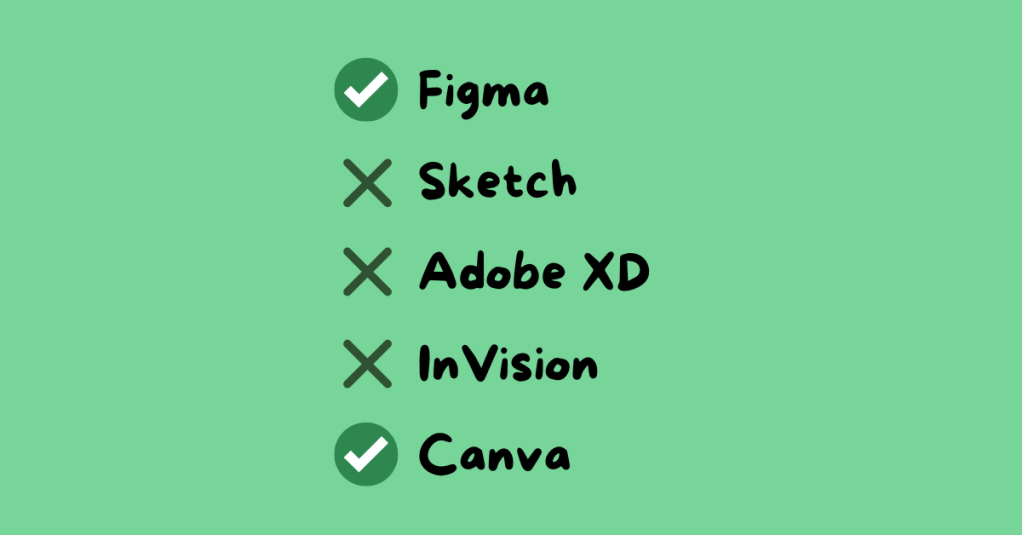
    Common tools include Figma, Sketch, Adobe XD, InVision, and Canva. For my team’s Gen Z personal finance app, we used Canva for wireframes and Figma for clickable prototypes. These tools matched our team’s skills and needs.


    Step 2: Divide and Conquer

    Time is limited, so efficiency is key. Assign roles based on experience and interest. Encourage each person to advocate for the role that best suits them.

    For our group, roles included:

    • Wireframe Creators: Sketched the app’s layout
    • Writer: Created on-screen text and instructions
    • Asset Collector: Gathered app content and visuals
    • Makers: Built the prototype in Figma
    • Illustrator: Designed custom icons and the app logo
    • Stitcher: Reviewed the prototype for consistency and flow

    I was assigned three roles: wireframing, illustrator, and stitcher. With a design background, I created the app’s logo and visual identity, and I reviewed all aspects of the prototype, including content, spelling, interactivity, and visuals, to ensure the finalized product was polished and ready to go.


    Step 3: Build the Prototype

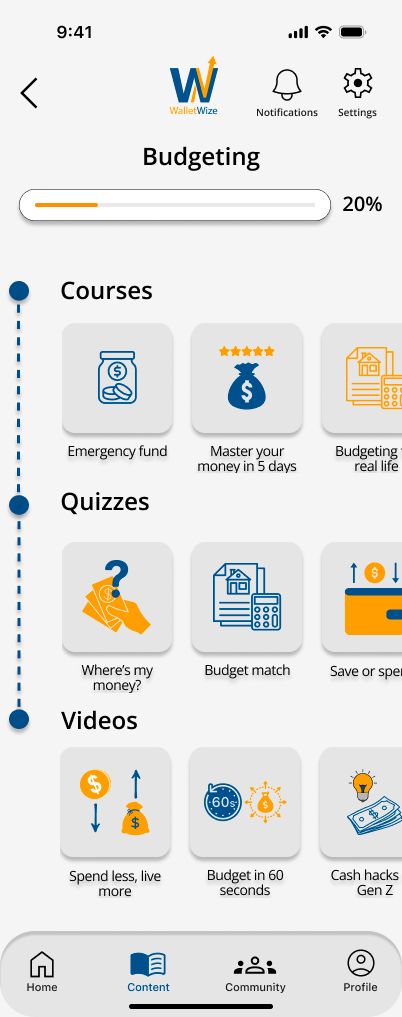
    The Budgeting Category screen in my group’s app.

    This is the heart of the phase. Using the storyboard from Phase 2, your team starts constructing the prototype. Make sure all team members are designing at the same fidelity level, review the prototype for consistency in design and functionality, ensure interactive elements align with the user flow, revisit Sprint objectives to stay focused, and prepare for user testing. The goal here is clarity, not perfection.

    Knapp, Zeratsky, and Kowitz assert that the prototype should look real enough that users believe it’s a functional product. This step will help the team learn about the areas of the product that work well and elements that require editing.


    Step 4: Conduct a Trial Run

    Before handing your prototype over to testers, test it internally. This gives your team the chance to identify confusing steps or design issues early. It is important to schedule a time for the entire team to conduct a trial run. Assign a group member to play the role of the user, gather feedback, and revise as needed.

    “Trial runs help your team fine-tune the prototype, identify potential issues, and ensure a smooth and effective testing session.”

    Pattie Belle Hastings

    Ask yourself: Does the product feel intuitive? Does the prototype reflect our Sprint goals? This step builds confidence and alignment before entering the final testing phase.


    Team Reflection: What Worked for Us

    This week, our team focused on communication, task alignment, and preparation. We clearly outlined roles, set deadlines, and checked in frequently. Having designated roles based on individual strengths helped us stay accountable and confident in our contributions.

    We also met virtually several times throughout the week, checked in with each other in our text group chat frequently, communicated early and often, and celebrated small wins along the way.

    One of the biggest lessons I learned this week? Don’t wait to speak up. If something is unclear, ask. If something’s off, say something. Holding yourself accountable while staying open to feedback makes a big difference in the pace and quality of your work.

    View my team’s wireframes and prototypes here.


    Final Thoughts: Eyes on the Finish Line

    This phase of the Sprint felt like the middle miles of a race. You’ve already started strong, and now you need to stay focused and finish strong. The prototype phase requires energy, attention to detail, and trust in your team.

    When it’s done right, it’s incredibly rewarding. You’re not just imagining your solution; you’re seeing it come to life.

    At this point, your product is ready to be tested. Keep your head up, keep your pace steady, and get ready for the next phase: testing with real users.

    The finish line is near.