Tag: canva

  • Crossing the Finish Line: Finalizing My Digital Product Build

    Crossing the Finish Line: Finalizing My Digital Product Build

    Are you in the final stretch of building a digital product? Maybe you’re working on refining the last details, deciding where to sell it, or preparing the assets you’ll need to share it with the world. That’s exactly where I found myself this week. After a few weeks of planning, prototyping, and building, my Running Training Tracker in Notion is almost ready for launch. This week was about final checks, thoughtful edits, and preparing for delivery.

    Before I dive in, you can take a look at my weekly production journal where I break down every step I completed, and check out the final version of my Running Training Tracker in Notion. Let’s dive in to the best practices of editing and reviewing your digital product so your target audience falls in love with it when launched.


    Why a Quality Audit Matters
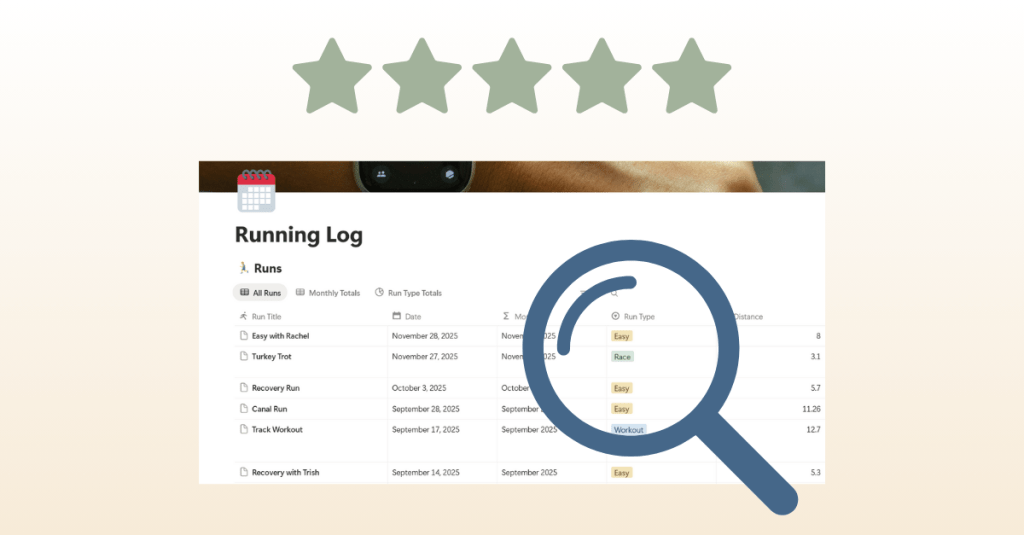
    Building a digital product is exciting, but it’s easy to overlook small details when you’re deep in the process. That’s why I started this week with a quality audit. I went through every page of the tracker to check for spelling errors, formatting issues, and broken links. I tested formulas again to make sure pace calculations worked and verified that all features worked properly.

    It might sound tedious, but these checks make a huge difference. Imagine downloading a template and finding half the links broken or instructions missing. It wouldn’t leave a great impression. A polished product isn’t just about design; it’s about making sure everything functions seamlessly for the user.

    One piece of advice I’d share: don’t rely only on yourself for this step. When you’ve been working on something for weeks, you might miss obvious errors. Having other eyes on your project is incredibly helpful. I asked runners in my community to test the tracker, and their feedback highlighted things I didn’t noticed. For example, they suggested reordering the running log so the most recent run appeared at the top, which instantly made the tracker easier to use.


    Adding the Final Features
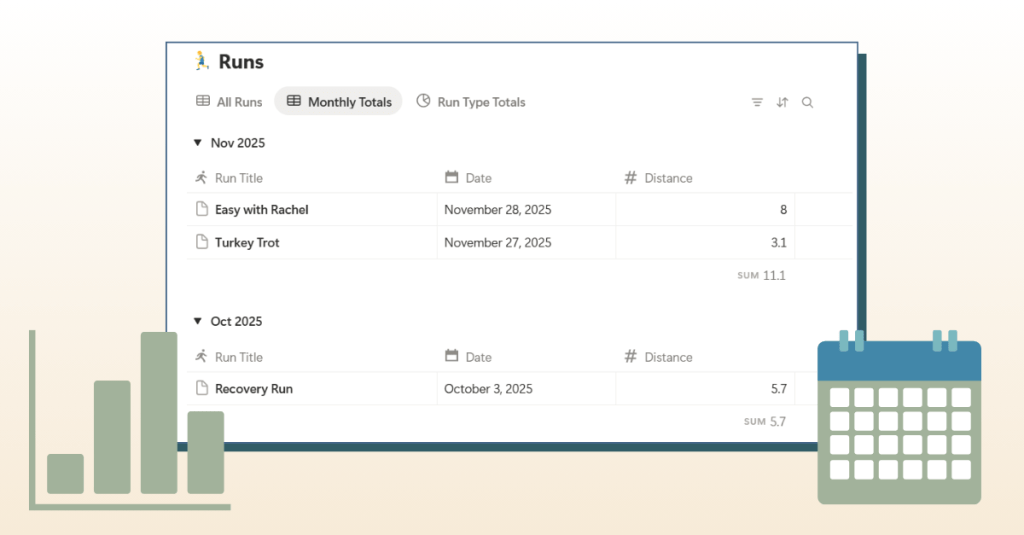
    Another big focus was implementing the last suggestions from user testers. The most significant one was a feature to track monthly mileage totals. My first instinct was to build a new table, but after experimenting, I realized I could create a new view within the existing running log. This kept everything in one place and made the layout cleaner.

    I also added small touches that elevate the experience: icons for tables to make the dashboard more visual, expanded sections in the photo wall and gear tracker, and updated instructions to clearly explain how to log times in the correct format. These adjustments may seem minor, but together they make the product feel polished and user-friendly.


    Choosing a Sales Platform

    With the product close to finished, I needed to answer another important question: where should I sell it? After researching several options, I decided on Gumroad. Here’s why:

    • It has a built-in marketplace with categories like Fitness & Health and even a Running subcategory.
    • I saw other Notion running templates already listed there, which means potential buyers are actively browsing.
    • Gumroad makes it easy to package digital products with thumbnails, descriptions, FAQs, and even video embeds.

    To prepare, I started drafting copy for the sales page and editing thumbnails. I want the page to answer key questions: What is the tracker? Who is it for? What’s included? And why should someone choose it over other tools?

    If you’re looking to learn more about how to launch a product on Gumroad, check out this YouTube video breaking down the steps of setting up your sales page.


    Creating Assets for Launch
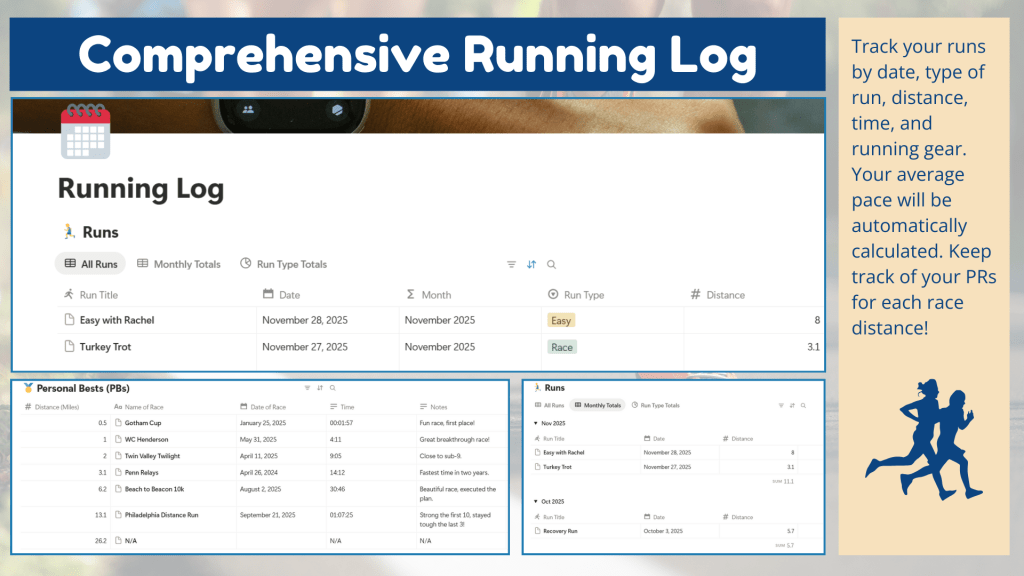
    Finishing a product is only half the journey. You also need to present it in a way that’s appealing and easy to understand. This week I worked on creating assets that will bring the sales page to life:

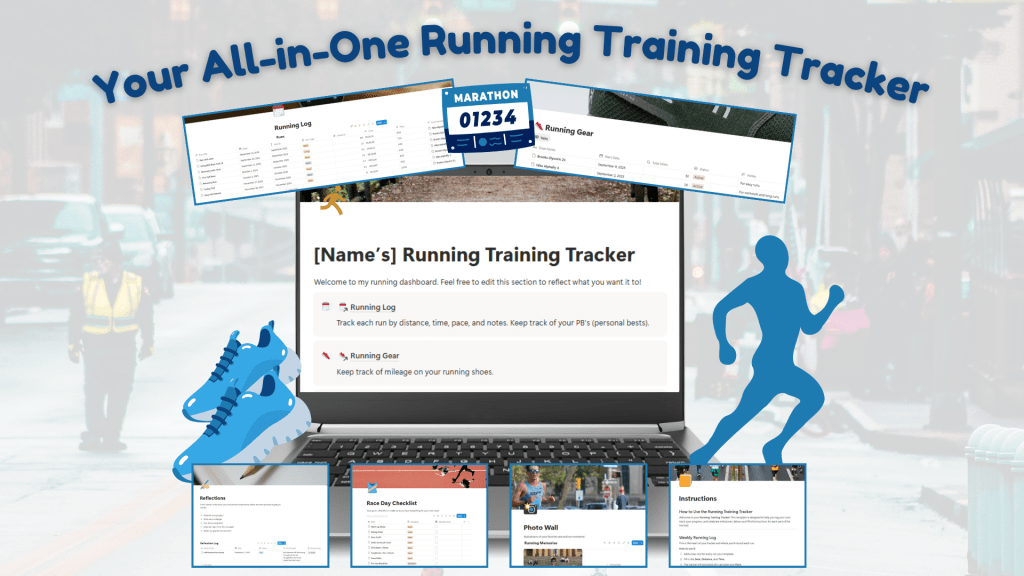
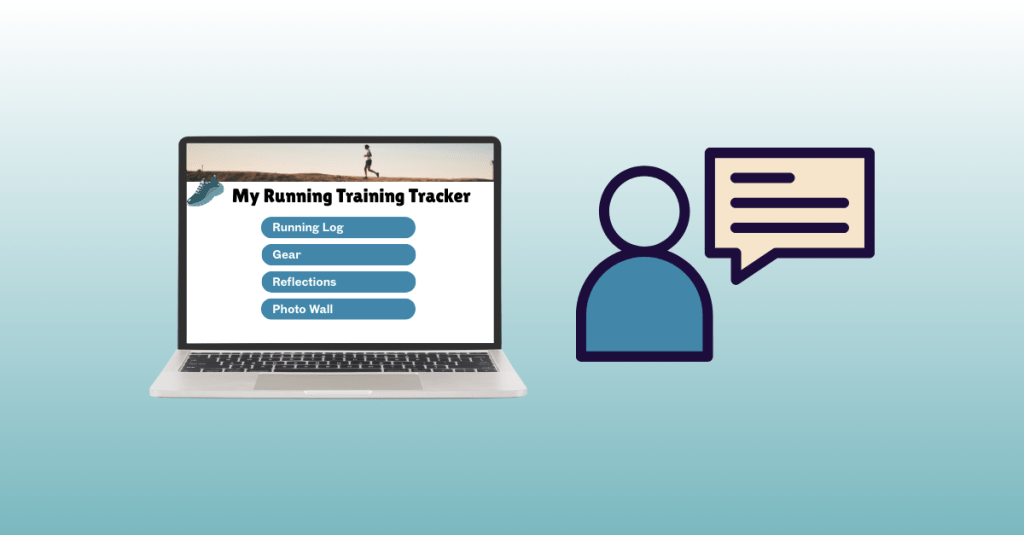
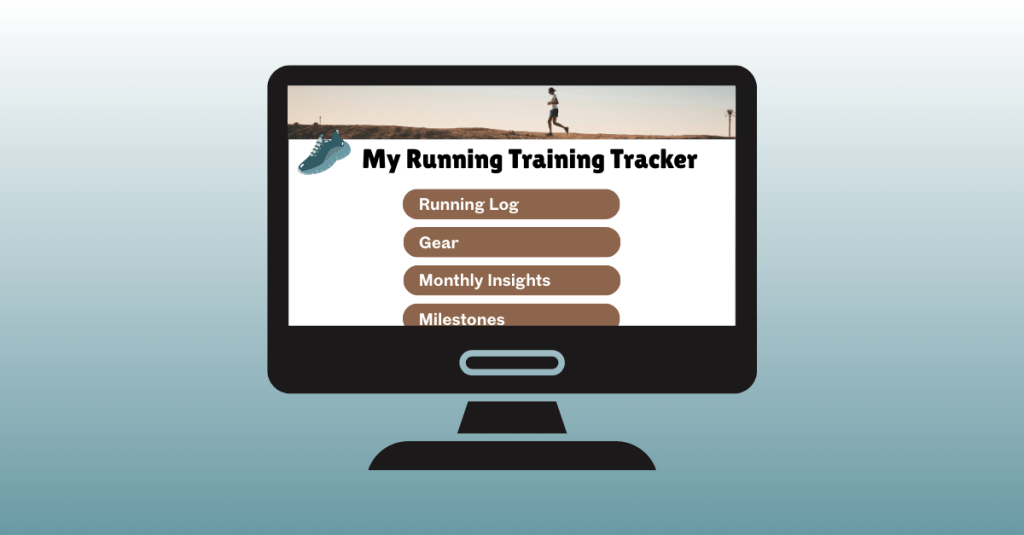
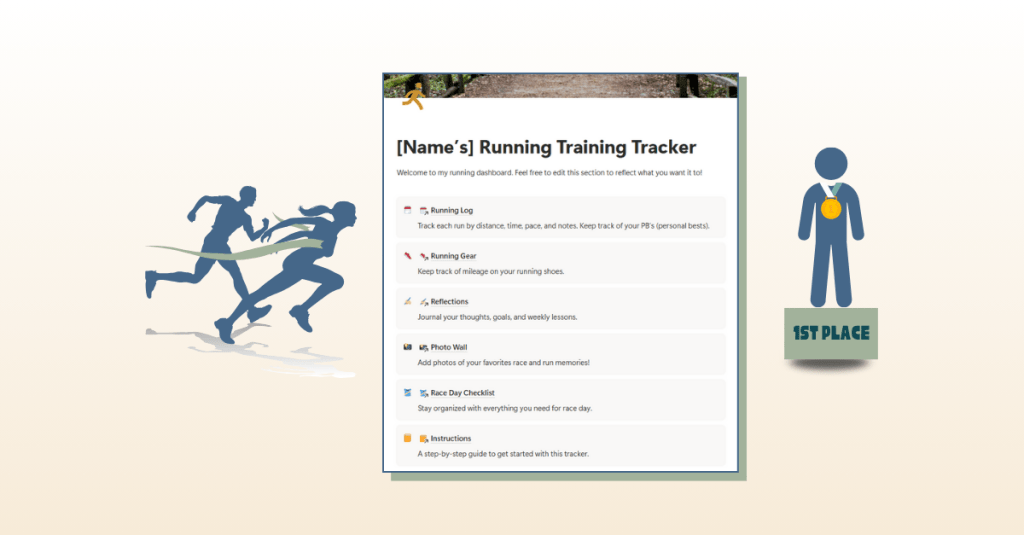
    • Mockups: Designed in Canva to show the tracker in action.
    • Sales Page Copy + Video Script: Drafted in Word, covering everything from a compelling opening question to FAQs to a script for a product video walkthrough.
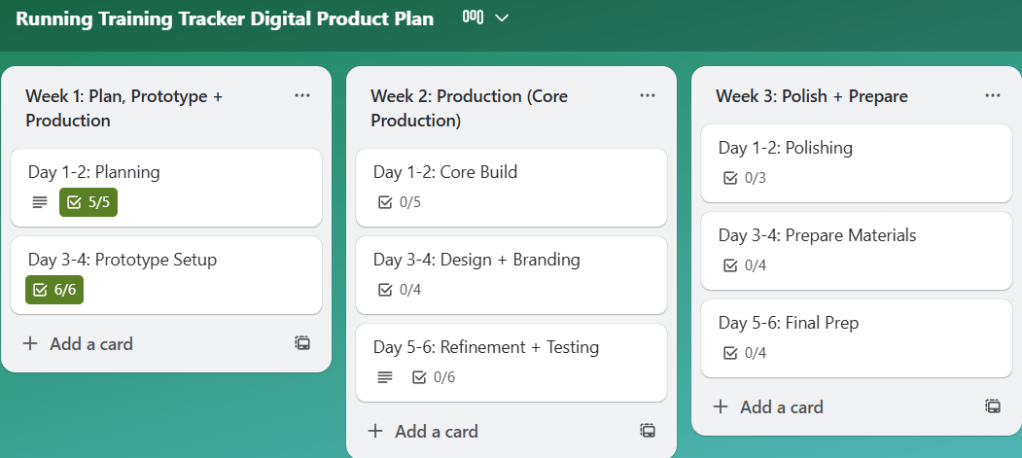
    • Trello Project Management: My updated Trello board that kept me on track and ensured no detail slipped through the cracks.

    These pieces are like the supporting cast to the main product. A great template can only sell if people see its value, and these assets help communicate that clearly.


    Lessons Learned

    This week reminded me of two important truths about building digital products:

    1. Details make the difference. Small edits, like clarifying how to log time or reordering entries, can greatly improve the user experience.
    2. Feedback is gold. Testing with real users is the best way to catch blind spots and discover improvements.

    I also learned that finishing isn’t just about wrapping up the product itself; it’s about packaging it thoughtfully and preparing it for delivery.


    Looking Ahead

    Next week, I’ll be finalizing my Gumroad sales page, recording the video walkthrough, and creating promotional materials. Once those pieces are in place and completed, it’s launch time. I’m excited to take the tracker live and share it with the running community.

    Building a digital product isn’t just about creating something useful. It’s also about refining, testing, packaging, and presenting it in the best light possible. That final push can feel like the toughest part, but it’s also the most rewarding.

    Stay tuned as I share more about the sales page build and, soon, the official launch.
  • From Features to Feedback: Building My Running Training Tracker

    From Features to Feedback: Building My Running Training Tracker

    Are you working on building a digital product? Are you in the middle of your journey, sorting through all the weeds, trying to make sure that your product is functioning while also starting to think about your sales page? If you are, you’ve come to the right place.

    I’m right there with you. This week, I’ll share my progress on creating my first digital product, a Notion Running Training Tracker, with lessons and tips I’ve learned along the way. If you’re working on your own tracker, template, or creative idea, I hope my experience gives you encouragement and ideas for your build.


    Adding New Elements to the Tracker

    This week was all about building out the major features and making the tracker feel more complete.

    One of the biggest updates I made was adding a personal bests (PBs) table to the running log. This way, runners can track their best times for different race distances in the same place where they log their daily runs. Keeping everything together makes the experience smoother and easier to manage.

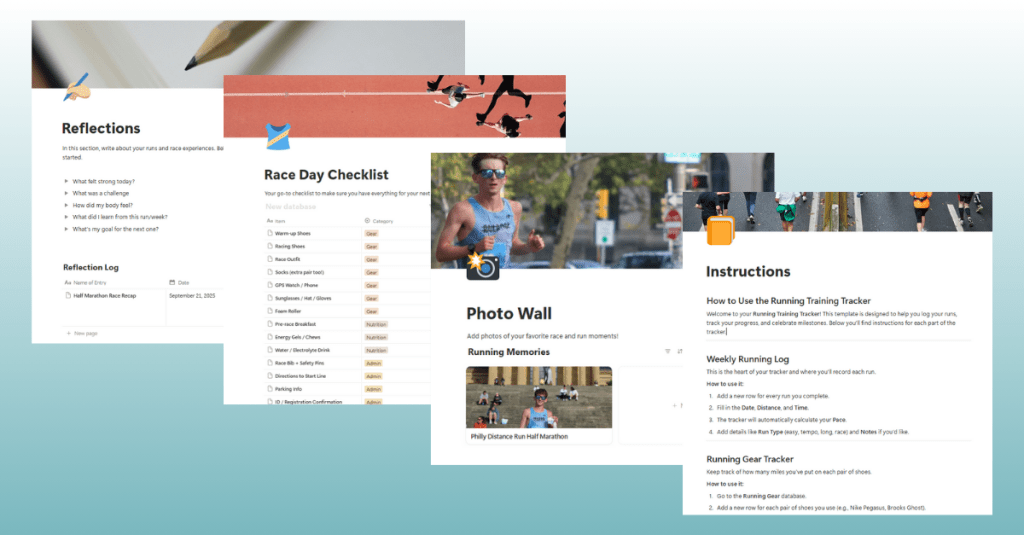
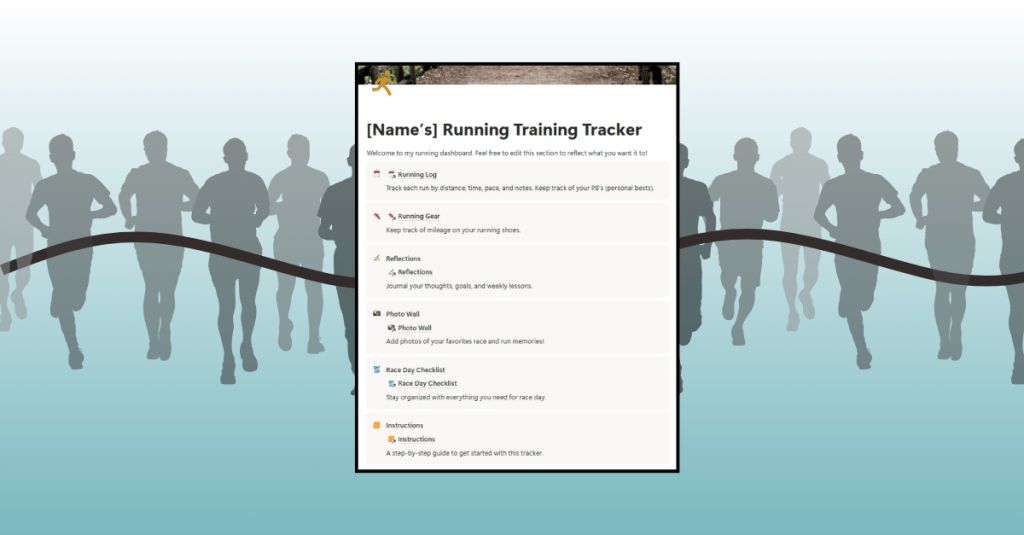
    I also built out pages for Reflections, a Photo Wall, a Race Day Checklist, and a detailed Instructions guide. Each page uses inline tables with properties like Name, Date, and Notes to keep the setup simple and flexible.

    The Photo Wall might be my favorite addition. It’s a gallery where users can upload pictures from their races or favorite runs, turning the tracker into a digital scrapbook. The Race Day Checklist is another unique piece that I haven’t seen in other trackers. It’s a practical way for runners to reduce stress before races by checking off their essentials.

    After I built new features in the Running Training Tracker, I created Canva mockups of the product and wrote information and instructions for the sales page. Completing these tasks now makes sure that I am ready to go when I finalize the product next week.

    Click here to view my digital product journal, detailing each step I took to build my product this week.


    Hitting Snags and Finding Solutions

    Of course, it hasn’t all been smooth sailing. Building in Notion has been a constant process of trial and error.

    There were times when I read through Notion’s Help articles, felt ready to try something, and then clicked the wrong button or set up a feature incorrectly. Sometimes I had to start over because I wasn’t sure how to undo my mistake. While this was frustrating at first, it’s also what helped me learn.

    Notion is one of those platforms where experimenting is the best way to grow. Each misstep taught me something new. Using resources like Notion’s help article on galleries and their guide to inline tables gave me confidence to keep pushing forward.


    Learning From User Testing

    This week I also ran my first user test. I asked another runner to try out the tracker, and their feedback was very insightful and helpful.

    They loved the Photo Wall, saying it gave the tracker personality and made it feel more personal than other tools they’ve used. They also appreciated the Race Day Checklist, pointing out how easy it is to forget something when you’re rushing around on race morning.

    Their main suggestion was to add a Monthly Overview section so they could compare mileage totals from month to month. I thought this was a great idea and plan to add it in the coming week.


    Takeaways and Lessons

    One of the biggest lessons I learned this week is how important it is to test early and often. First, test your own product to make sure all the links, formulas, and pages work. Then, bring in testers who will approach it with fresh eyes. Even one user test provided valuable insights that will make my tracker stronger.

    I also realized how important it is to proofread and polish. Small things like clear labels and clean mockups can make the difference between a product that feels professional and one that feels rushed.

    And maybe the most important lesson? Patience. Building a digital product is about trial and error. There were moments in Notion where I felt stuck or frustrated, but stepping away, looking at resources, and trying again always brought me closer to a solution.


    Wrapping Up This Week

    At this point, I’d say my Running Training Tracker is about 85 percent complete. I’ve got the major features in place and a structure that feels organized and user-friendly. Next week is all about refining. I’ll be adding the Monthly Overview feature, running more user tests, and preparing my sales page with the mockups and instructions I’ve created.

    If you’re building your own digital product, my advice is simple:

    • Use a project management tool like Trello to stay on track. Click here to view my Trello board.
    • Test, refine, and then test again.
    • Be kind to yourself through the trial and error process.

    Stay tuned as I continue building the Running Training Tracker. The journey continues, and I wish you productivity and creativity as you build your products.

  • From Idea to Action: Building My First Digital Product

    From Idea to Action: Building My First Digital Product

    Have you ever had an idea for something you wanted to create, only to realize you weren’t sure where to begin? That’s exactly how I felt when I started working on my first digital product: a running training tracker. I knew I wanted to create something useful for runners like me, but I also knew it would take planning, patience, and learning new tools along the way. This post is all about the first steps of that journey: the planning stage and the beginning of production.


    Laying the Groundwork with Planning

    Before I opened a single app, I knew I needed a plan. I created a Trello board to break the project into small, actionable tasks spread over three weeks. This helped me avoid feeling overwhelmed and gave me a roadmap to follow. Each task was sized so that I could chip away at the project consistently rather than trying to tackle everything at once.

    I also used Canva to sketch out mockups of the tracker pages. These visual drafts gave me a clearer picture of what I wanted to build before diving into the software itself.

    View my Canva mockups here.


    Choosing the Right Platform

    After researching my options, I decided to build the tracker in Notion. What drew me in was its flexibility: tables, linked databases, and the ability to connect everything in one place. I thought these features would allow me to build something robust while still being user-friendly.

    The catch? I had never used Notion before, so my first week was all about learning.


    Learning the Tools

    To get up to speed, I leaned heavily on tutorials and resources. Here are a few that helped me the most:

    I can’t overstate how important these were. At first, everything felt foreign, but after a few videos and articles, I began to see how the pieces fit together.


    Starting to Build

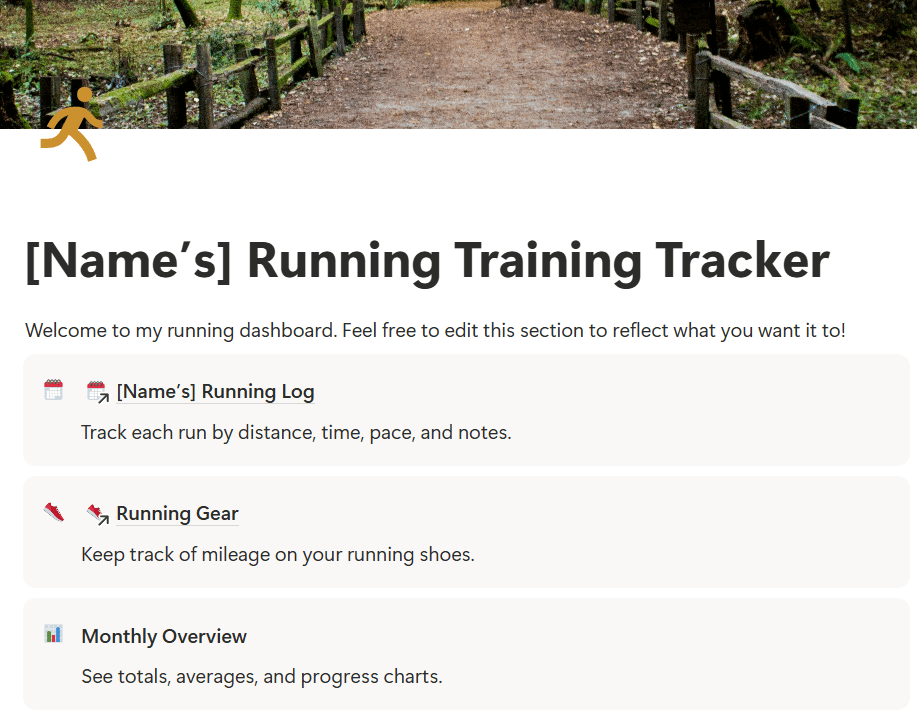
    When I felt more confident, I opened Notion and began building the Running Log, which is the core element of the tracker. This is where runners can enter their daily workouts, including distance, time, pace, and notes. I also added a section for Running Gear so runners can log which shoes they wore and see how many miles they’ve put on each pair.

    Click here to view the progress I’ve made on my running training tracker in Notion.

    The first 30–40% of the build is now complete. The foundation is there; what’s left are refinements, smaller features, and, eventually, testing with real runners.


    What Worked and What Didn’t

    Some tools felt like second nature. Trello and Canva were smooth sailing since I’ve used them before. Building in Notion was a different story.

    The biggest challenge? Coding formulas in Notion. For example, I wanted the tracker to calculate average pace when users enter their distance and time in “hh:mm:ss” format. It sounds simple, but formatting time in a way that Notion understands is complex. I spent a long time testing formulas, reading threads, and watching tutorials. It was frustrating at times, but I learned to be patient and keep trying different approaches until it worked.

    Another tricky area was linking databases. I set up a system where the Weekly Log connects to the Running Gear database. That way, each shoe automatically adds up the total miles logged. Getting the databases to connect to each other correctly was a learning curve, but when I figured it out, it became a game-changer.


    Reflection

    Looking back, I’m proud of the progress I made this week. Taking time to plan with Trello and mockups in Canva made the actual building phase much smoother. I also proved to myself that I could learn a new platform like Notion with enough patience and persistence.

    Next week, I’ll continue building by adding sections for PRs and Goals, building out the more simple features like the race-day checklist, refining the design, and preparing for user testing. I plan to test the tracker with family members, teammates, and running club friends to gather feedback from runners of all levels. This will help me ensure the tracker is practical, motivating, and accessible for everyone.

    Want to read more about my first week of building this product? Click here to view my production journal.


    Next Steps

    My plan moving forward is simple:

    • Finish building the must-have features of the tracker.
    • Start testing with real users.
    • Refine and brand the product before the final launch.

    This journey is already teaching me so much about building a digital product, but also about staying patient, problem-solving creatively, and breaking down big goals into manageable steps.

    And that’s what building your first digital product is really about: trial and error, showing up, learning as you go, and celebrating small wins along the way.

    Stay tuned as I continue to build the running training tracker.