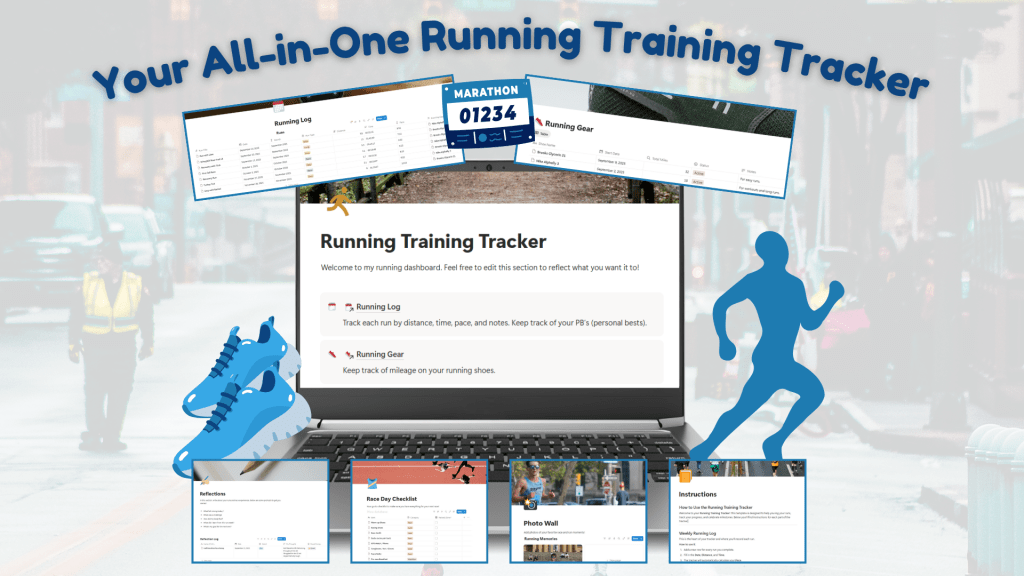
Building a digital product takes time, testing, and creative problem-solving. Let’s walk through how I built my Running Training Tracker from scratch to sale in just seven weeks: a process that merged research, design, testing, and marketing.
Phase 1 | Research + Planning
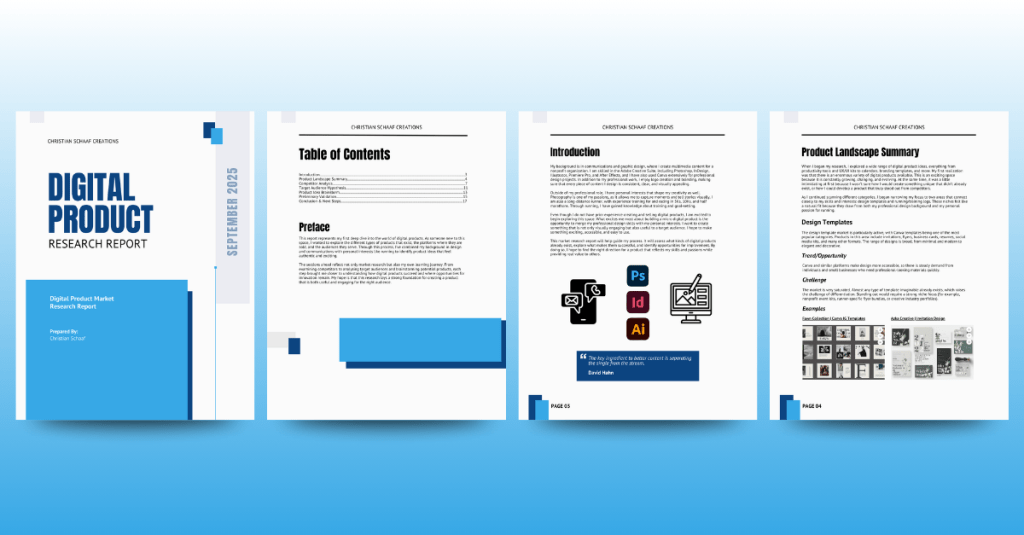
Before diving into the creation process, I needed to understand the digital product landscape. I began by researching the top-selling digital items across platforms like Creative Market, Etsy, and Gumroad. My goal was to identify what types of products perform well, how they’re presented, and where I could add value.
Through this research, I discovered three product categories that inspired me:
- A Branding Template for designers and small businesses.
- Event Flyer and Social Media Templates for business owners without design backgrounds.
- A Running Training Tracker for runners who want a private and customizable training log.
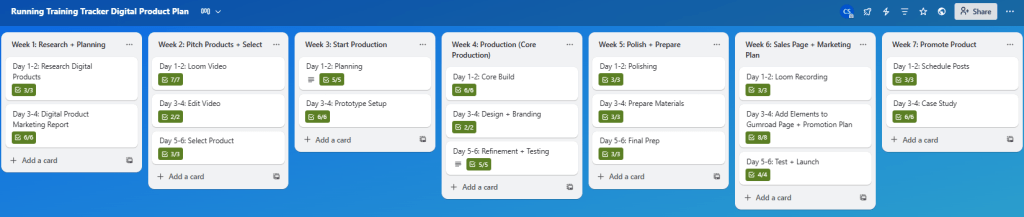
I created a detailed Market Research Report that summarized my findings and outlined potential opportunities. During this phase, I also built a Trello Board to plan each stage of the project, outlining my weekly goals with actionable checklists.
Phase 2 | Pitching the Ideas
After narrowing my focus to three potential products, I moved into the pitching phase. Using Loom, I recorded a three-minute pitch video highlighting each idea, its target audience, and its competitive advantage. Watch my pitch video below.
The Branding Template was aimed at solopreneurs and coaches seeking cohesive visual identities. The Event Flyer Kit catered to small business owners who frequently create visual materials. Finally, the Running Training Tracker offered runners a personal and reflective space to track their progress, unlike community-based apps like Strava.
After presenting these ideas and gathering peer feedback, the choice became clear: the Running Training Tracker. I decided to pursue this digital product because of my personal connection to running and my clear vision for the product.
Phase 3 | Building the Product
After I selected the Running Training Tracker as my product, it was time to bring it to life. I chose to build the tracker in Notion because of its flexible database features and customizable layouts.
Week 3: Laying the Foundation
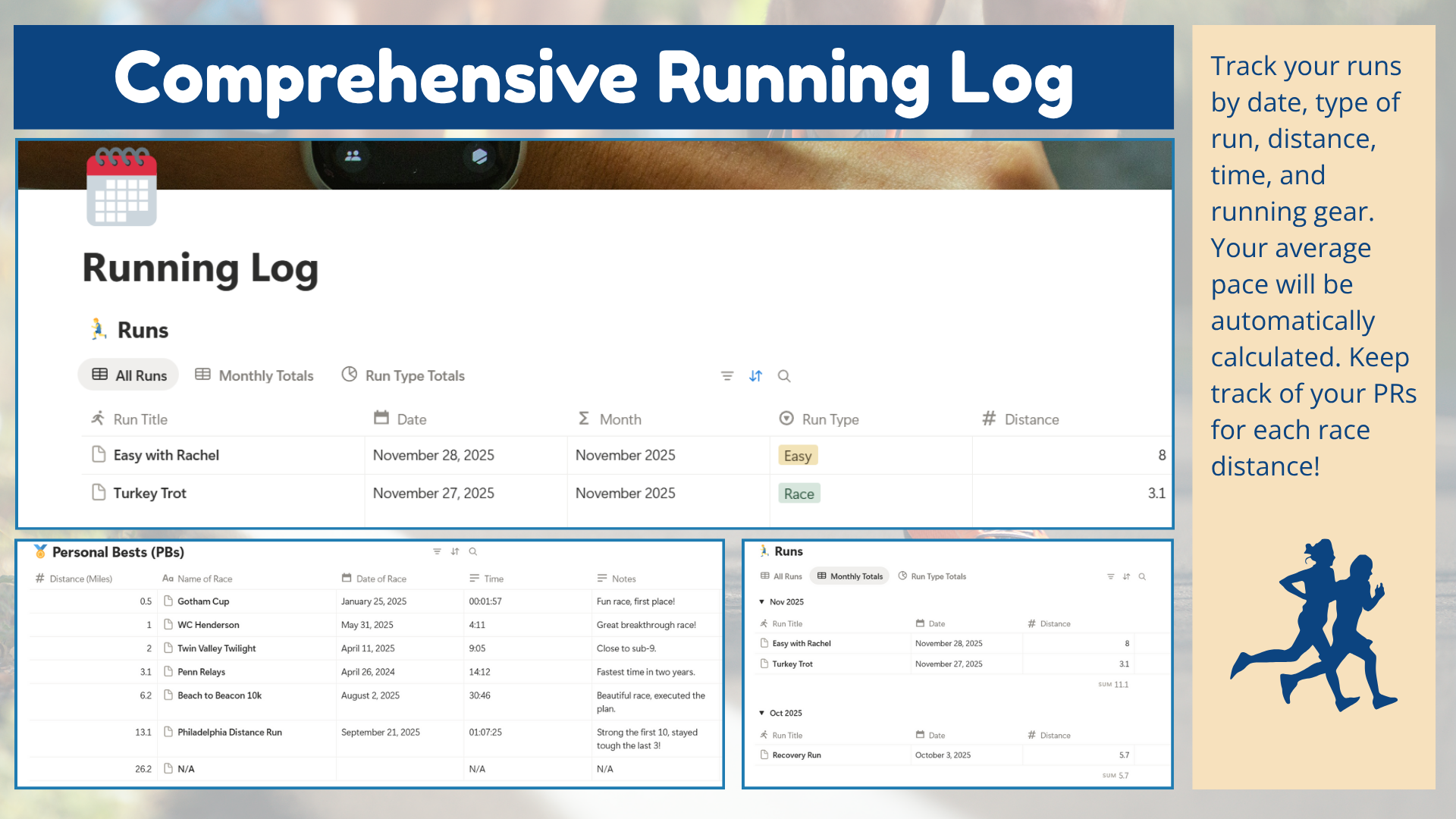
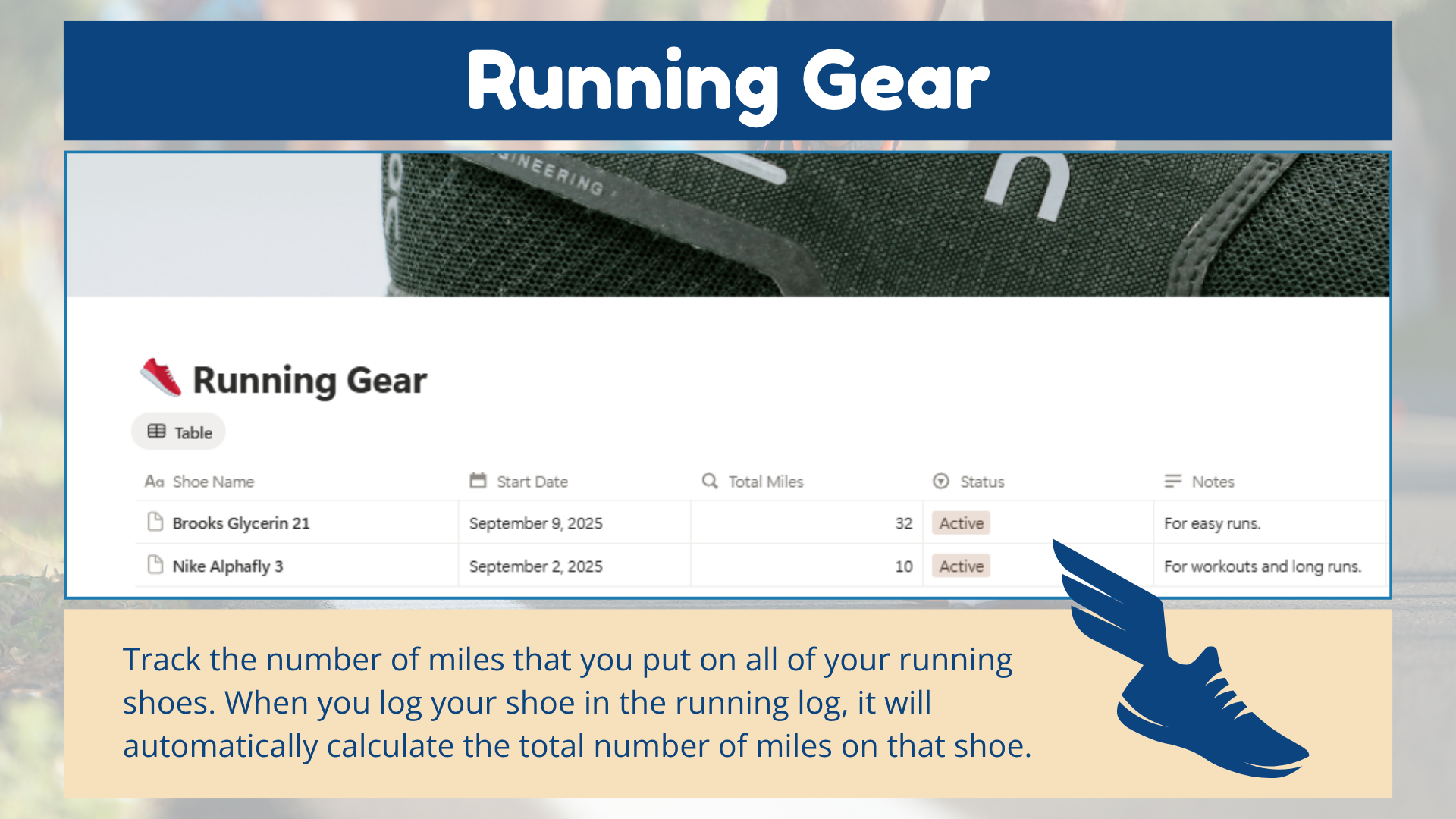
The first week of production focused on building the Running Log, the heart of the tracker. I learned how to code basic formulas in Notion, created inline databases, and added essential properties like run title, date, distance, time, pace, and notes. I also built a Running Gear database that tracks mileage per shoe so runners know when to retire them safely.



Week 4: Adding Key Features
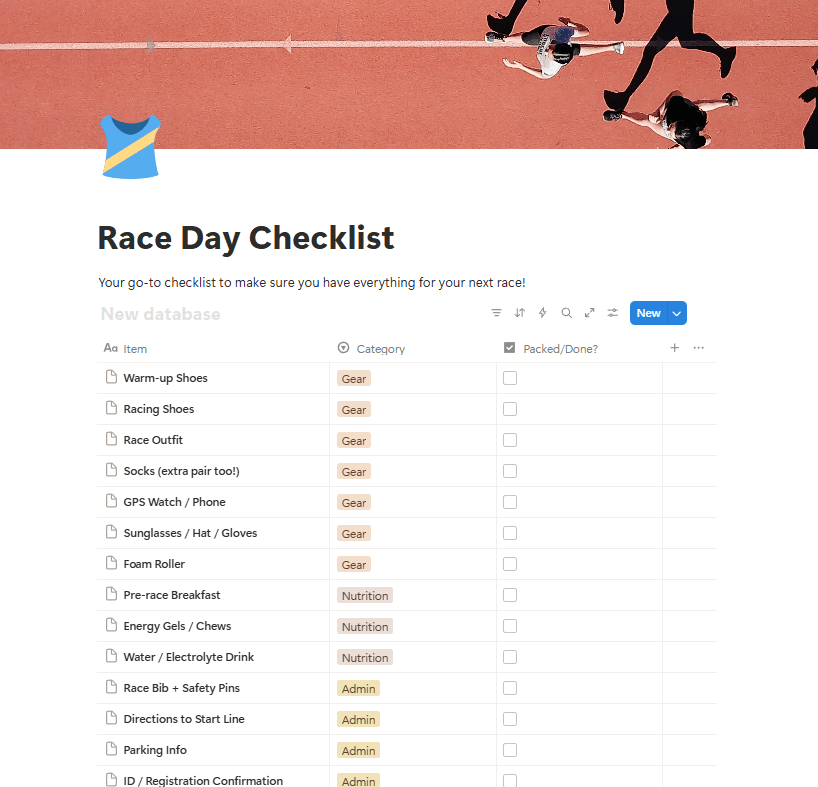
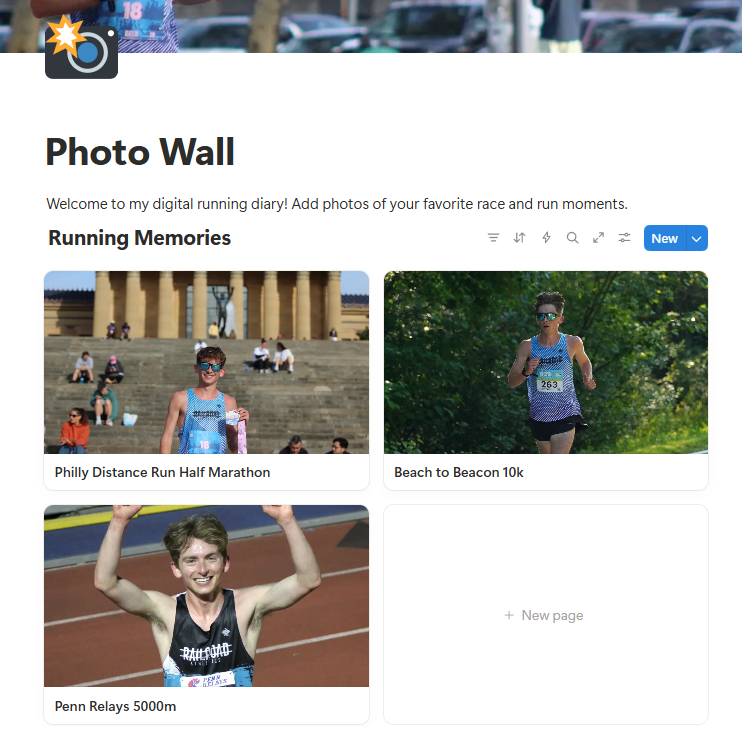
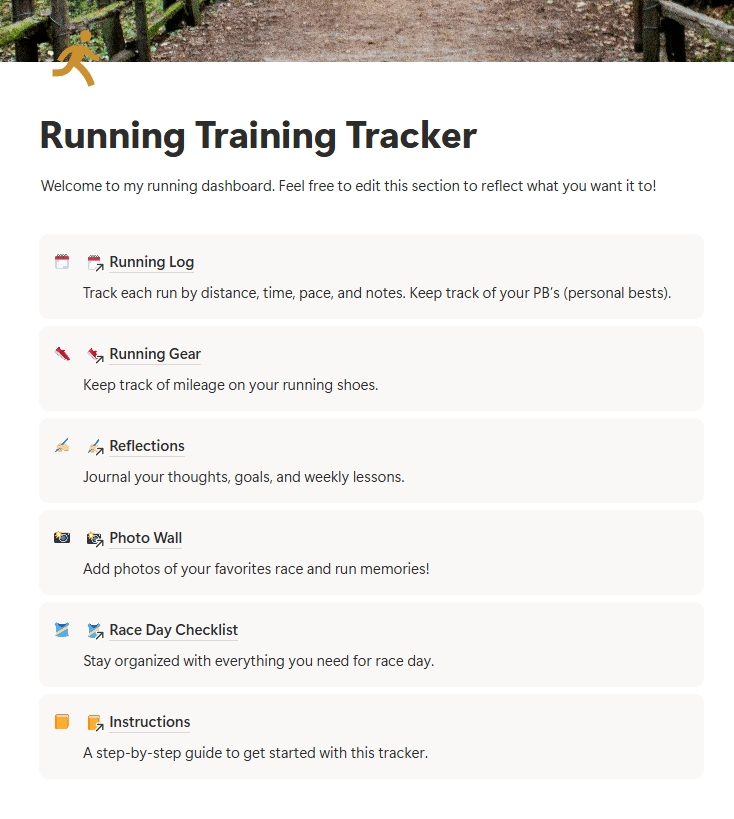
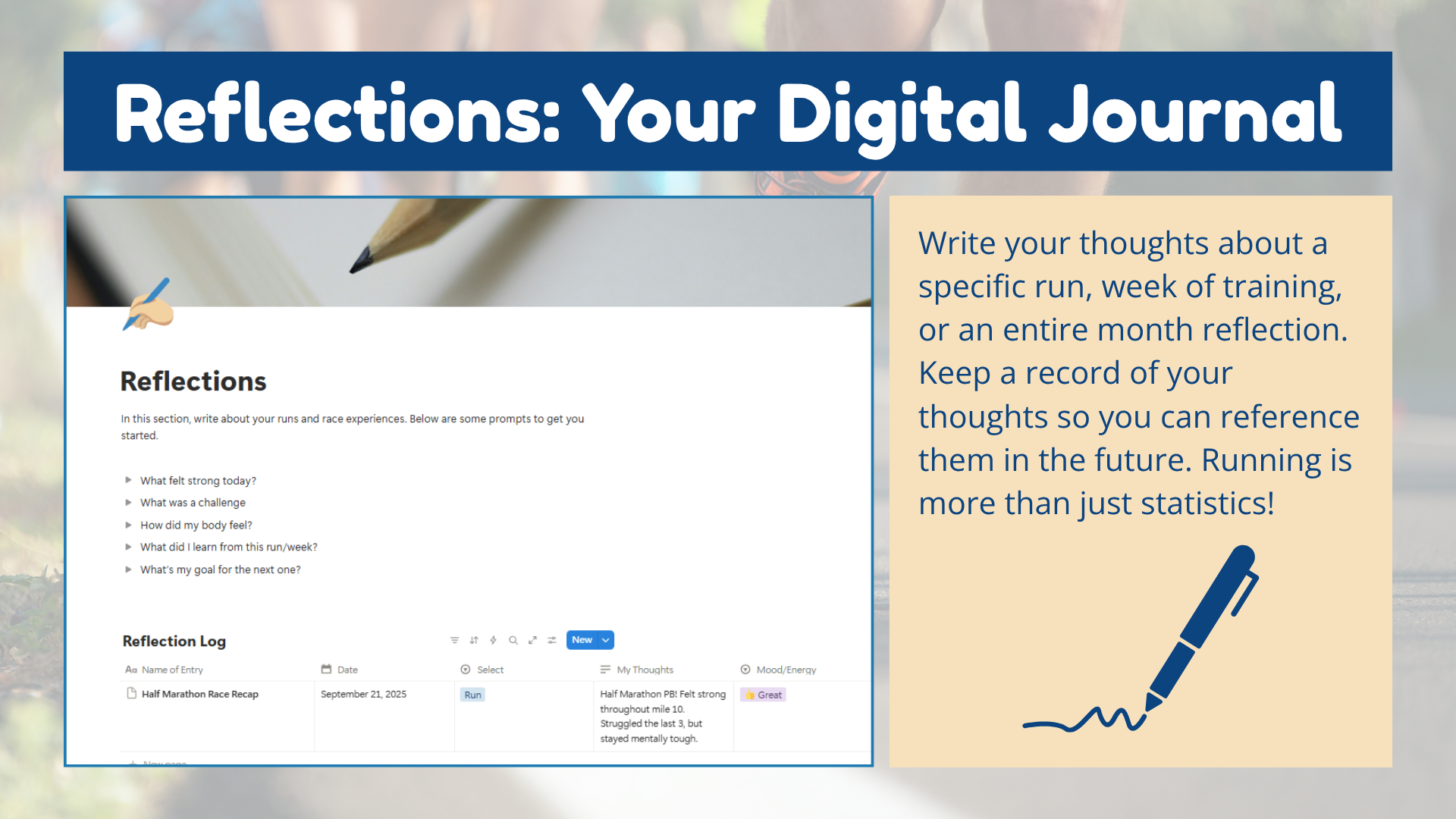
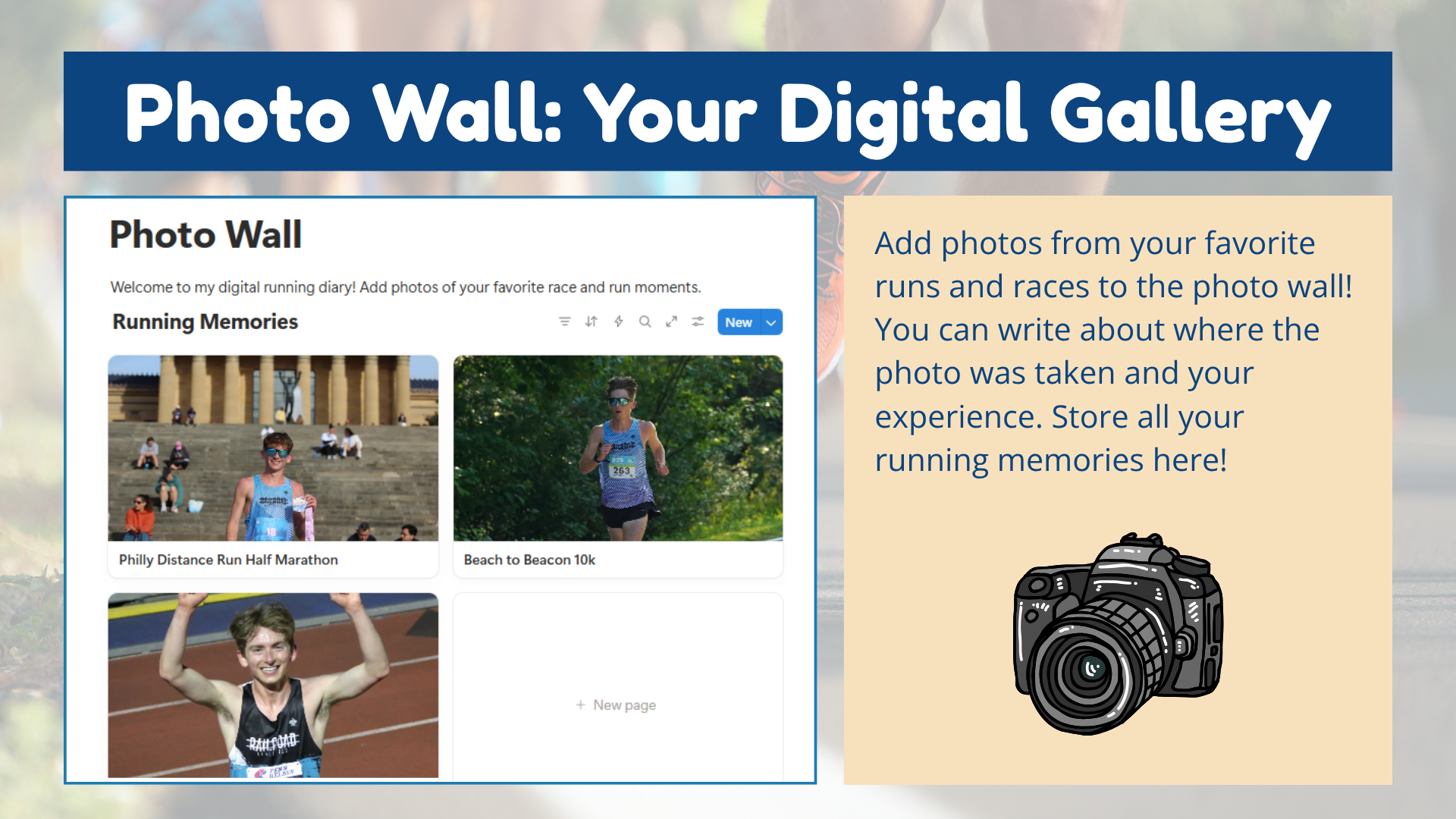
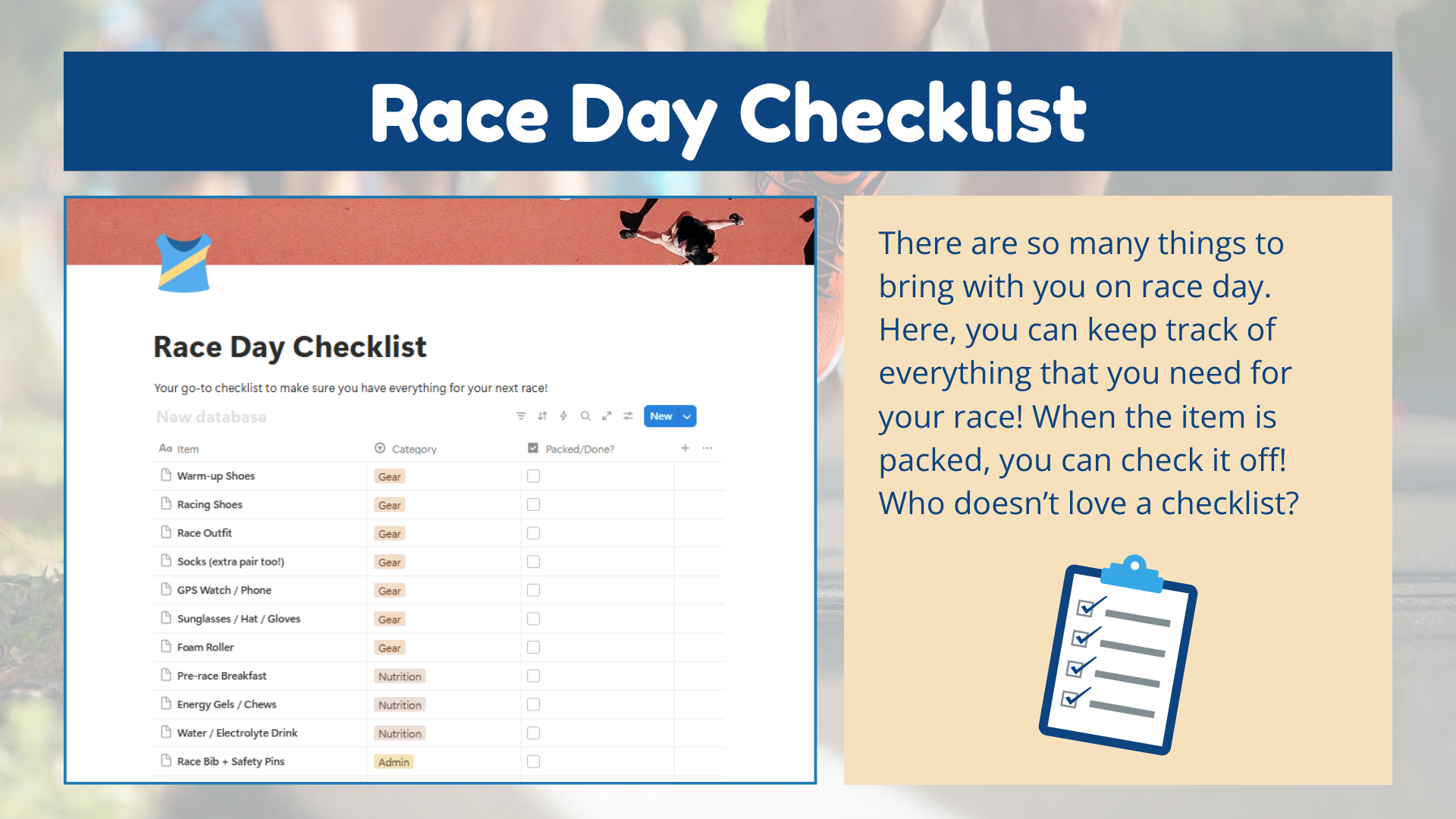
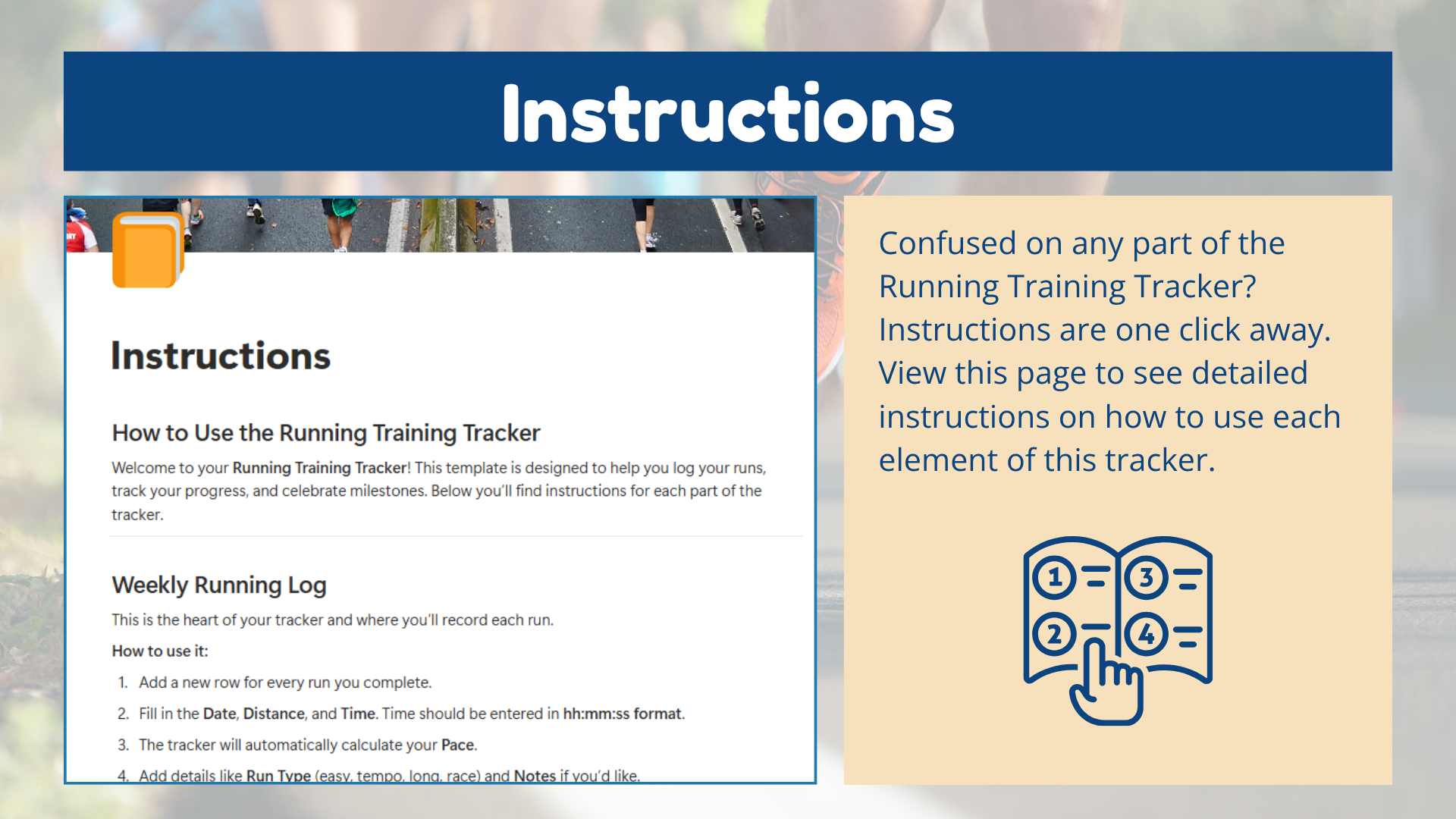
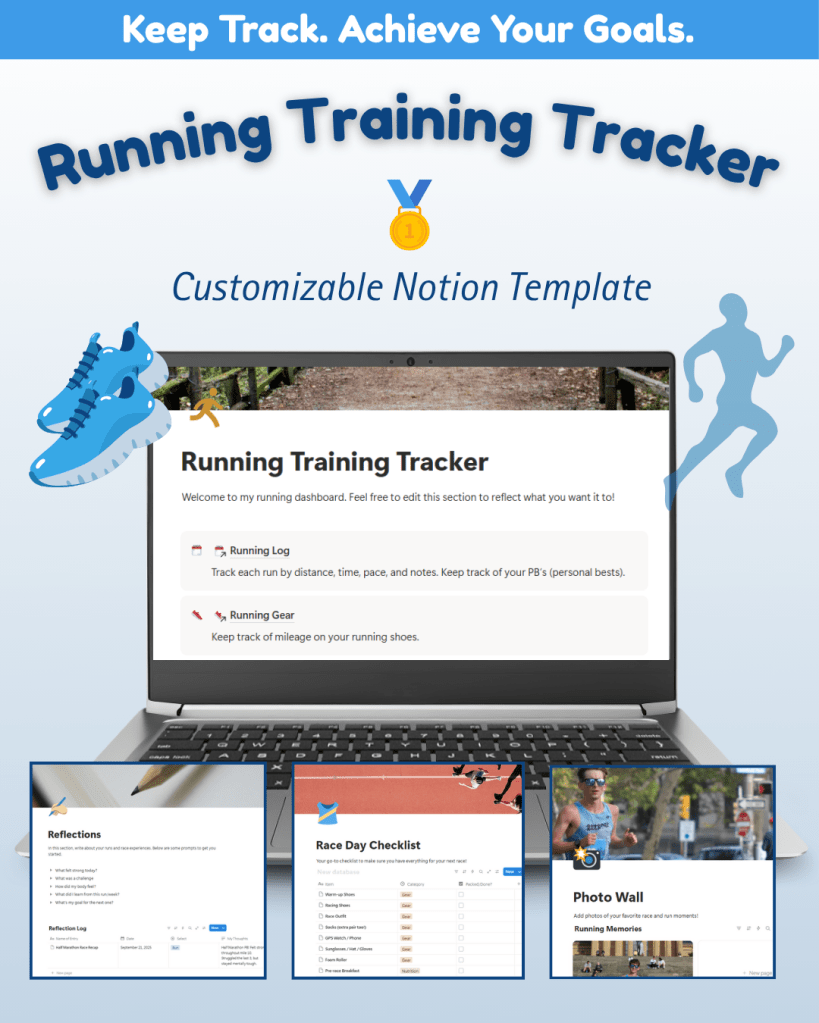
In the second week of production, I expanded the tracker with additional pages: Reflections, Photo Wall, Race Day Checklist, and Instructions. These sections transformed the tracker from a logbook into a digital running diary. I also began user testing with runners from my community to identify areas of improvement.
Week 5: Refining and Finalizing
The final week of production focused on implementing user feedback. I added a Monthly Totals tab within the running log to automatically calculate total mileage per month and clarified that time should be entered in “hh:mm:ss” format for accurate pace calculations. I added icons, refined branding, and tested every link and formula to ensure smooth functionality.
Phase 4 | Marketing Plan + Sales Page
With the product ready, it was time to build its public presence.
Sales Page Development
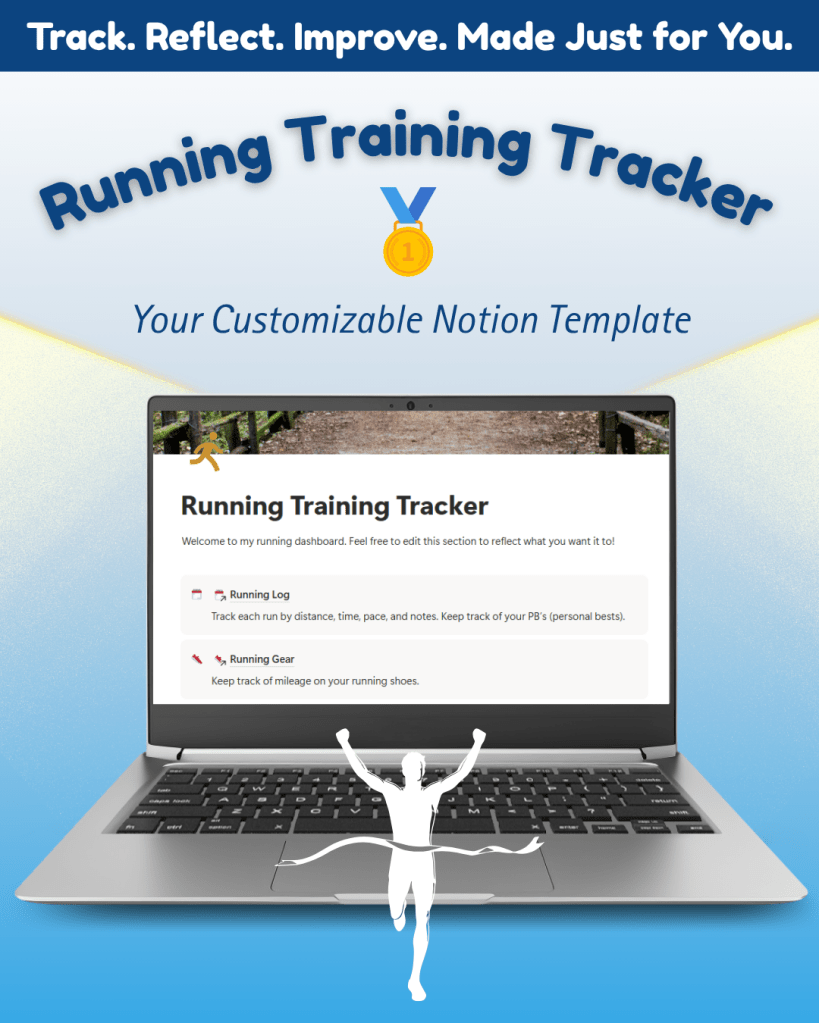
After evaluating sales platforms, I chose Gumroad to host my tracker because it has a “Fitness and Lifestyle” category with a “Running” subcategory. I designed branded thumbnails and mockups in Canva, wrote my product copy in Microsoft Word, and organized the sales page into sections like Format & Layout, How It Works, and FAQs.


Promotional Assets
Once the sales page was complete, I developed a set of multimedia assets to promote the product:
- YouTube Walkthrough: A video guide showing how to use and customize the tracker, identifying why users should use this specific training tracker.
- Email Newsletter (Constant Contact): Announcing the launch with visuals, benefits, and links to Gumroad.
- Social Media Posts (Instagram & Facebook): Featuring images from the tracker, launch announcements, and key features.
Marketing Plan
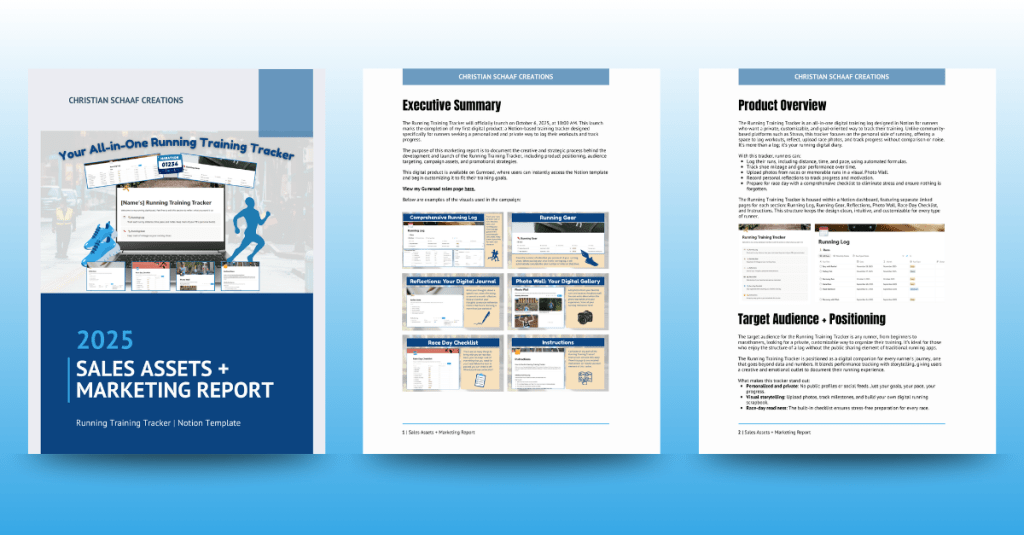
My marketing plan identified runners and fitness enthusiasts as the core audience: individuals looking for a private, customizable, and motivational way to track their training. My key campaign goals were to build awareness, drive traffic to Gumroad, and increase Notion template downloads.
Phase 5 | Product Launch + Results
The Running Training Tracker officially launched on Monday, October 6, 2025, at 10:00 AM. Promotional materials were distributed across YouTube, social media, and email.
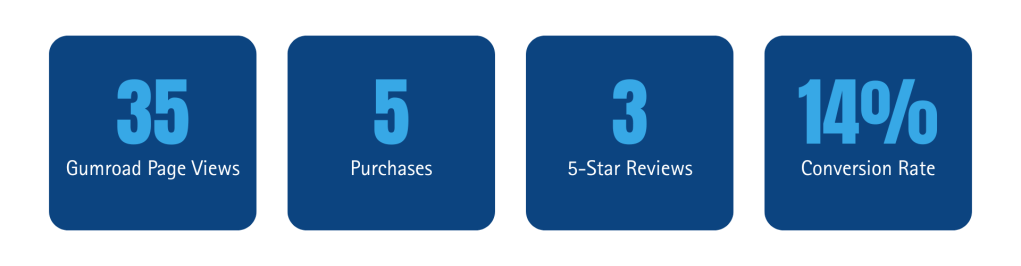
In the first week, the tracker received:
“This is the running tracker I have been looking for. As a former D1 track and field athlete, this running tracker allows me to keep up with workouts and my training like my coaches would do for me in college. Thank you!”
“I have been looking for a training log that is private and just for me, and this is the perfect option. I love that a race day checklist is included – I have never seen that in a running log before!“
“I like the dashboard layout. I haven’t seen other running logs like this before. Looking forward to trying it out.”
Reflection
Building a digital product from scratch was a rewarding and educational experience. It taught me how to:
- Conduct market research and competitor analysis.
- Develop and code in Notion.
- Use Loom to record and Premiere Pro to edit videos.
- Build a marketing plan with multiple communication channels.
- Design branded assets using Canva, the Adobe Suite, and Microsoft Word.
- Create a sales page on Gumroad and successfully launch a product.
Through this project, I gained firsthand experience in building my own micro-business, from product development to brand identity to promotion. These skills have not only deepened my understanding of the design and communications fields, but also expanded my perspective on how creativity, strategy, and empathy work together to deliver real value to users. This journey has given me the confidence and foundation to continue creating digital products, telling stories through design, and connecting with audiences in meaningful, innovative ways.
 Christian Schaaf's Blog + Portfolio